Chapter 1 Appearance
Main Unit
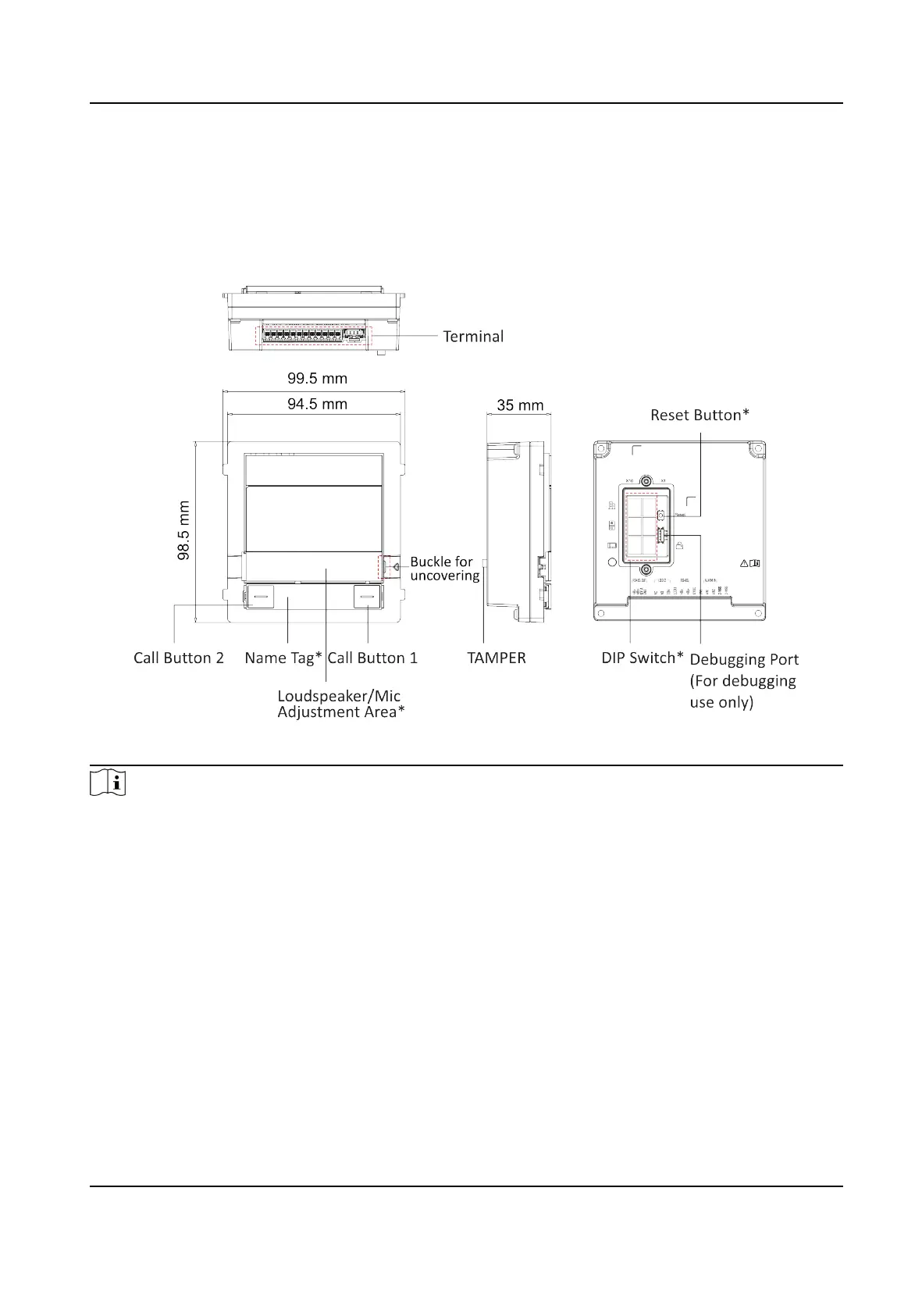
Figure 1-1 Main Unit Appearance
Note
●
Loudspeaker/Mic Adjustment Area: Press the buckle and push the tag to the le to uncover the
metal cover. Remove the dust-proof plug and use drill to adjust the volume of loudspeaker and
the microphone. (The rst is for the loudspeaker and the second is for the Mic.)
●
Reset
Buon:Reset AP Mode Password: Hold the buon for 5 s.
●
Restore Factory
Sengs: Hold the buon for 10 s.
●
DIP Switch: Set the door staon's DIP switch address and video intercom system can nd the
door staon according to the address.
●
Call
Buon: By default, press call buon 1 to call Room No.1 and press call buon 2 to call Room
No.2.
●
Name Tag:Remove the metal cover and you can sck a name tag according to your preference.
Name tag 1: Two call
buons Le: Press once to call a specic room No. Hold the buon for 10 s
to enable the device AP mode. Right: Press once to call a specic room No. Hold the buon for
DS-KD7003EY-IME2 Module Door Staon User Manual
1



 To Next Page
 Loading...








