44 Synclara™ Cough System, Model PSC1 User Manual (196286 REV E)
Device Settings
NOTE:
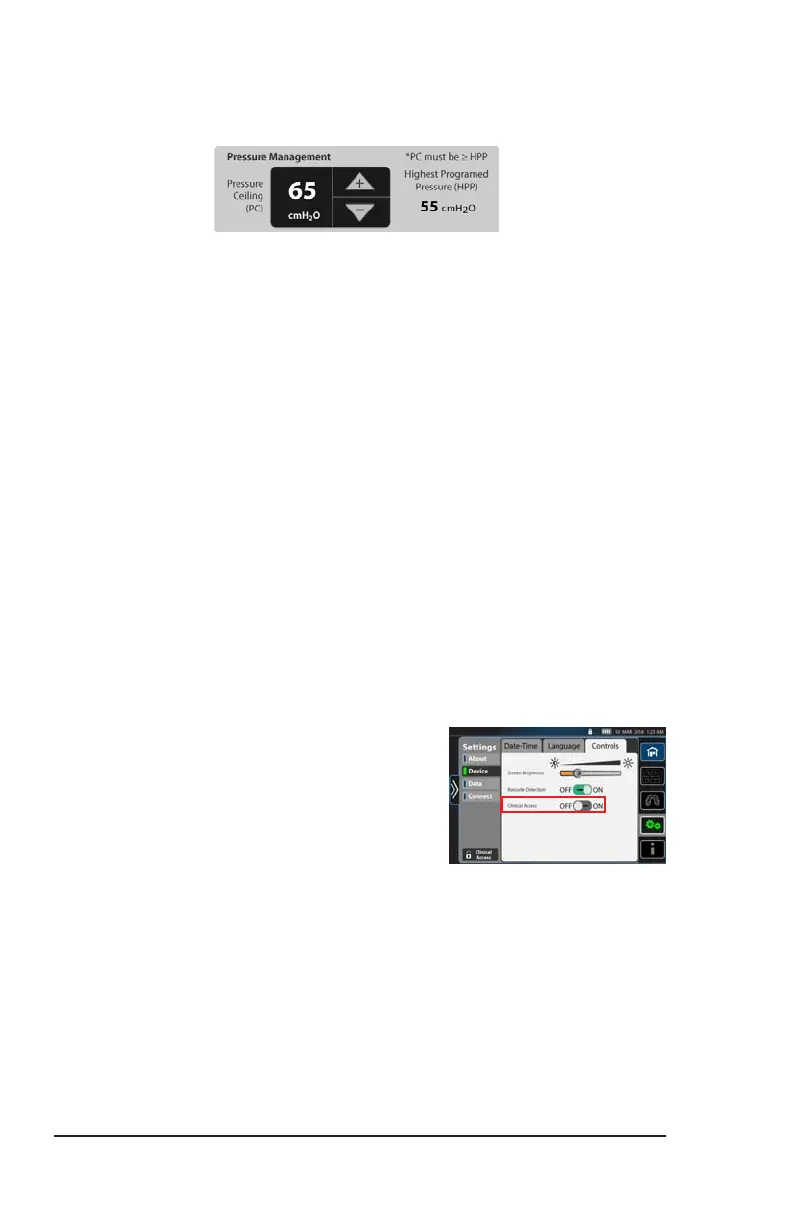
The pressure management settings show:
• Pressure Ceiling (PC)—the maximum therapy pressure that can
be selected by the user in manual mode or when modifying a
preset plan.
• Highest Programed Pressure (HPP)—the highest therapy
pressure that has been programed in both automatic and
manual modes in this system.
2. Press the + or - controls to select the required PC setting.
NOTES:
• Each press of the control increases/decreases the PC setting by
five (5) units.
• The PC ranges between 5 - 70 cmH2O and is limited to the HPP
gathered from the system.
• The PC must be equal or greater than the HPP.
• For example,
If HPP equals 45 cmH2O, then PC must be equal to or
greater than 45 cmH2O. The user can not select a PC setting
of 44 cmH2O or lower.
3. When complete, slide the Clinical
Access setting to OFF. This prevents
unauthorized persons from adjusting the
settings.
Draft_E_2019-Apr-29_Cleaned



 To Next Page