Synclara™ Cough System, Model PSC1 User Manual (196286 REV E) 75
Cleaning and Disinfecting
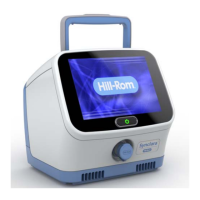
Clean the control unit, mobile stand with cart, and foot switch, as follows:
1. Power off the control unit.
2. Disconnect the control unit from the power source.
3. Disconnect the patient circuit from the control unit. Put the therapy
port cap over the therapy port.
4. Disconnect/detach any accessories attached to the control unit.
5. Thoroughly wipe down the control unit housing, stand with cart, and
foot switch with a clean cloth dampened in a compatible bacterial
cleaning solution or compatible disinfectant wipes. Do not use
excessive liquid or harsh cleansers. See “Compatible cleaning and
disinfecting solutions” on page 74.
Allow the unit to completely dry before use.
CLEAN THE PULSE OXIMETER
CAUTION:
To help prevent equipment damage, obey these cautions and cleaning
instructions:
• Caution—Clean the pulse oximeter between patient to patient
use, or when visibly soiled.
• Caution—Avoid using any alcohol-based solution to clean the
display screen of the pulse oximeter. This can damage the screen
and cause clouding.
1. Between patient use, clean the finger probe area of the pulse
oximeter with a soft cloth dampened with isopropyl alcohol
(concentration not exceeding 70%).
2. Use a soft, dry cloth to wipe the screen.
CLEAN THE SINGLE PATIENT USE CIRCUIT
WARNING:
To help prevent cross-contamination and/or equipment damage, obey
these warnings and cleaning instructions:
• Warning—Replace the patient circuit between patients. Failure
to do so could cause infection.
• Warning—Replace the circuit if it is damaged or visibly soiled. Do
not disinfect or sterilize the circuit for reuse by more than one
patient.
Draft_E_2019-Apr-29_Cleaned



 To Next Page