Synclara™ Cough System, Model PSC1 User Manual (196286 REV E) 83
Troubleshooting
Warning Messages
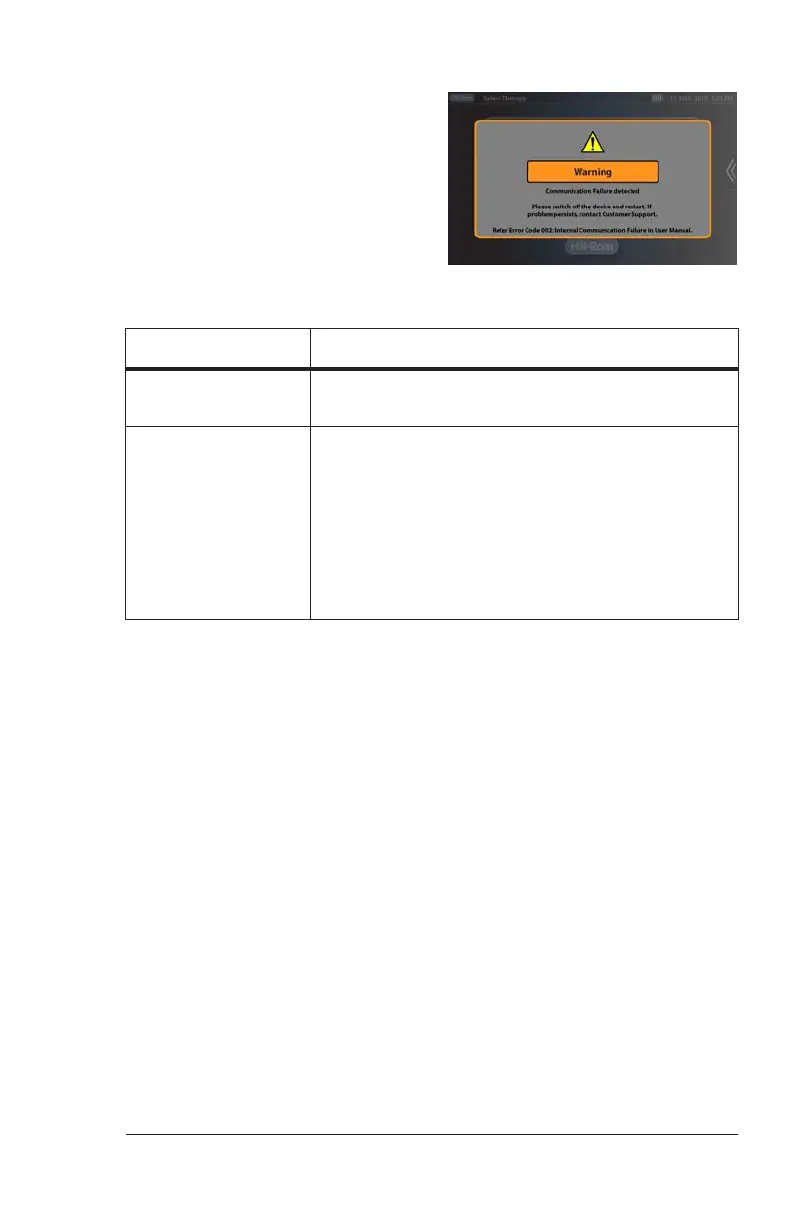
Warning messages show on-screen
to let you know that a critical issue
has occurred. Follow the on-screen
instructions to troubleshoot the
issue. If an error code shows, see
“Solutions for Warning Messages” on
page 83.
Solutions for Warning Messages
Error Code Do this:
001, 002, 003, 004,
005, 006, 008, 032
Power off the control unit, then power it on
again.
009
1. Make sure only the Hill-Rom approved
battery (194566S) is used.
2. Press return after reading the on-screen
message.
3. Make sure the battery is correctly installed in
the control unit. If necessary, remove the
battery and install it. Remove the battery and
install it. See “Install the Battery” on page 61“.
Draft_E_2019-Apr-29_Cleaned



 To Next Page