Synclara™ Cough System, Model PSC1 User Manual (196286 REV E) 65
Accessories
FOOT SWITCH
WARNING:
The foot switch port is available only on custom configured systems.
Warning—Use only the approved Hill-Rom foot switch (204405). The use
of a different foot switch could cause the control unit to operate
incorrectly, resulting in patient injury.
The foot switch can only be used for control of the Synclara™ therapy.
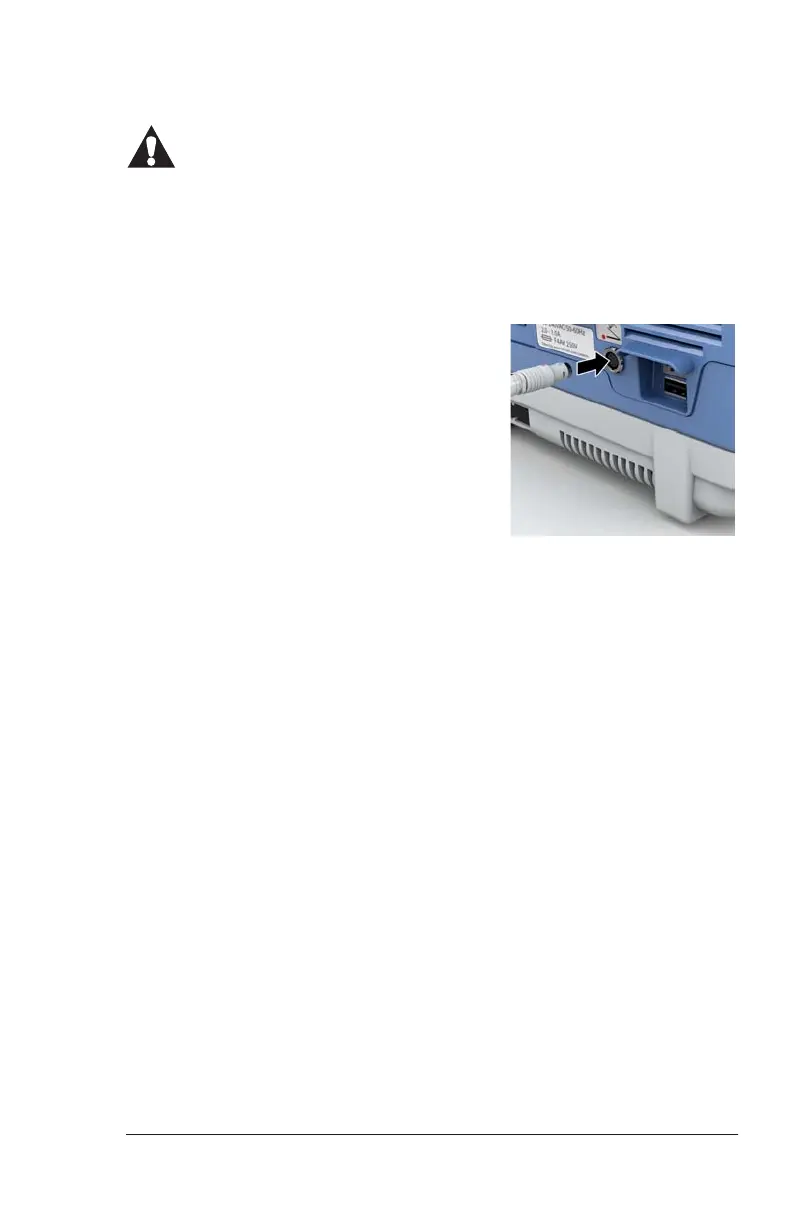
1. Connect the foot switch to the
control unit:
a. Hold the connector of the foot
switch’s cord behind its collar.
b. Align the red dot on the cord
with the red dot near the foot
switch port on the control unit.
c. Push the cord connector into the foot switch port until the
connector automatically makes a 1/4 turn and you hear a click
sound.
Draft_E_2019-Apr-29_Cleaned



 To Next Page