56 Synclara™ Cough System, Model PSC1 User Manual (196286 REV E)
Device Settings
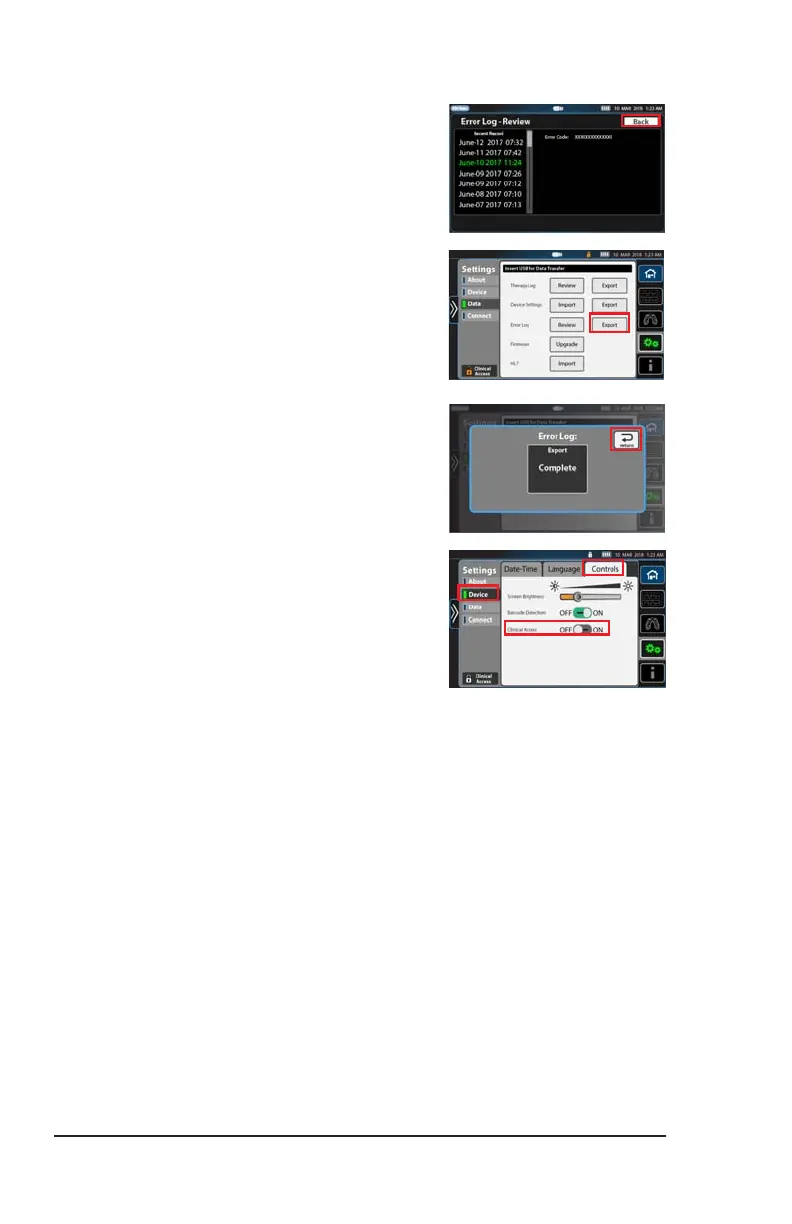
5. Select the date and time of the session
on the left hand panel. Errors that
occurred at that time show on the right
panel.
6. Press Back to go to the Data screen.
7. To export the Error Log, connect the USB
drive to the port on the back of the
control unit.
8. At Error Log, press Export. Exporting
begins. When the export is complete, a
confirmation screen shows.
9. Press Return to go to the Data menu.
NOTE:
To prevent unauthorized persons from
adjusting the settings made, disable
Clinical Access after you have made the
settings.
Press Device, then press Control. Slide
Clinical Access to OFF.
10. Press the Home menu control to exit.
Draft_E_2019-Apr-29_Cleaned



 To Next Page