The figures in this manual are based on the external view of a standard model.
Consequently, the shape may differ from that of the air conditioner you have selected.
* It can be set or canceled by professional after-sale stuff.
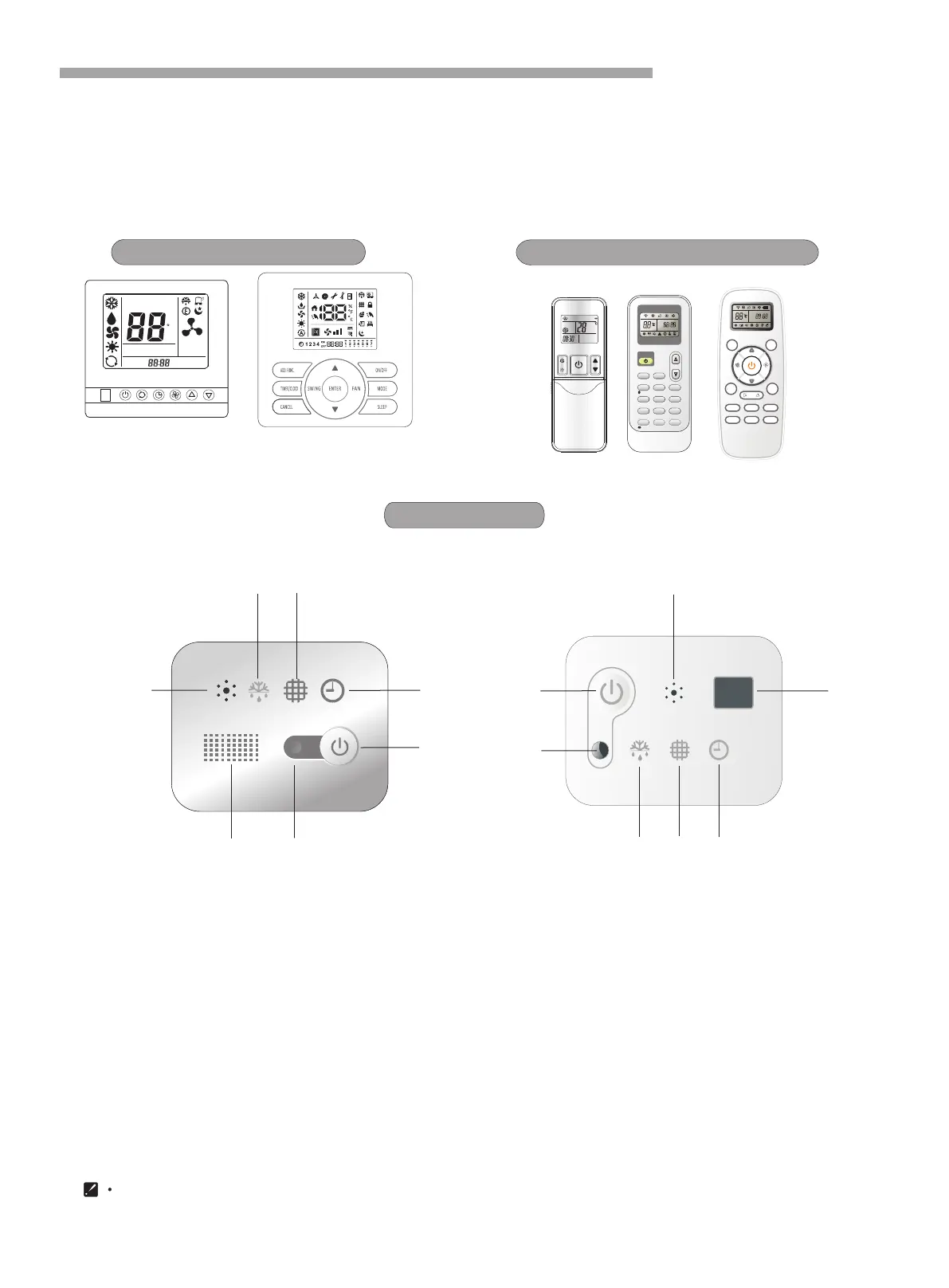
Display Panel
Identification of Parts
4
Cassette display panel
5
6
4
6
2
1
1
3
7
5
4
2
3
7
1 Run indicator (Red)
It lights on during operation. It lights off all when setting SLEEP mode.
2 Emergency switch
The filter clean is reset if press the switch.
3 Timer indicator (Green)
It lights on when timer is in use. It lights off when timer finishes.
4 *Filter clean (Yellow)
It lights on when the filter should be cleaned.
5 Defrost indicator (Green)
It lights on during the defrost. It lights off when defrost finishes.
6 Buzzer
It rings when the signal from remote controller is received.
7
.
Signal receiving section
Receives signal from the remote controller.
Wire remote controller
Wireless remote controller
You can control the air-conditioner with the wire remote controller or wireless remote controller.
It is used for controlling power ON/OFF,setting the running mode, temperature,fan speed and other functions.
There are different types of remote controllers can be selected.
Operate instruction will be further specified in remote controller's manual separately.
Please read it carefully before using this appliance and keep it for future reference.
SET TEMP
ROOM
TEMP
C
AUTO
NO
.
TIMER ON
TIMER OFF
SET TIMER
A
Remote controller(optional)
ON/ OFF
MODE FAN
SLEE P
SUPE R
SMART
IFEE L D IMMER
TIME R ON TIMER OF F CLOC K
ON
OFF
ON
OFF
SWIN G
SWIN G
ON
OFF
MODE
SMART
QUIE T
DIMM ER
ECON OMY
FEEL
SUPE R
FAN SPE ED
CLOC K
TIME R ON
TIME R OFF
SLEE P
TEMP.
TEMP.
确定



 To Next Page