FIREWALL
Version 2.0, February 2012. Copyright 2012 Hitron Technologies
66
Version 2.0, February 2012. Copyright 2012 Hitron Technologies
66
HITRON CGN USER’S GUIDE
5.4.1 ADDING OR EDITING A PORT FORWARDING RULE
To add a new port forwarding rule, click Add in the Firewall > Forwarding
screen.
To edit an existing port forwarding rule, select the rule’s radio button ( ) in the
Firewall > Forwarding screen and click the Edit button.
NOTE: Ensure that the Disabled checkbox is disabled in order to add or edit port
forwarding rules.
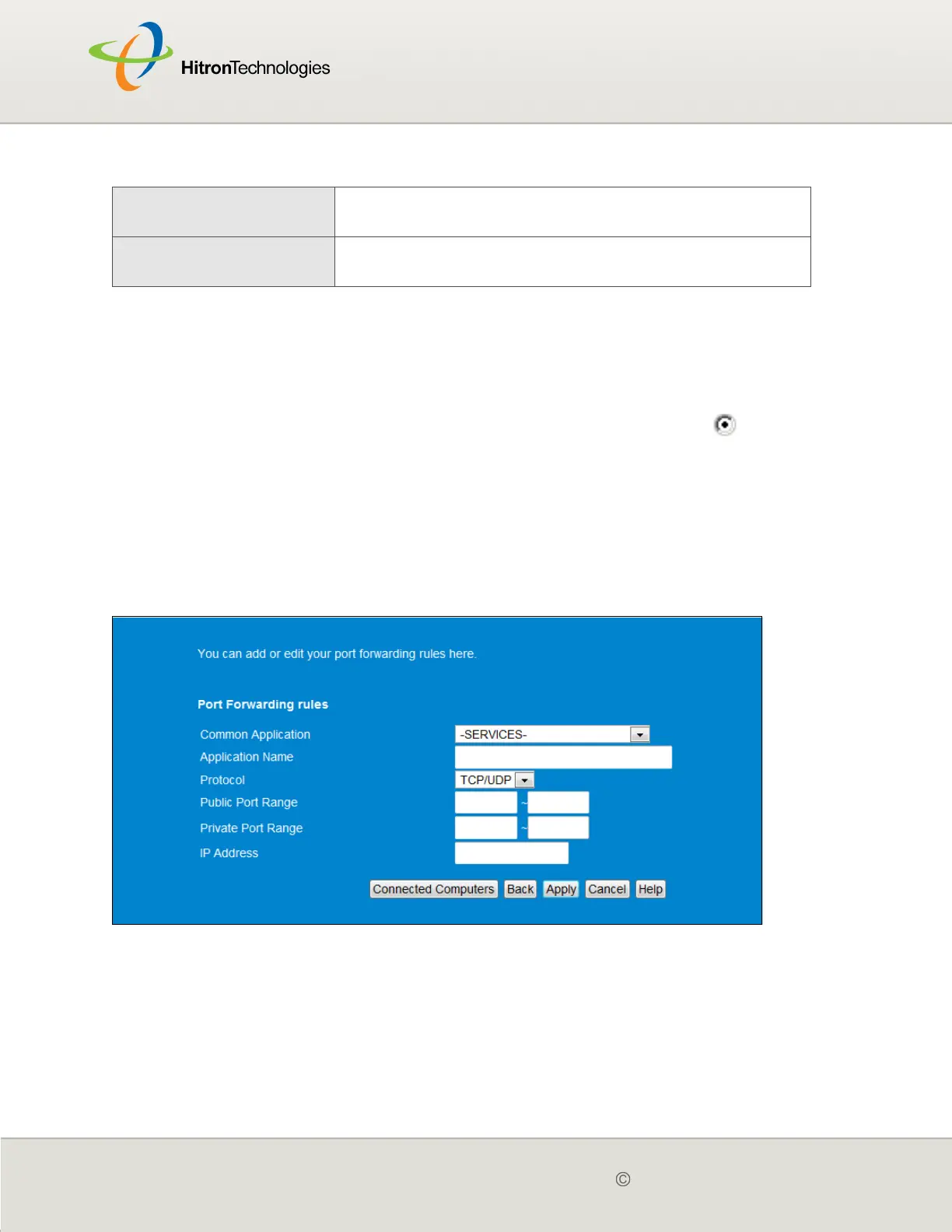
The following screen displays.
Figure 21: The Firewall > Forwarding > Add/Edit Screen
Cancel Click this to return the fields in this screen to their last-
saved values without saving your changes.
Help Click this to see information about the fields in this
screen.
Table 18: The Firewall > Forwarding Screen (continued)



 To Next Page