INTRODUCTION
Version 2.0, February 2012. Copyright 2012 Hitron Technologies
24
Version 2.0, February 2012. Copyright 2012 Hitron Technologies
24
HITRON CGN USER’S GUIDE
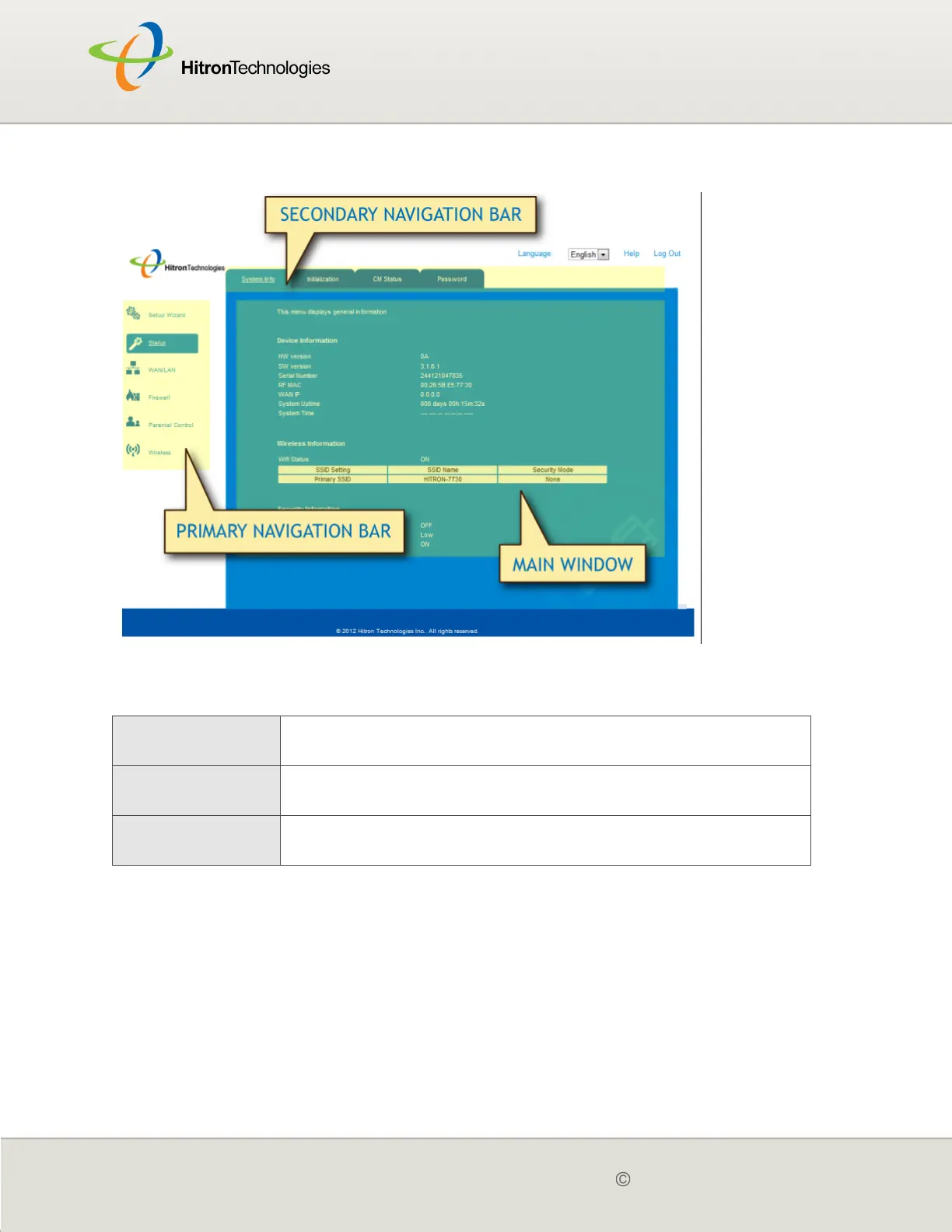
Figure 5: GUI Overview
Each item in the Primary Navigation Bar has its own chapter in this User's Guide;
items in the Secondary Navigation Bar have their own section within a chapter.
1.7 RESETTING THE CGN
When you reset the CGN to its factory defaults, all user-configured settings are lost,
and the CGN is returned to its initial configuration state.
Table 4: GUI Overview
Primary
Navigation Bar
Use this section to move from one part of the GUI to another.
Secondary
Navigation Bar
Use this section to move from one related screen to another.
Main Window Use this section to read information about your CGN’s
configuration, and make configuration changes.



 To Next Page