WIRELESS
Version 2.0, February 2012. Copyright 2012 Hitron Technologies
84
Version 2.0, February 2012. Copyright 2012 Hitron Technologies
84
HITRON CGN USER’S GUIDE
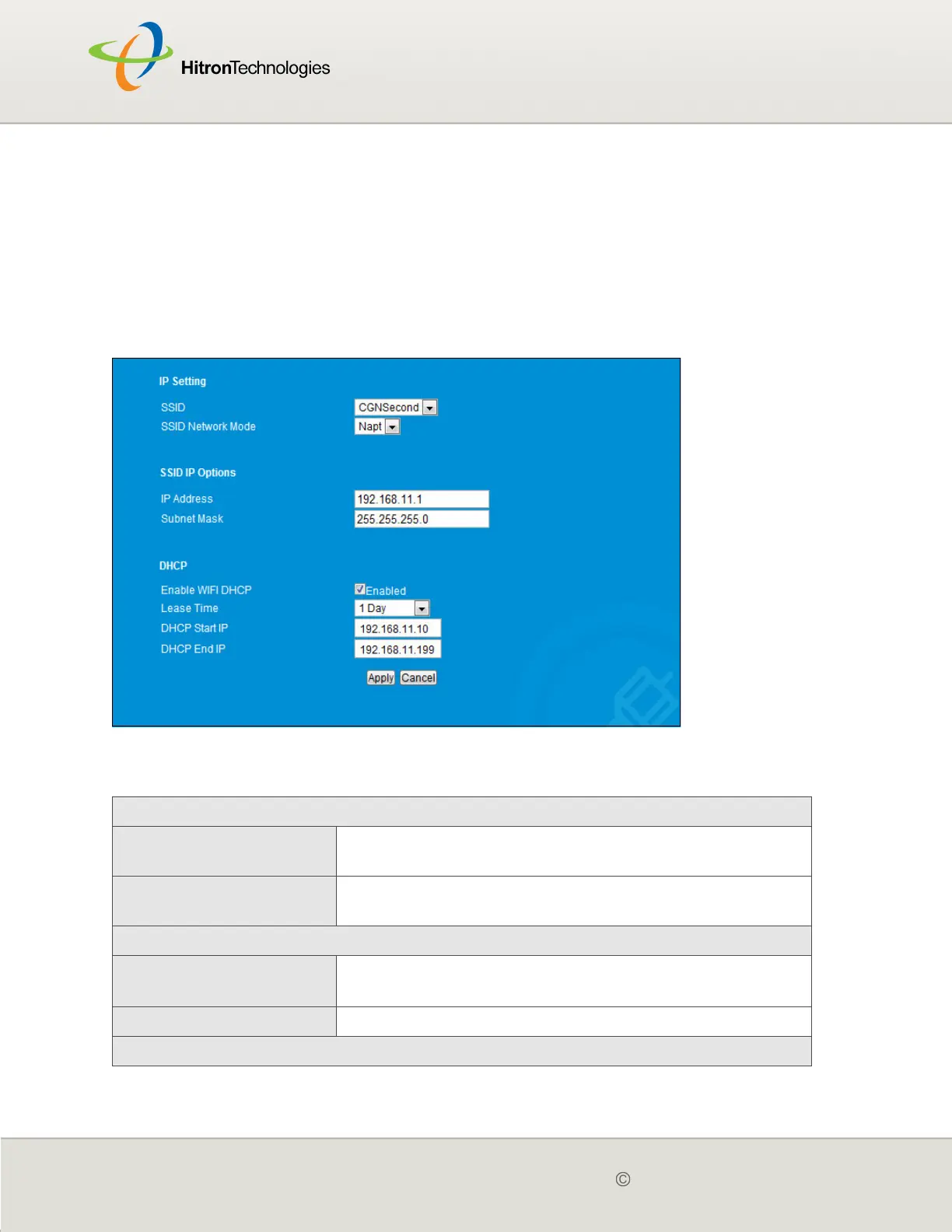
7.3 IP SETTING
This screen will be visible for configuring IP and DHCP setting of SSIDs other than
the primary SSID.
Click Wireless > IP Setting. The following screen displays.
Figure 28: The Wireless > IP Setting Screen
The following table describes the labels in this screen.
Table 26: The Wireless > IP Setting
IP Setting
SSID Select the SSID for which you want to configure
security.
SSID Network Mode Select the SSID Network Mode for which you want to
configure security.
SSID IP Options
IP Address This displays the CGN’s WAN IP address. This IP
address is automatically assigned to the CGN
Subnet Mask This field displays the CGN’s WAN subnet mask.
DHCP



 To Next Page