Version 1.1, 08/2013. Copyright 2012 Hitron Technologies
60
Version 1.1, 08/2013. Copyright 2013 Hitron Technologies
60
Hitron CGN3 User’s Guide
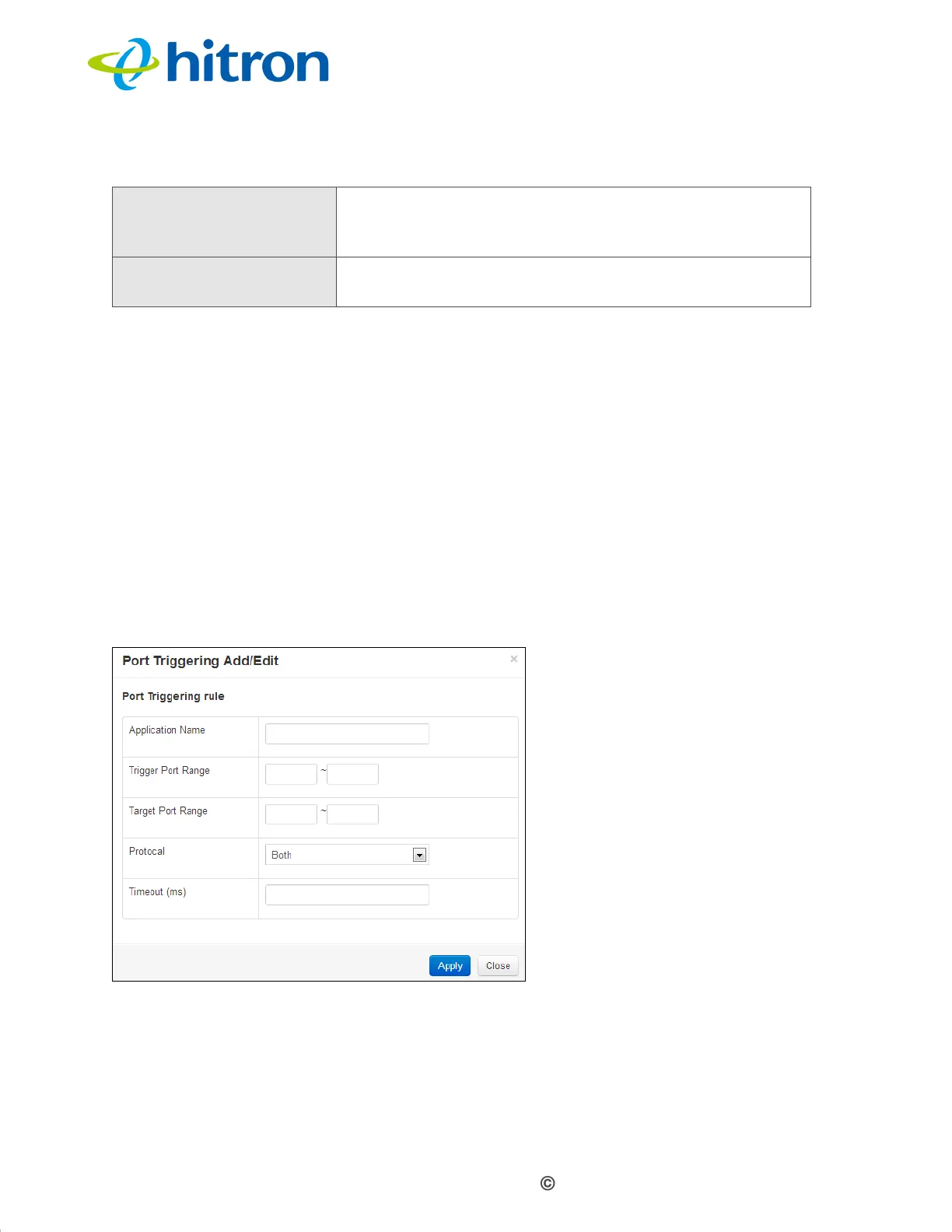
4.5.1 Adding or Editing a Port Triggering Rule
To add a new port triggering rule, click Add in the Basic > Port Triggering
screen.
To edit an existing port triggering rule, select the rule’s radio button in the Basic
> Port Triggering screen and click the Edit button.
NOTE: Ensure that Enabled is selected in the Basic > Port Triggering screen in
order to add or edit port triggering rules.
The following screen displays.
Figure 22: The Basic: Port Triggering Add/Edit Screen
Delete Select a port forwarding rule’s radio button and click this
to remove the rule. The deleted rule’s information
cannot be retrieved.
Help Click this to see information about the fields in this
screen.
Table 19: The Basic: Port Triggering Screen (continued)



 To Next Page