Version 1.1, 08/2013. Copyright 2012 Hitron Technologies
85
Version 1.1, 08/2013. Copyright 2013 Hitron Technologies
85
Hitron CGN3 User’s Guide
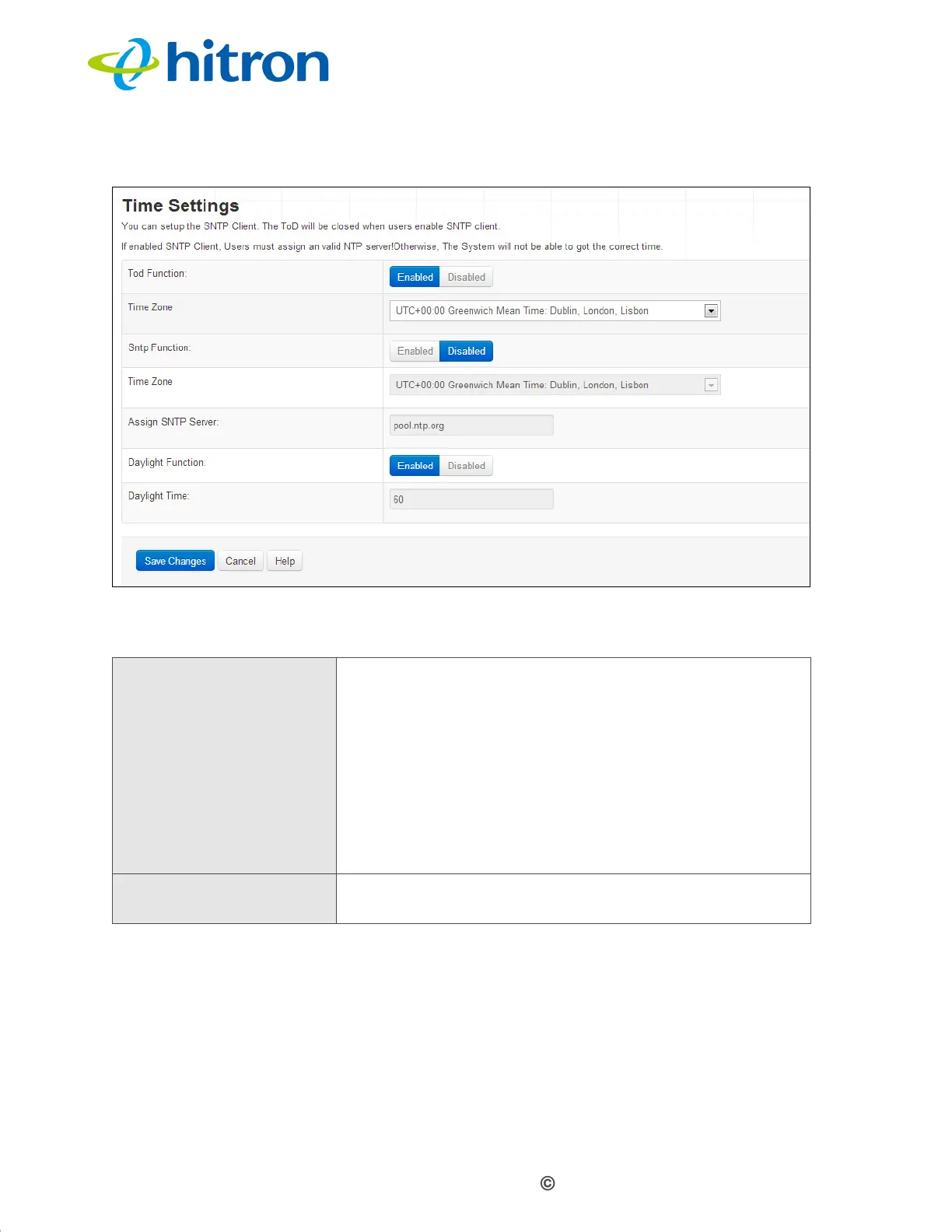
Figure 34: The Admin: Time Setting Screen
The following table describes the labels in this screen.
Table 32: The Admin: Time Setting Screen
ToD Function
Use this field to select whether the ToD Function be active
or not.
Select Enabled to activate the ToD Function.
Select Disabled to deactivate the
ToD Function.
NOTE: Time of Day (TOD) is mostly used in cable
networks for cable modems to be able to get
time to put a timestamp on the log entries in the
cable modem itself for trouble shooting.
Time Zone Use this fields to select the time zome when the ToD
Function enabled
.



 To Next Page