Version 1.1, 08/2013. Copyright 2012 Hitron Technologies
64
Version 1.1, 08/2013. Copyright 2013 Hitron Technologies
64
Hitron CGN3 User’s Guide
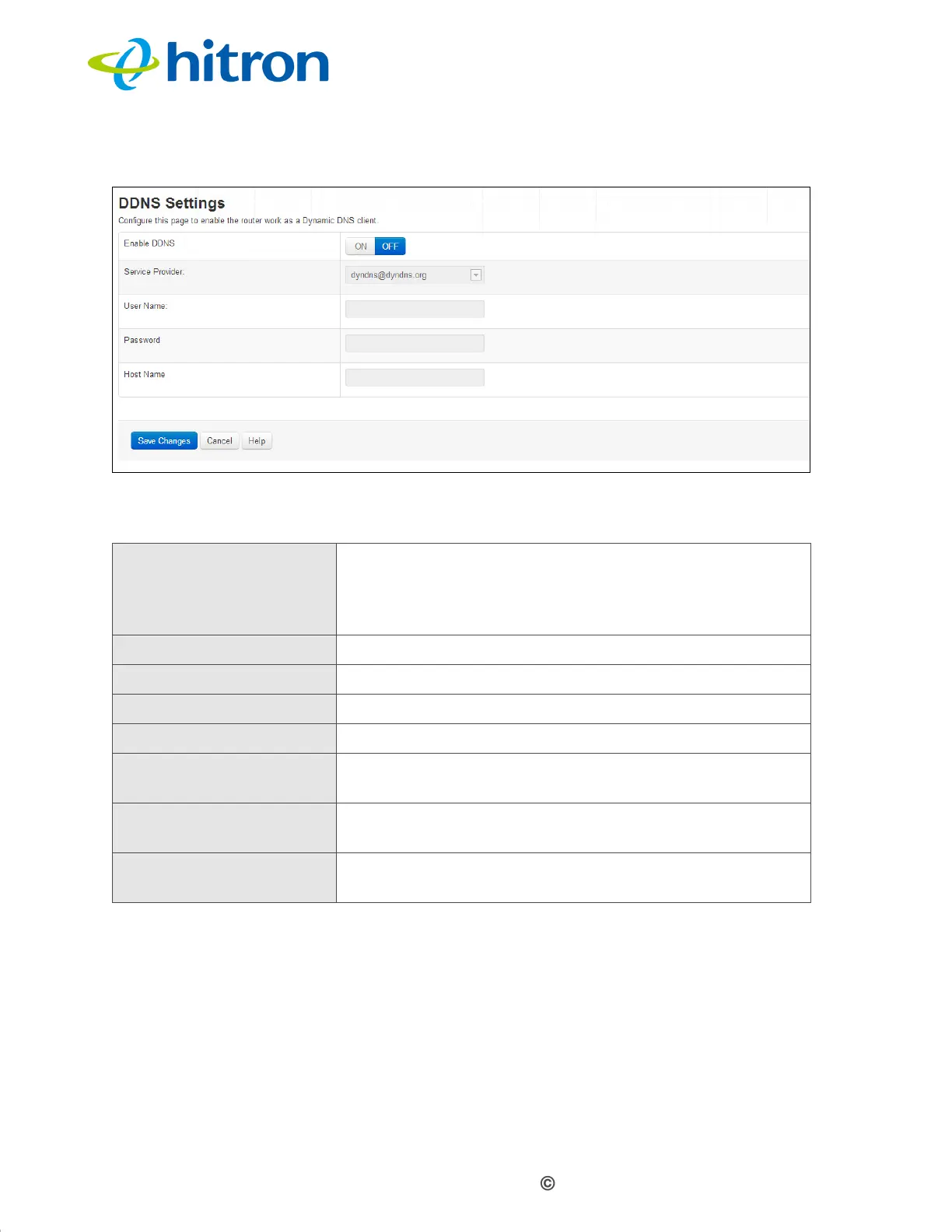
Figure 25: The Basic: DDNS Screen
The following table describes the labels in this screen.
Table 23: The Basic: DDNS Screen
Enable DDNS Use this field to turn the DDNS on or off.
Select On to turn the DDNS on.
Select Off to turn the DDNS off.
Service Provider Use this field to select the service provider.
User Name Enter the user name you registered.
Password
Enter the password you registered.
Host Name
Enter the host name you registered.
Save Changes Click this to save your changes to the fields in this
screen.
Cancel Click this to return the fields in this screen to their last-
saved values without saving your changes.
Help Click this to see information about the fields in this
screen.



 To Next Page