83
HITRON CGNV2 USER’S GUIDE
WIRELESS
6.4.2 THE SECURITY SCREEN
Use this screen to configure authentication and encryption on your wireless network.
NOTE: It is strongly recommended that you set up security on your network;
otherwise, anyone in the radio coverage area can access your network.
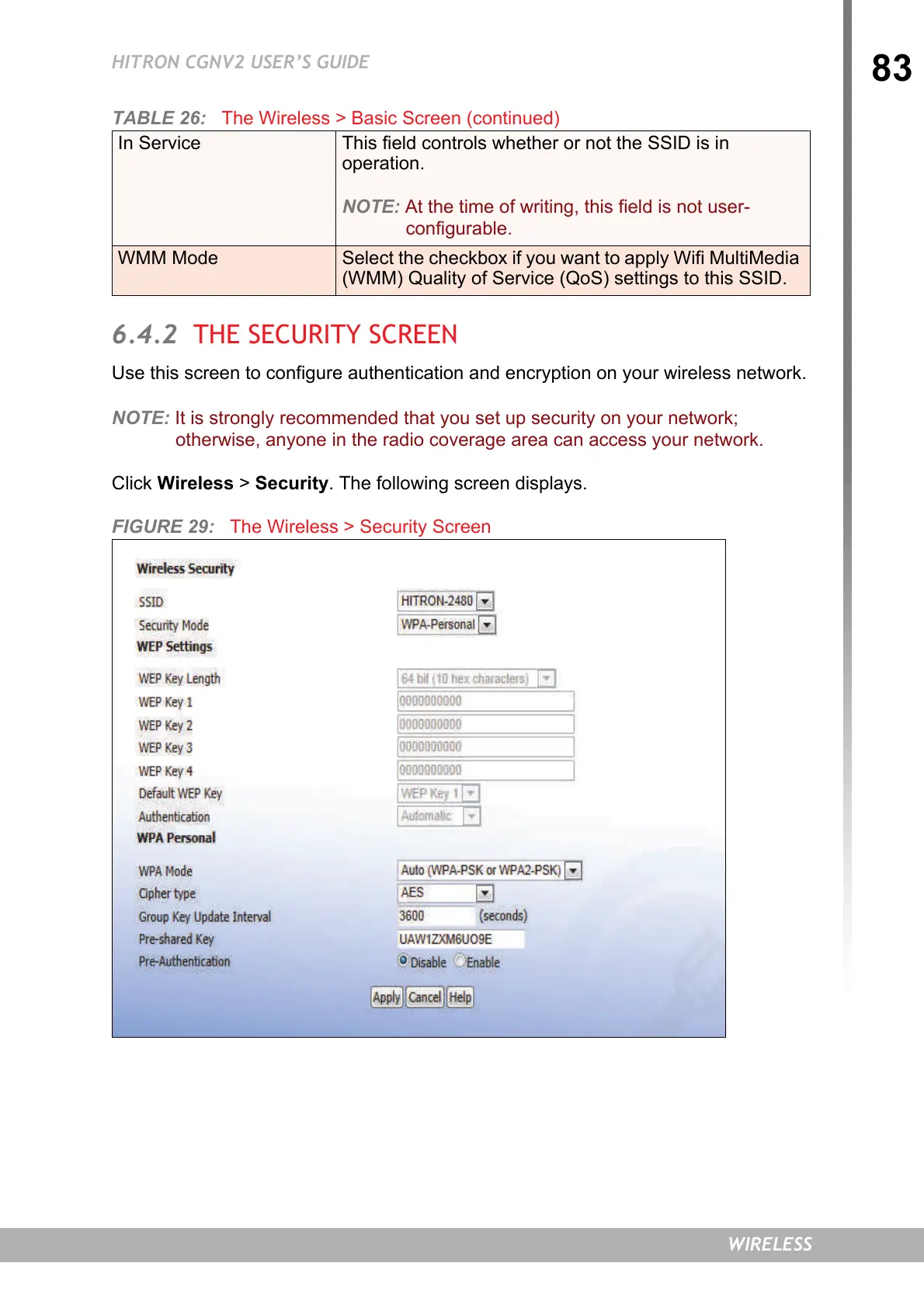
Click Wireless > Security. The following screen displays.
FIGURE 29: The Wireless > Security Screen
In Service This field controls whether or not the SSID is in
operation.
NOTE: At the time of writing, this field is not user-
configurable.
WMM Mode Select the checkbox if you want to apply Wifi MultiMedia
(WMM) Quality of Service (QoS) settings to this SSID.
TABLE 26: The Wireless > Basic Screen (continued)


 To Next Page