53
HITRON CGNV2 USER’S GUIDE
FIREWALL
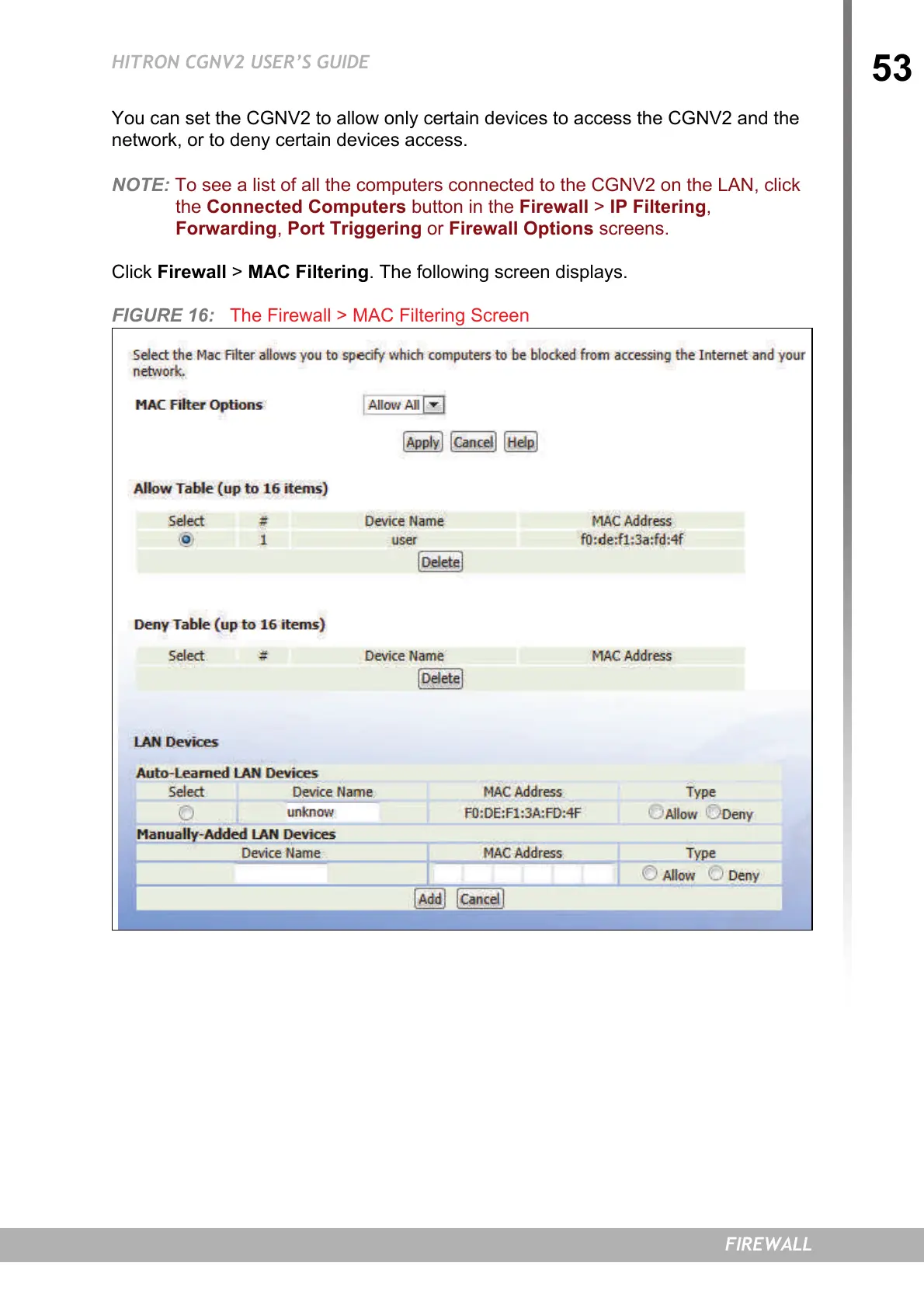
You can set the CGNV2 to allow only certain devices to access the CGNV2 and the
network, or to deny certain devices access.
NOTE: To see a list of all the computers connected to the CGNV2 on the LAN, click
the Connected Computers button in the Firewall > IP Filtering,
Forwarding, Port Triggering or Firewall Options screens.
Click Firewall > MAC Filtering. The following screen displays.
FIGURE 16: The Firewall > MAC Filtering Screen


 To Next Page