94
HITRON CGNV2 USER’S GUIDE
EMTA
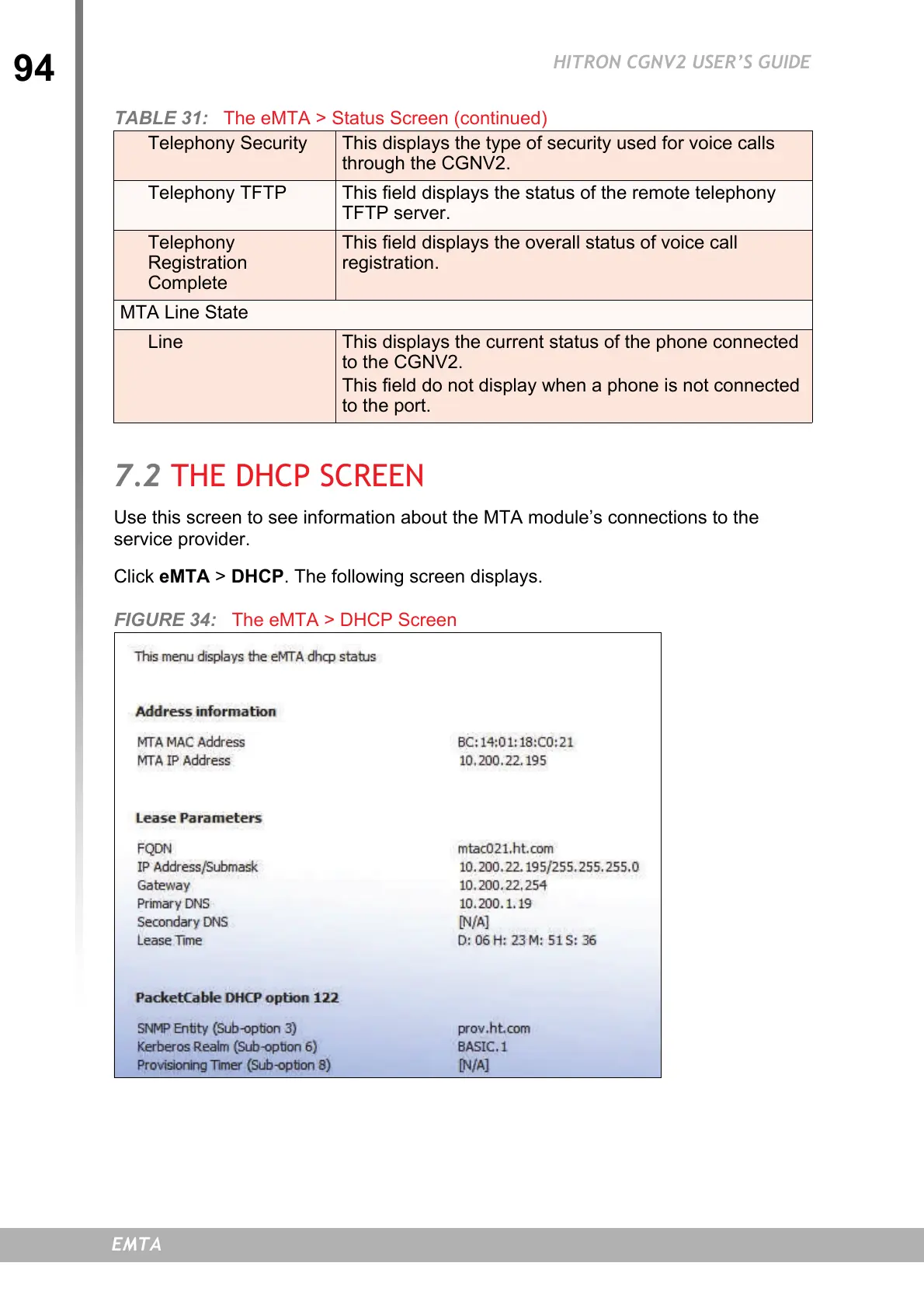
7.2 THE DHCP SCREEN
Use this screen to see information about the MTA module’s connections to the
service provider.
Click eMTA > DHCP. The following screen displays.
FIGURE 34: The eMTA > DHCP Screen
Telephony Security This displays the type of security used for voice calls
through the CGNV2.
Telephony TFTP This field displays the status of the remote telephony
TFTP server.
Telephony
Registration
Complete
This field displays the overall status of voice call
registration.
MTA Line State
Line This displays the current status of the phone connected
to the CGNV2.
This field do not display when a phone is not connected
to the port.
TABLE 31: The eMTA > Status Screen (continued)


 To Next Page