10
HITRON CGNV2 USER’S GUIDE
VPN
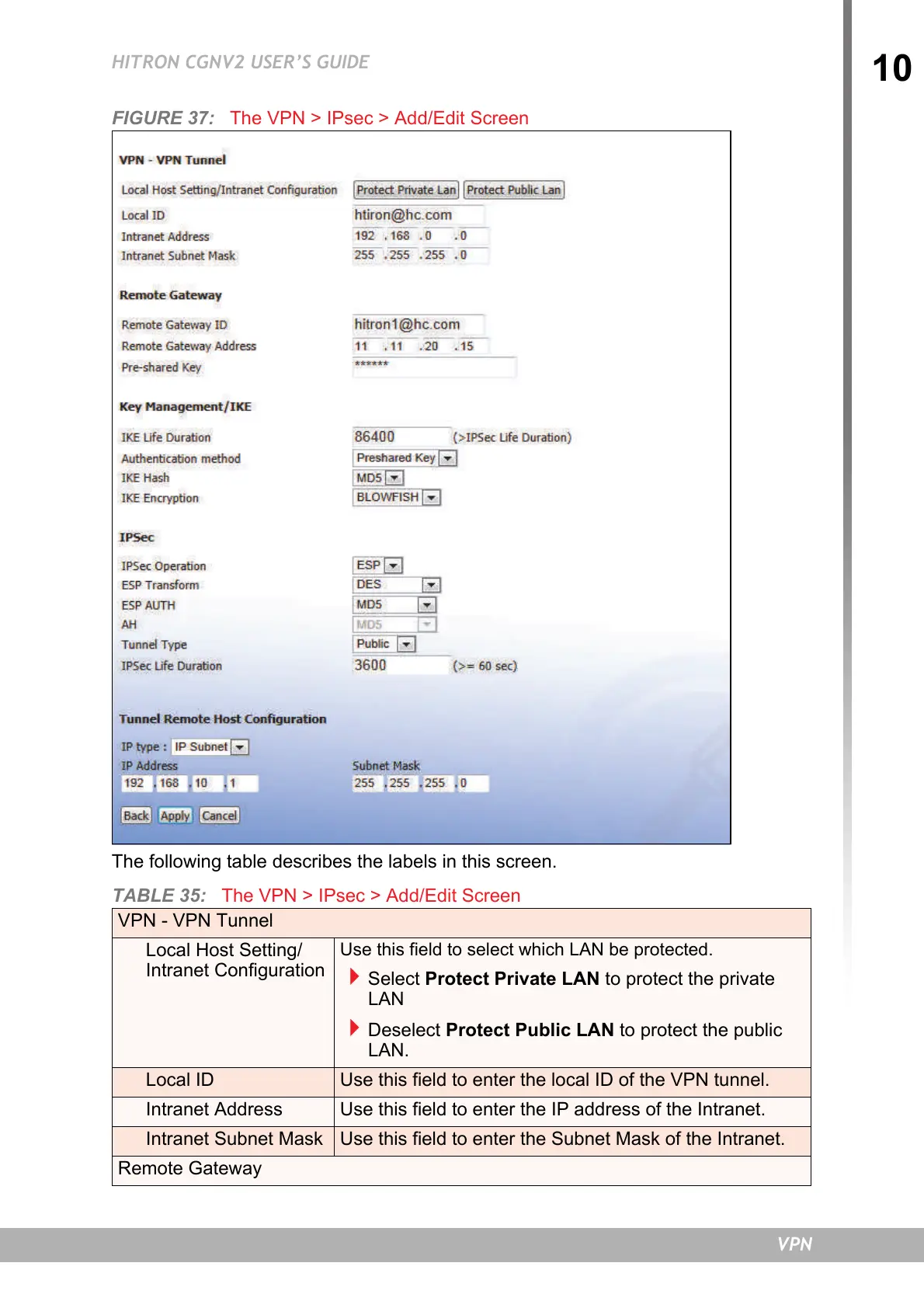
FIGURE 37: The VPN > IPsec > Add/Edit Screen
The following table describes the labels in this screen.
TABLE 35: The VPN > IPsec > Add/Edit Screen
VPN - VPN Tunnel
Local Host Setting/
Intranet Configuration
Use this field to select which LAN be protected.
Select Protect Private LAN to protect the private
LAN
Deselect Protect Public LAN to protect the public
LAN.
Local ID Use this field to enter the local ID of the VPN tunnel.
Intranet Address Use this field to enter the IP address of the Intranet.
Intranet Subnet Mask Use this field to enter the Subnet Mask of the Intranet.
Remote Gateway


 To Next Page