Access to the Ewon Cosy+ 12 (32)
2. Log in by filling the username and password fields, both with adm.
→ You will be logged in and 2 prompts will show up immediately
At first boot or after a reset level 2 of the Ewon Cosy+, and after successfully logging in, a first
prompt will appear to set the interface language.
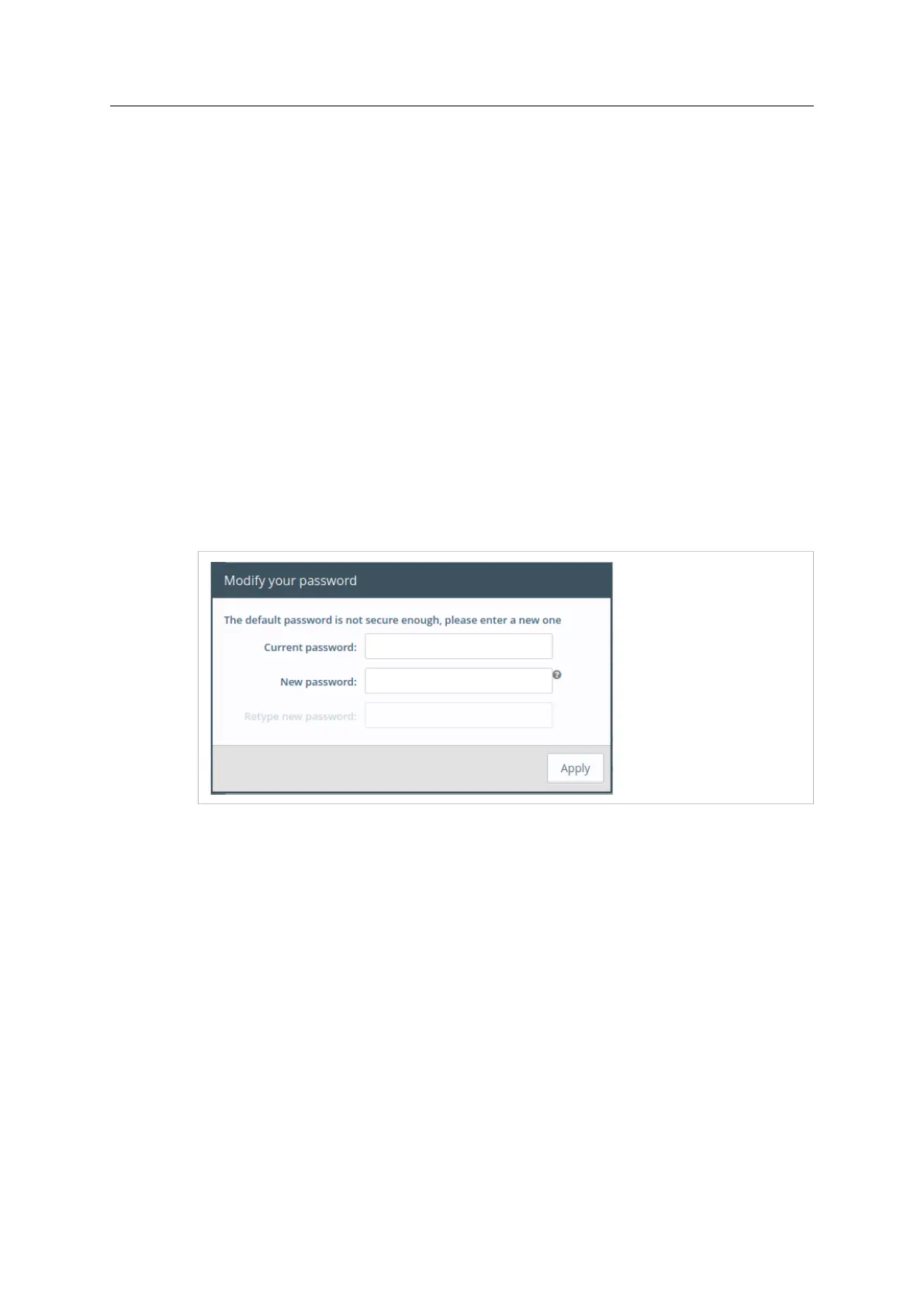
A second prompt will ask you to change the adm default password.
3.5.1 Language Selection
As you log in to the Ewon Cosy+ web interface, a window prompts and asks for the language of
the interface: English, Spanish, French, German or Italian.
The language selection is also requested after a reset level 2 operation. A reset level 2 is a factory
reset of the Ewon Cosy+.
You can change the language of your Ewon Cosy+ by browsing to Setup ► System ► Main ►
General ► Language. The language modification induces a reboot of the Ewon Cosy+.
3.5.2 Password Modification
As long as the password of the adm user remains adm (e.g.: on very first login or after a reset
level 2), the Ewon Cosy+ will ask you to change this password.
Fig. 10 Password modification
If the password is no longer adm but you need to change the password, you can do so in the
System Wizard. Please refer to System Wizard, p. 24
Password Policy
A new password must meet the following requirements:
• minimum length: 12 characters;
• maximum length: 35 characters;
• only characters from the latin-1 set (ISO-8859-1);
• respect 3 of the following conditions:
– at least one lowercase character,
– at least one uppercase character,
– at least one digit,
– at least one special character.
Ewon Cosy+ User Manual
UM-0005-00 1.0 en-US













 To Next Page