Appendix A: Access to the Ewon Cosy+ 24 (32)
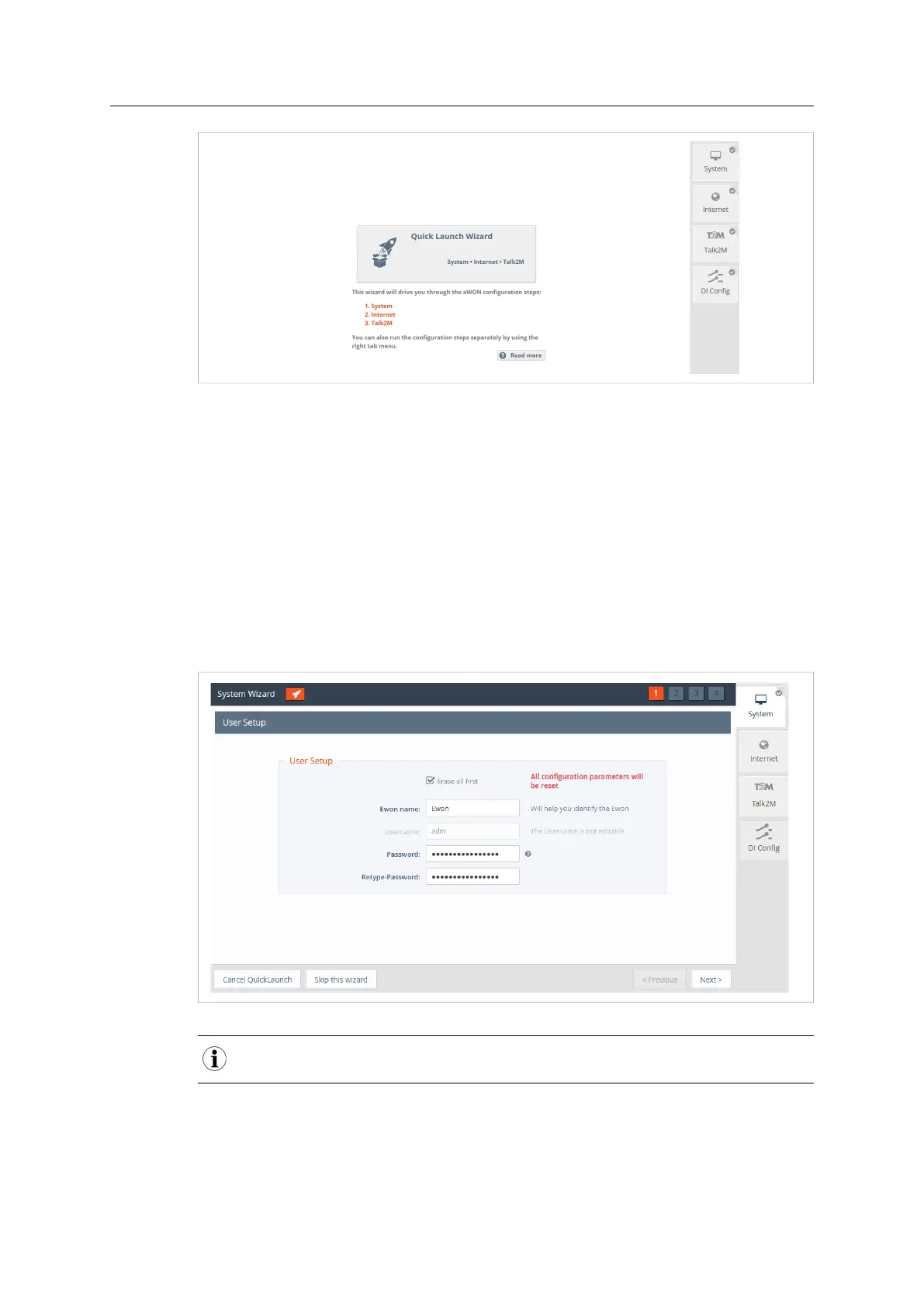
Fig. 19 Quick Launch Wizard Button
The Quick Launch Wizard will guide you through the different setup wizards to configure your
Ewon Cosy+ for remote connection trough Talk2M:
• The System Wizard configures basic system settings such as the date & time and the default
username & password.
• The Internet Wizard configures the WAN communication settings.
• The Talk2M Wizard establish a VPN between the Ewon Cosy+ and the Talk2M infrastructure.
A.4.1 System Wizard
The System Wizard configures basic system settings.
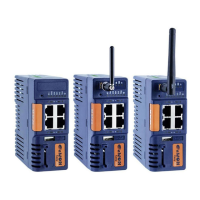
On the first screen of the System Wizard, enter the Ewon name.
Fig. 20 System Wizard User Setup
As you changed the adm password (refer to Password Modification, p. 12), there is no need to change it
again.
On the second screen of the System Wizard:
• Configure the accurate <date and time> settings. For Talk2M communication, it is
imperative that the date of the Ewon Cosy+ is correct.
Ewon Cosy+ User Manual
UM-0005-00 1.0 en-US













 To Next Page