Appendix A: Access to the Ewon Cosy+ 27 (32)
Ethernet WAN Configuration
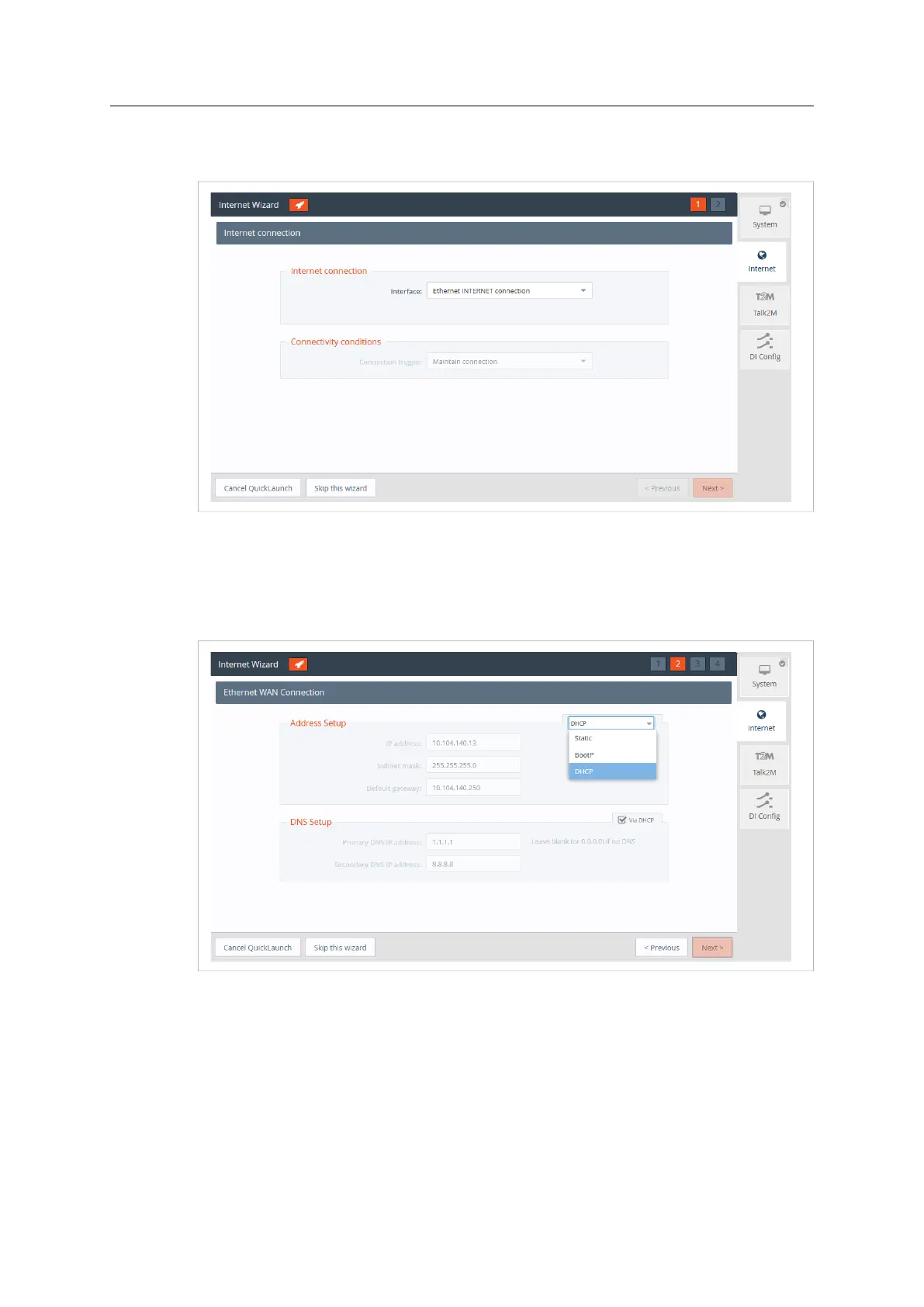
1. Select the Ethernet Internet connection.
Fig. 24 Internet Wizard Connection Setup
2. Click Next to continue the WAN interface configuration.
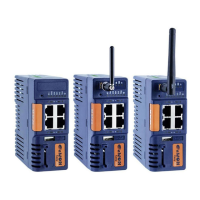
3. Select the appropriate method how the Ewon Cosy+ is supposed to receive its IP address,
according to the network configuration: Static, BootP or DHCP.
Select DHCP from the dropdown to receive an IP automatically from the LAN network.
Fig. 25 Internet Wizard Ethernet WAN Connection Setup
4. Click Next to proceed to the next screen.
Ewon Cosy+ User Manual
UM-0005-00 1.0 en-US













 To Next Page