USER MANUAL
10 11
USER
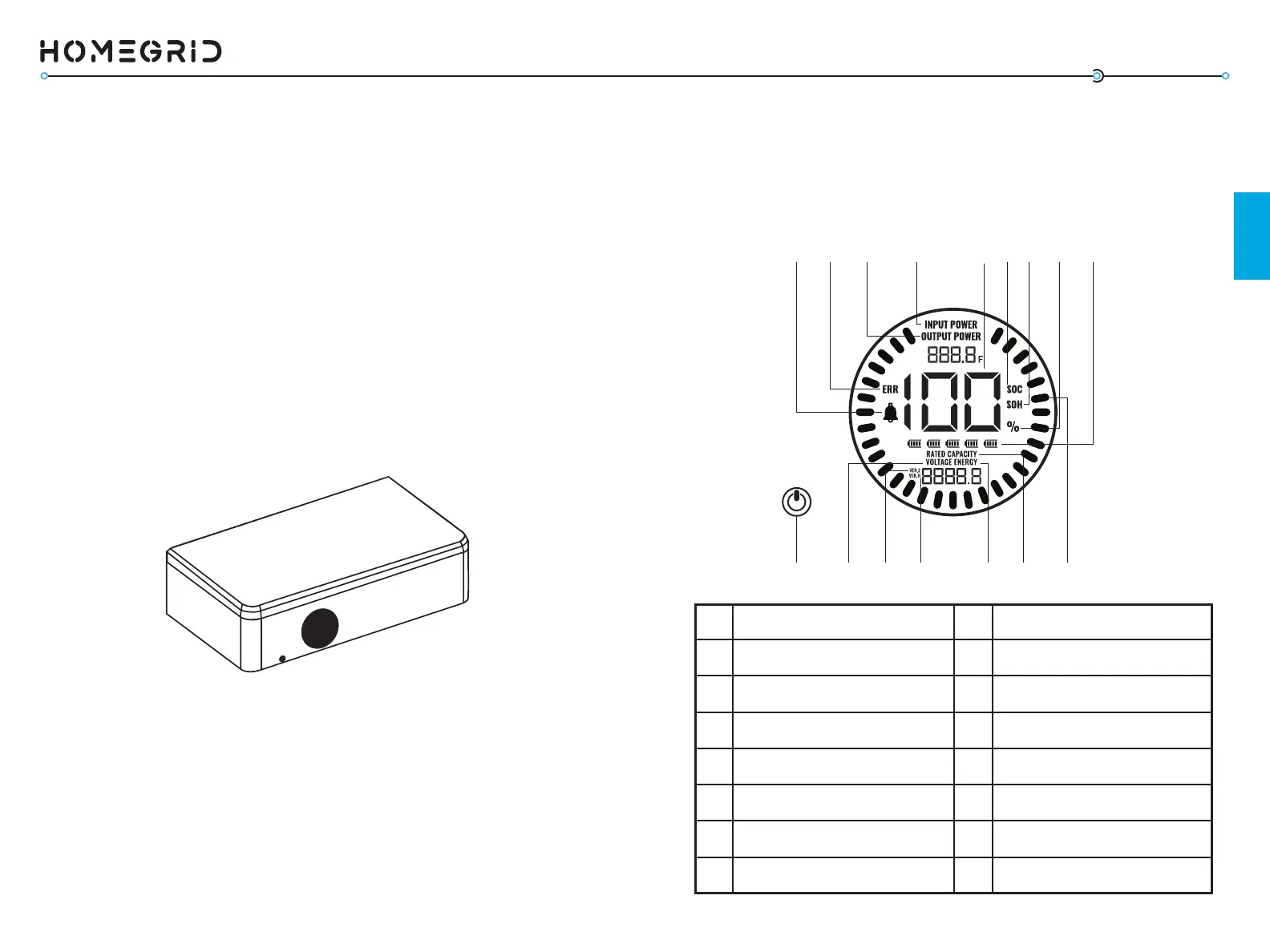
The front of the Stack’d Series BMS shows an LED display
that shows informaon relevant to the status of the system
including State of Charge (SOC), State of Health (SOH), voltage,
error codes, and more. Reference this chart to understand more
pertaining to the status of your system. The power switch turns
the enre system o.
1 9
2 10
3 11
4 12
5 13
6 14
7 15
8 16
Power Switch Charging Power
Current Voltage Level Numerical Informaon
Soware Version (Firmware)
Baery State of Charge (SOC)
Hardware Version Baery State of Health (SOH)
Energy Throughput Numerical Percentage
Capacity of all Modules Number of Modules
Animated Streamline Fault (Error)
Discharge Power Alarm (Warning)
1
816 15 9 14
13
121110
2 3 4 5 6 7
The HomeGrid Stack’d Series baery system is a modular
energy storage system designed for residenal and commercial
users. The key components are the BMS (Baery Management
System), which operates as the top module in the stack and has
several funconalies, the base stand, and the 4.8 kWh LFP
baery modules built to store energy. Mulple baery modules
(2-8) can be vercally connected in parallel to expand capacity
and power in order to meet the requirements of the system.
Users can monitor and operate their HomeGrid Stack’d Series
systems remotely via the HomeGrid Energy mobile phone app.
SYSTEM OVERVIEW
The baery management system (BMS) includes protecon
funcons to guard against over-discharge, over-charge,
over-current, and high/low temperatures. The system will
automacally manage charging and discharging. The BMS
manages and monitors informaon including voltage, current,
and even the temperatures of the cells inside the baery. The
BMS will balance the baery cells to maximize the energy that
can be stored and recovered. Firmware and Wi-Fi connecon
are also built into the BMS. The BMS requires conguraon to
connect to the internet and will only connect to 2.4 GHz Wi-Fi .
Stack’d Series BMS - Display
SYSTEM COMPONENTS



 To Next Page