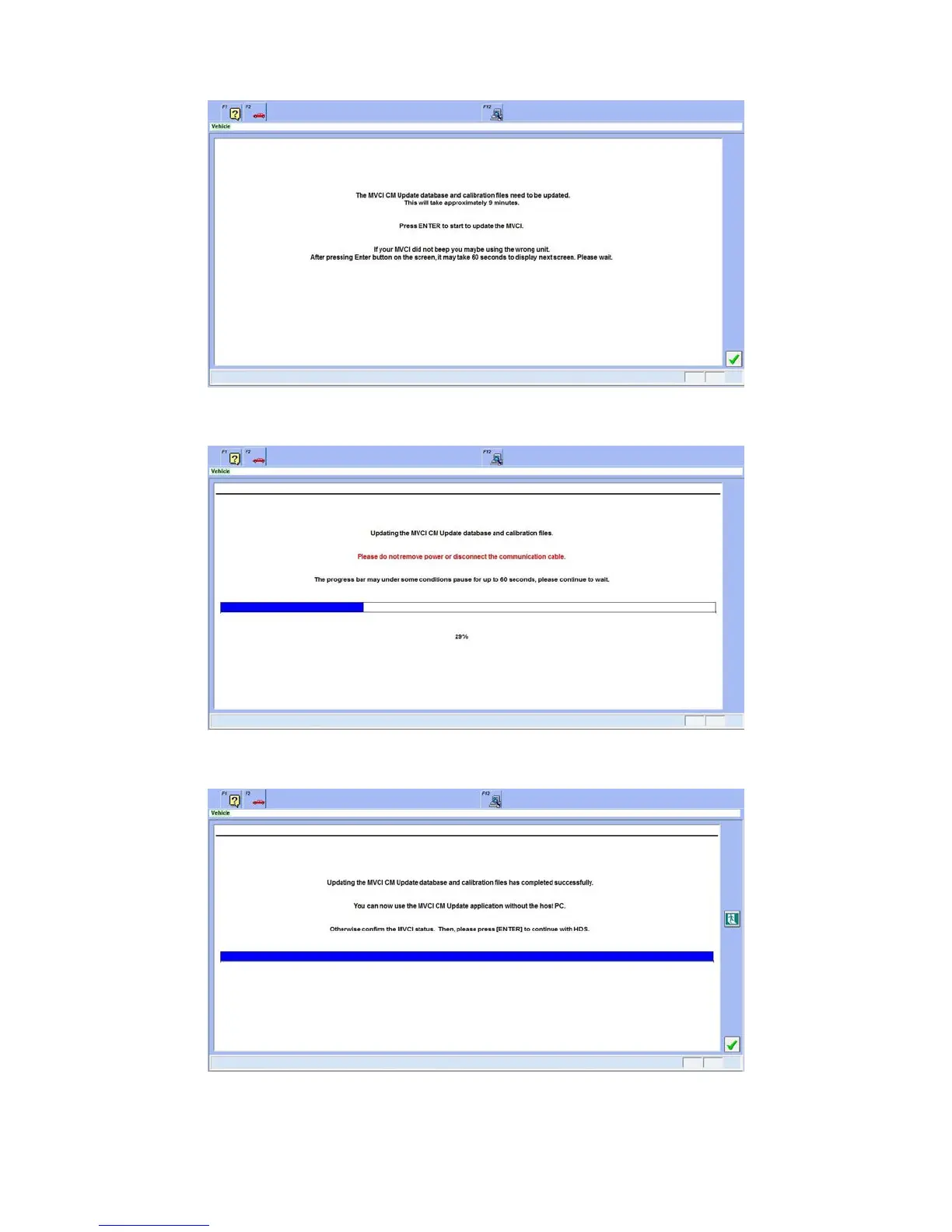
5. When the MVCI firmware update is done, the screen below is displayed on the HDS. Press Enter on your
keyboard or click the green check mark in the lower right corner to start the CM Update.
The following update screen displays.
MVCI and CM updates are complete!
NOTE: The update sequence varies by the software content.
16





 To Next Page