Software Version
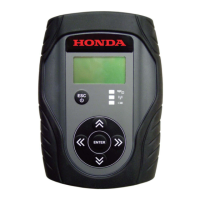
From the User Config menu, select Software Version, then press ENTER.
The MVCI displays the software versions.
NOTE: These screens are examples only. Actual data will vary.
Hardware Test
The MVCI includes several hardware tests that can check to make sure your MVCI is operating properly.
From the User Config menu, select Hardware Test, then press ENTER.
These options are available:
• Beep Test
• LED Test
• LCD Test
• Keypad Test
• Serial Number
• Device Loopback Test
• SDMEM Card Test
Beep Test
This test turns on the beep (buzzer) for 3 seconds.
Select Beep Test, then press ENTER.
36








 To Next Page