User Config – Explanations, Set-up, and Customizing Settings
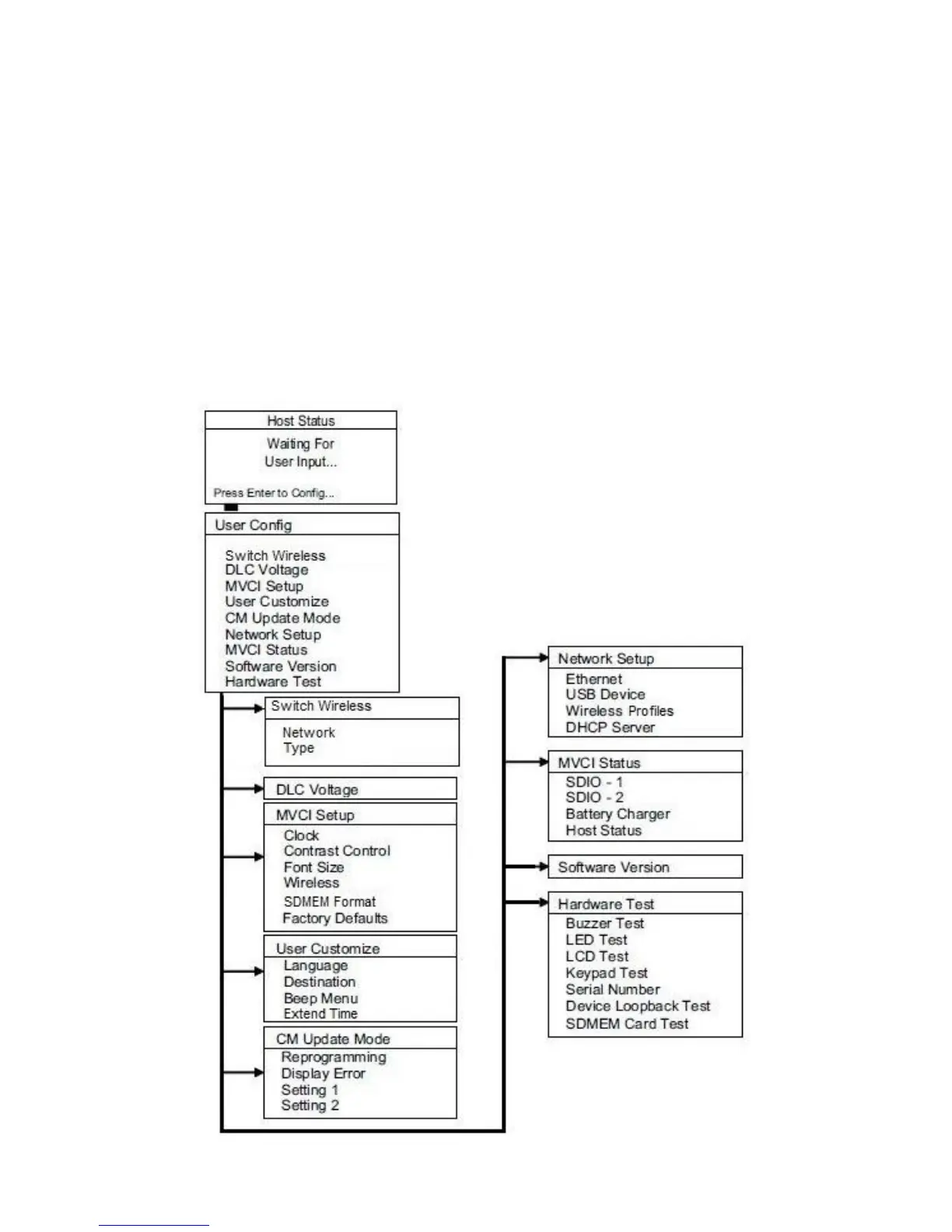
Anytime the MVCI receives power and boots up, the message on the Host Status screen is Waiting for User
Input…
Press Enter to Config. Under the User Config menu, you find the following choices. Refer to the applicable page
for more detailed information explaining the functions, proper tool setup, and user customization:
Switch Wireless (pg. 19)
DLC Voltage (pg. 19)
MVCI Setup (pg. 20)
User Customize (pg. 23)
CM Update Mode (pg. 25)
Network Setup (pg. 27)
Wireless Network Setup (pg. 30)
MVCI Status (pg. 34)
Software Version (pg. 36)
Hardware Test (pg. 36)
18









 To Next Page