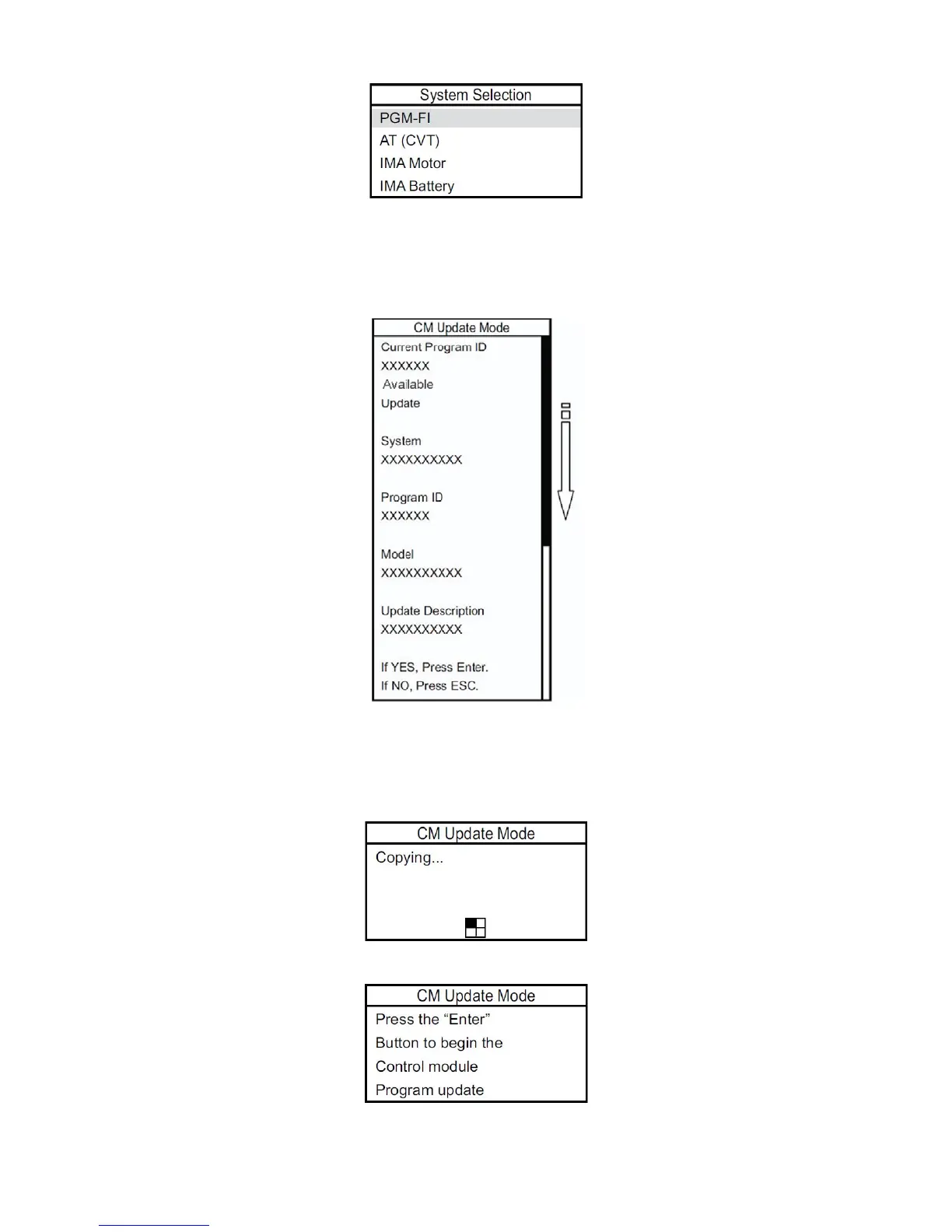
7. After the MVCI finishes its search, a list of reprogrammable systems appears on the System Selections
screen. Select the system to reprogram. Press ENTER to continue, or press ESC to exit.
8. The MVCI displays the Current Program ID, the System, and the latest Program ID. Press ENTER to continue
or press ESC to exit.
NOTE: The Current Program ID displays the calibration that is currently installed on the control unit. Available
Update displays the calibration that is available to replace the currently installed calibration.
9. Wait a few seconds for the MVCI to copy the data stored on the SD card to its internal memory.
NOTE:
• Do not remove the SD card from the MVCI.
• Do not turn off the MVCI while the data is being copied from the SD card.
10. An update confirmation screen appears. Press ENTER to update the control module/unit, or press ESC to exit.
11. The MVCI updates the selected system.
44









 To Next Page