FRAME/BODY PANELS/EXHAUST SYSTEM
RIGHT SIDE COVER
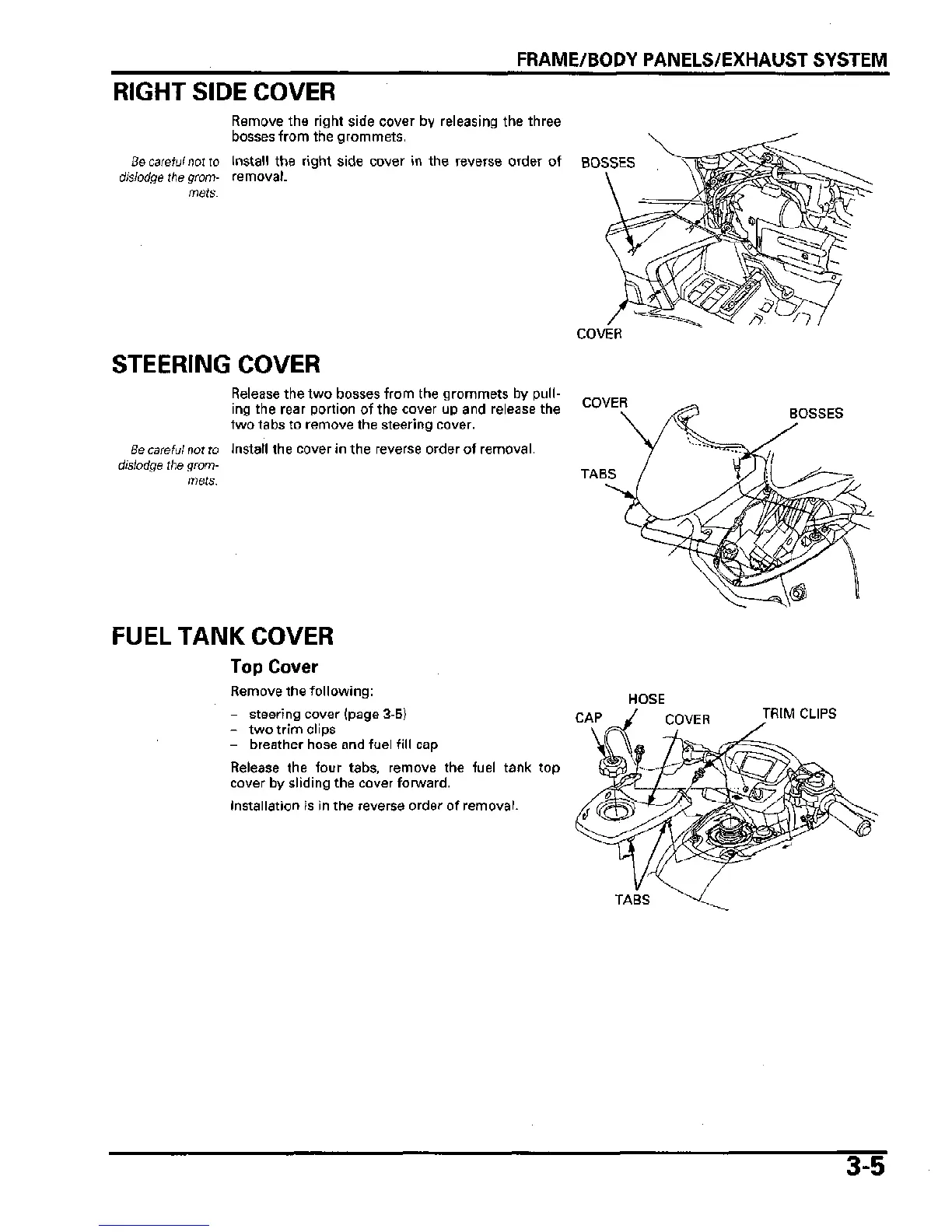
Remove the right side cover by releasing the three
bosses from the grommets.
Be
careful
not to Install the right side cover in the reverse order of
dislodge the grom- removal.
mets.
BOSSES
STEERING COVER
Be careful not to
dislodge the grom-
mets.
Release the two bosses from the grommets by
pull-
ing the rear portion of the cover up and release the
two tabs to remove the steering cover.
Install the cover in the reverse order of removal.
COVER
COVER
TABS
BOSSES
FUEL TANK COVER
Top Cover
Remove the following:
- steering cover (page 3-5)
- two trim clips
- breather hose and fuel fill cap
Release the four tabs, remove the fuel tank top
cover by sliding the cover forward.
Installation is in the reverse order of removal.
HOSE
CAP
TRIM CLIPS
TABS
3-5









 To Next Page