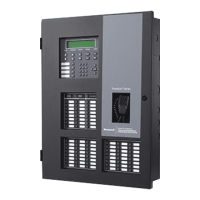
Model IFP-2100/ECS Installation Manual
6
9.6.5 Miscellaneous Options ........................................................................................................27
9.6.5.1 Strobes Active when Silenced ...................................................................................27
9.6.5.2 Auto Display Events ..................................................................................................28
9.6.6 Daylight Saving Options ......................................................................................................28
9.6.6.1 Automatic Daylight Saving Adjustment .....................................................................28
9.6.6.2 Daylight Saving Time Start and End .........................................................................28
9.6.7 Edit Banner .........................................................................................................................29
9.6.8 SLC Family .........................................................................................................................29
9.7 JumpStart® AutoProgramming .................................................................................................30
9.8 Restore Defaults ........................................................................................................................30
9.9 Voice Options ............................................................................................................................30
9.9.1 VCM Maintenance ..............................................................................................................30
9.9.2 Voice Settings .....................................................................................................................30
9.9.2.1 Enable Dual Channel System ...................................................................................31
Section 10
System Operation ................................................................................................................................1
10.1 Default User and Installer Codes ................................................................................................1
10.2 Annunciator Description ..............................................................................................................1
10.2.1 LCD Display .........................................................................................................................2
10.2.2 Banner .................................................................................................................................2
10.2.2.1 Single Key Acknowledge ............................................................................................2
10.3 Menu System .............................................................................................................................2
10.3.1 Main Menu Overview ...........................................................................................................2
10.3.2 Using the Menus ..................................................................................................................3
10.4 Basic Operation ...........................................................................................................................3
10.4.1 Setting Time and Date .........................................................................................................3
10.4.2 Disable / Enable a Point ......................................................................................................3
10.4.2.1 Disable / Enable NACs by Template ..........................................................................3
10.4.2.2 Disable / Enable NACs by Group ...............................................................................3
10.4.2.3 Disable / Enable Zone Points .....................................................................................3
10.4.2.4 Disable / Enable Point ................................................................................................4
10.4.2.5 Inhibit Output Group ...................................................................................................4
10.4.3 View Event History ..............................................................................................................4
10.4.3.1 To clear the event history ...........................................................................................4
10.4.4 Conduct a Fire Drill ..............................................................................................................4
10.4.5 Conduct an Indicator Test ...................................................................................................5
10.4.6 Conduct a Walk Test ...........................................................................................................5
10.4.7 Conduct a Communicator Test ............................................................................................5
10.4.8 Manual AlarmNet Registration .............................................................................................6
10.4.9 Silence Alarms or Troubles .................................................................................................6
10.4.10 Reset Alarms .....................................................................................................................6
10.4.10.1 Reset Communicator ..............................................................................................6
10.4.11 Check Detector Sensitivity Through Point Status .............................................................6
10.4.12 View Status of a Point ......................................................................................................7
10.4.13 View Alarms or Troubles ..................................................................................................8
10.4.14 System Information ...........................................................................................................8
10.5 Event Priority ..............................................................................................................................9
10.5.1 System Control ....................................................................................................................9
10.5.2 System Override ..................................................................................................................9
10.5.3 Event Priority .......................................................................................................................9


 To Next Page
 Loading...