12
Before You Start
Player Overview
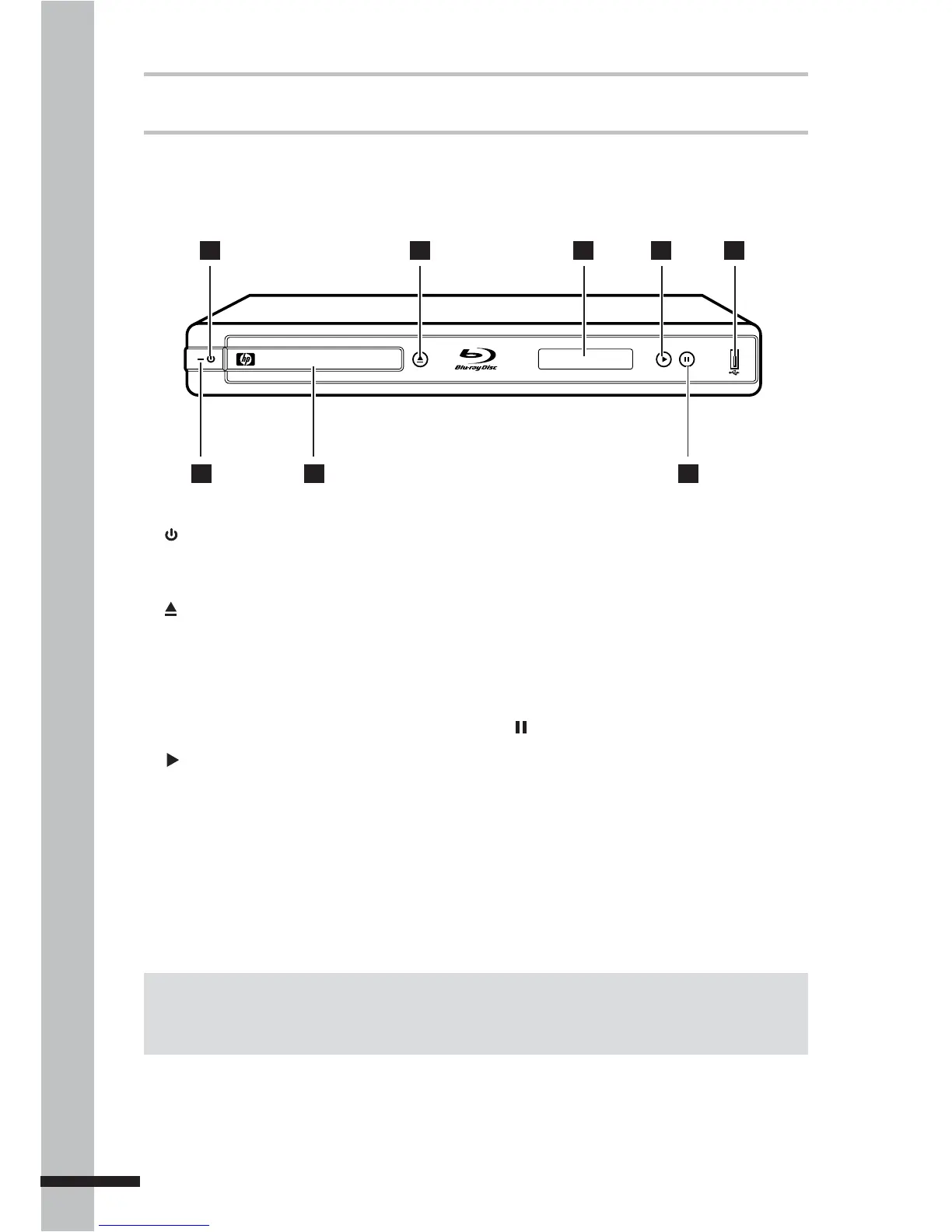
Front Panel
1 POWER ON/OFF button
Press to switch the BD player on or off.
2 OPEN/CLOSE button
Press to open or close the disc tray.
3 Front Panel DISPLAY
Shows the current status information.
4 PLAY button
Press to start playback.
5 USB port
Use to connect a USB drive to play music
or photo files. It can also be used for BD-
Live storage.
TM
BLU-RAY DISC PLAYER
7
2 3 4 5
8
1
6
6 LED indicator
Indicates BD player status.
Lights red when the BD player is turned
off.
7 Disc tray
Holds the disc for playback.
8 PAUSE button
Press to pause playback.
Note:
The device still consumes power even when the BD player has been switched off. To completely turn
off power, unplug the power cable from the main outlet.



 To Next Page