32
Playback
BD-Live™
BD
Some BD discs contain additional features
that are made available to players that are
connected to the Internet. These additional
features may include things like:
The ability to download new movie trailers•
Additional commentaries by actors or •
directors
Multiple people game and chat•
You can access these features on your BD
player using BD-Live™.
Requirements
»
You need the following:
Internet access•
Ethernet RJ-45 cable•
At least 1GB USB memory drive (FAT32 •
formatted)
BD disc that supports BD-Live™ features•
Note:
If there is not at least 100MB of free space on
the USB drive, clear up some space.
Setting Up the Player
for BD-Live™
In order to access BD-Live™, do the
following steps:
1 Connect your BD player to the Internet
connection.
Connect one end of the Ethernet RJ-45 •
cable to the LAN port of your BD player
and the other end to a router or modem.
See ‘Connecting to the Internet’ (p. 22).
2 Allow BD-Live access in the BD player’s
home menu.
Press
• HOME on the remote control to
access the home menu.
Go to • General Setting > Network. Set
BD-Live Connection to ‘Permitted’.
See ‘Network’ (p. 47) for details.
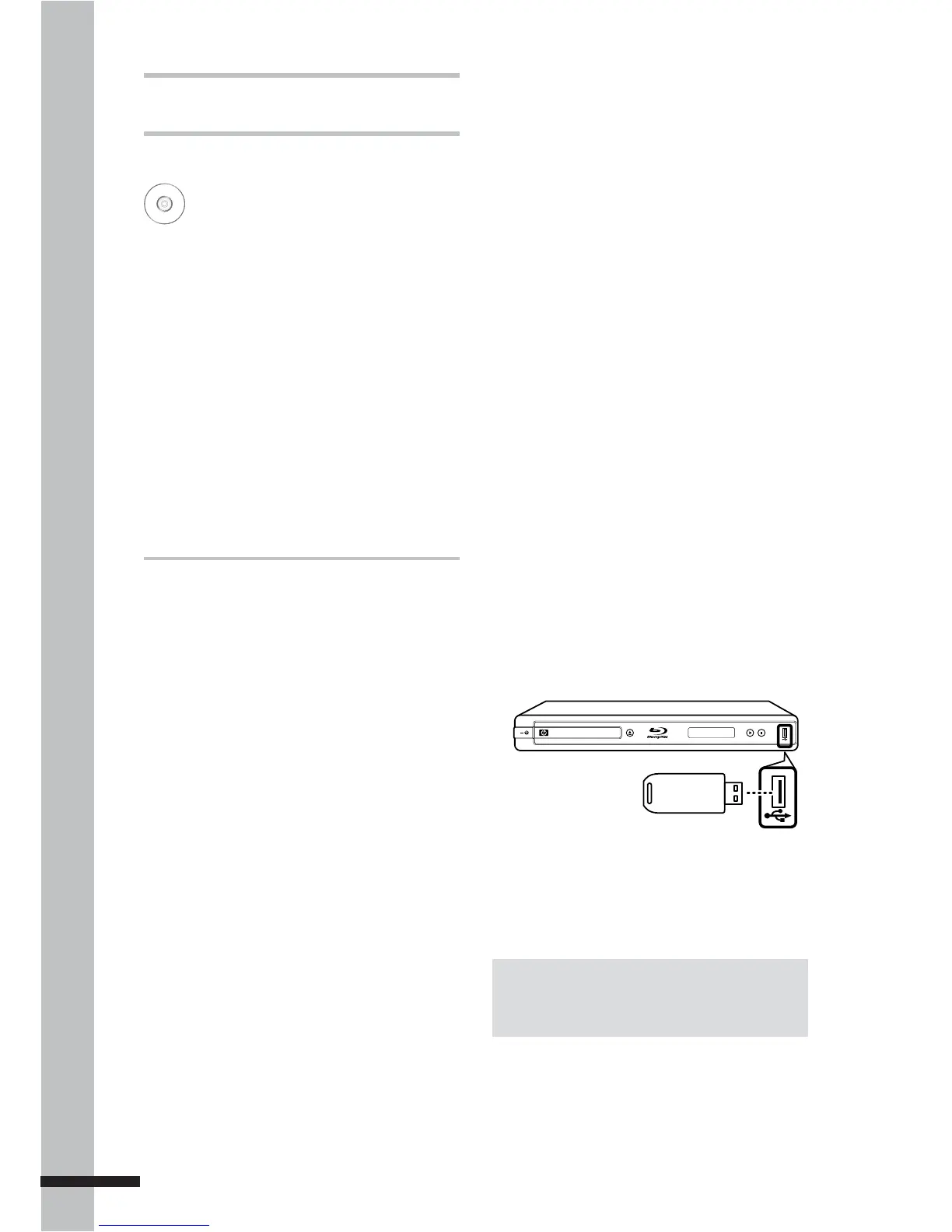
3 Insert the USB drive with at least 100MB
free space in the USB port of your BD
player.
TM
BLU-RAY DISC PLAYER
When a USB drive is inserted, the BD
player automatically assigns it as the BD
storage.



 To Next Page