16
Before You Start
Remote Control
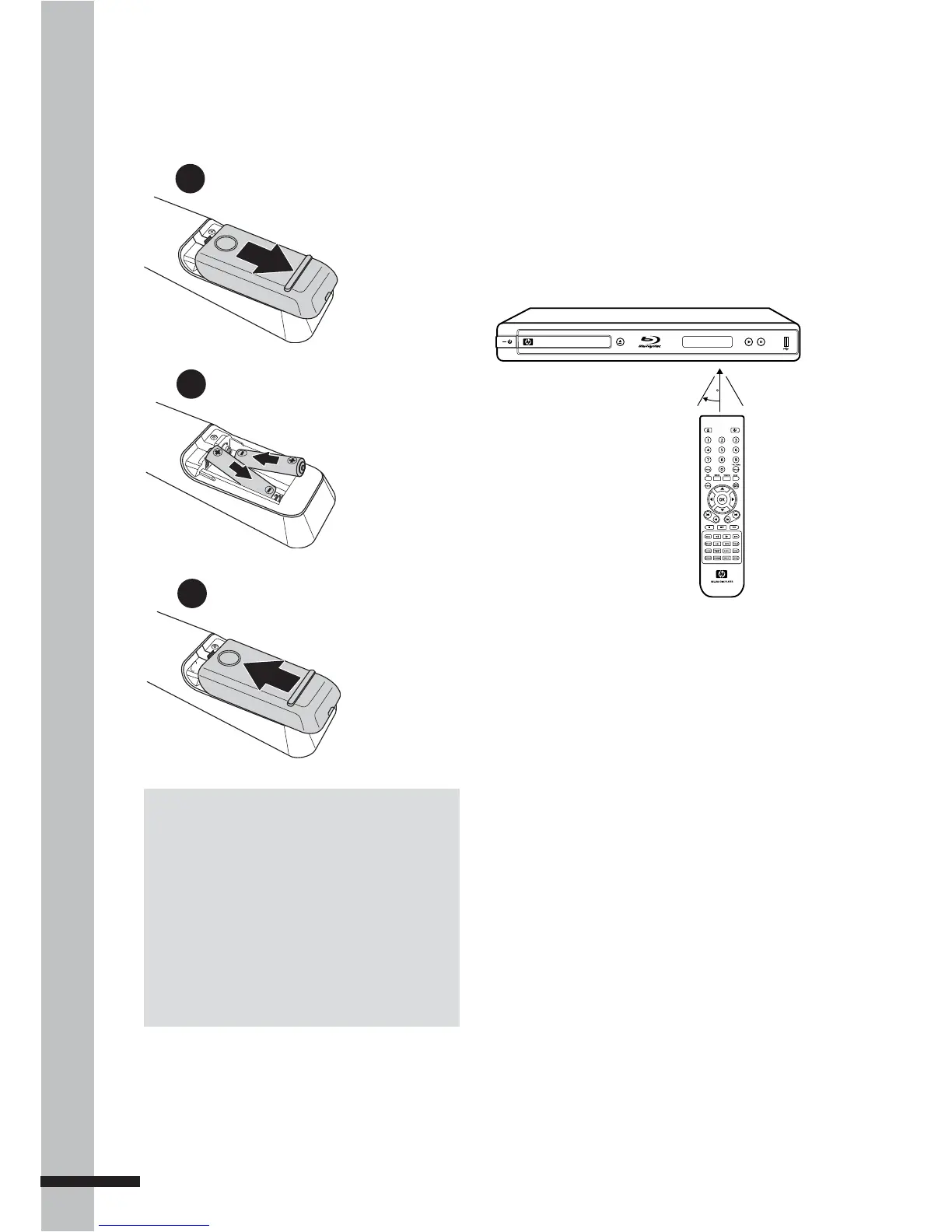
Signal
The remote control has an operating range
of approximately 7.5 m., and works best
when pointed directly at the unit horizontally
at an angle up to 30˚ from the sensor window
of your BD player.
7.5M
30
TM
BLU-RAY DISC PLAYER
Installing the Remote Control
Batteries
1
Slightly push then slide to
remove the battery cover.
3
Replace the battery cover.
2
Insert two AAA batteries by
matching the + and - ends
of the batteries with the
markings inside
the battery
compartment.
Notes:
Do not mix old and new batteries or mix •
different types of batteries.
Do not leave the remote control in an •
extremely hot or humid place.
Do not expose the remote control to direct •
sunlight.
If the remote control will not be used for long •
periods of time, remove the batteries.



 To Next Page