30
Playback
Displaying the Disc
Information
BD
DVD
AVCHD
VCD
CD
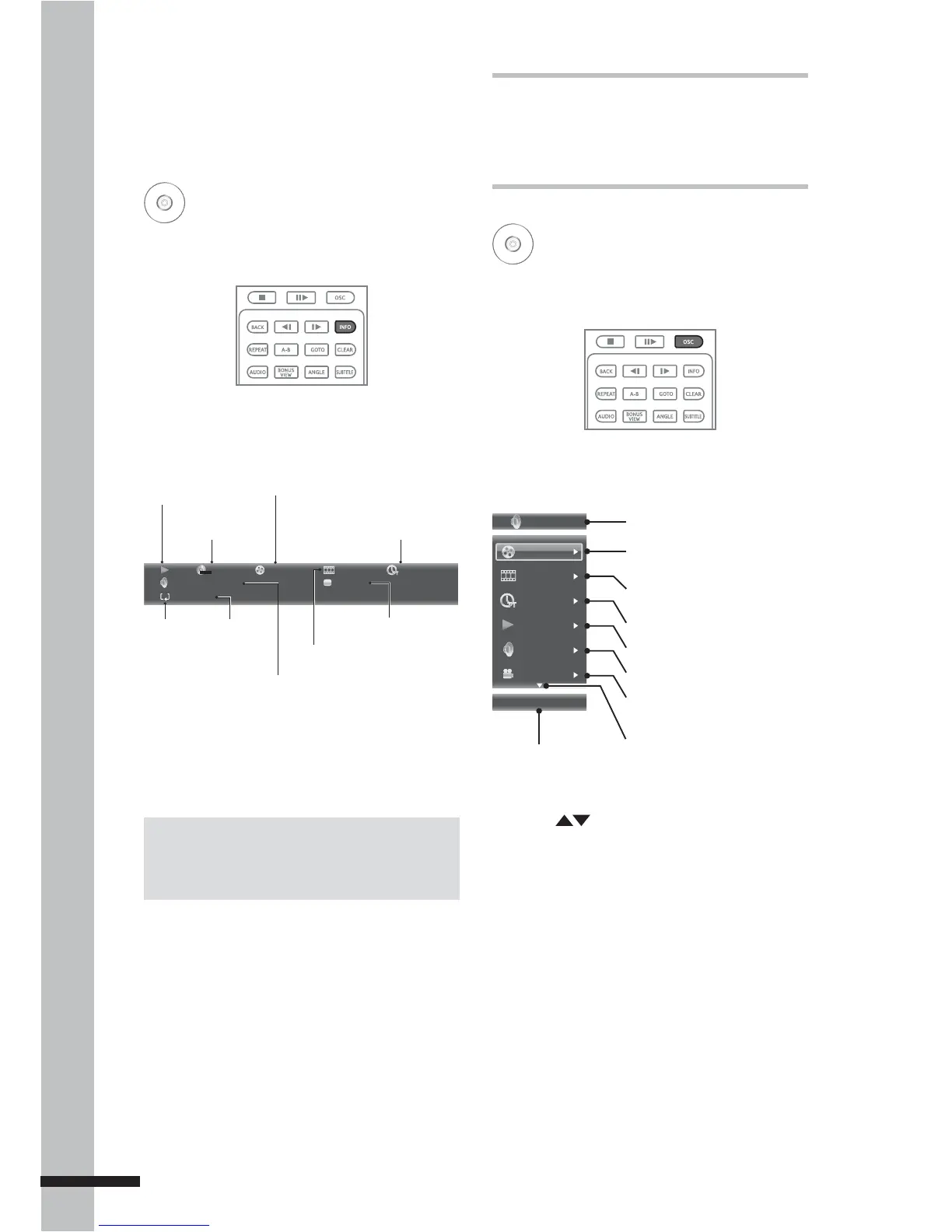
1 During playback, press INFO.
2 The disc information is displayed on the
upper left corner of the screen.
MPEG
1/1 English 1/1 ChinesePCM
A-B
Stereo
2 / 8 3 / 3
00 :02 :40
DVD+VIDEO
TT
Current chapter number/
Total number of chapters
Time elapsed
Subtitle
Current title or track number / Total
number of titles or tracks
Disc type indicator
Repeat A-B
enabled
Play mode
indicator
Repeat
mode
indicator
Current audio stream
3 Press INFO again to close disc
information.
Using On-Screen
Controls (OSC)
BD
DVD
AVCHD
VCD
CD
1 During playback, press OSC.
2 The OSC menu is displayed on the left of
the screen.
3 Press to highlight submenu. The
following submenu may be available:
Title/Track
•
Chapter•
Time•
Playback mode - Select this option to •
choose normal, shuffle, or random play
mode options. During shuffle mode,
each chapter/title will be played only
once. During random mode, titles/
chapters are randomly cued, repetition
of titles/chapters may also occur.
Available options are: Random ALL,
Random TT, Random CH, Shuffle ALL,
Shuffle TT, Shuffle CH, and Normal.
DVD Video
Title
04 / 08
03 / 08
00:02:24
Normal
English PCM
01 / 01
Disc type indicator
Current title or track number /
Total number of titles or tracks
Current chapter number /
Total number of chapters
Time elapsed
Playback mode
Audio stream
Current camera angle /
Total number of angles
Next page indicator
Selected submenu
Note:
Displayed items vary depending on the inserted
disc.



 To Next Page