22
Getting Started
Connecting to the Internet
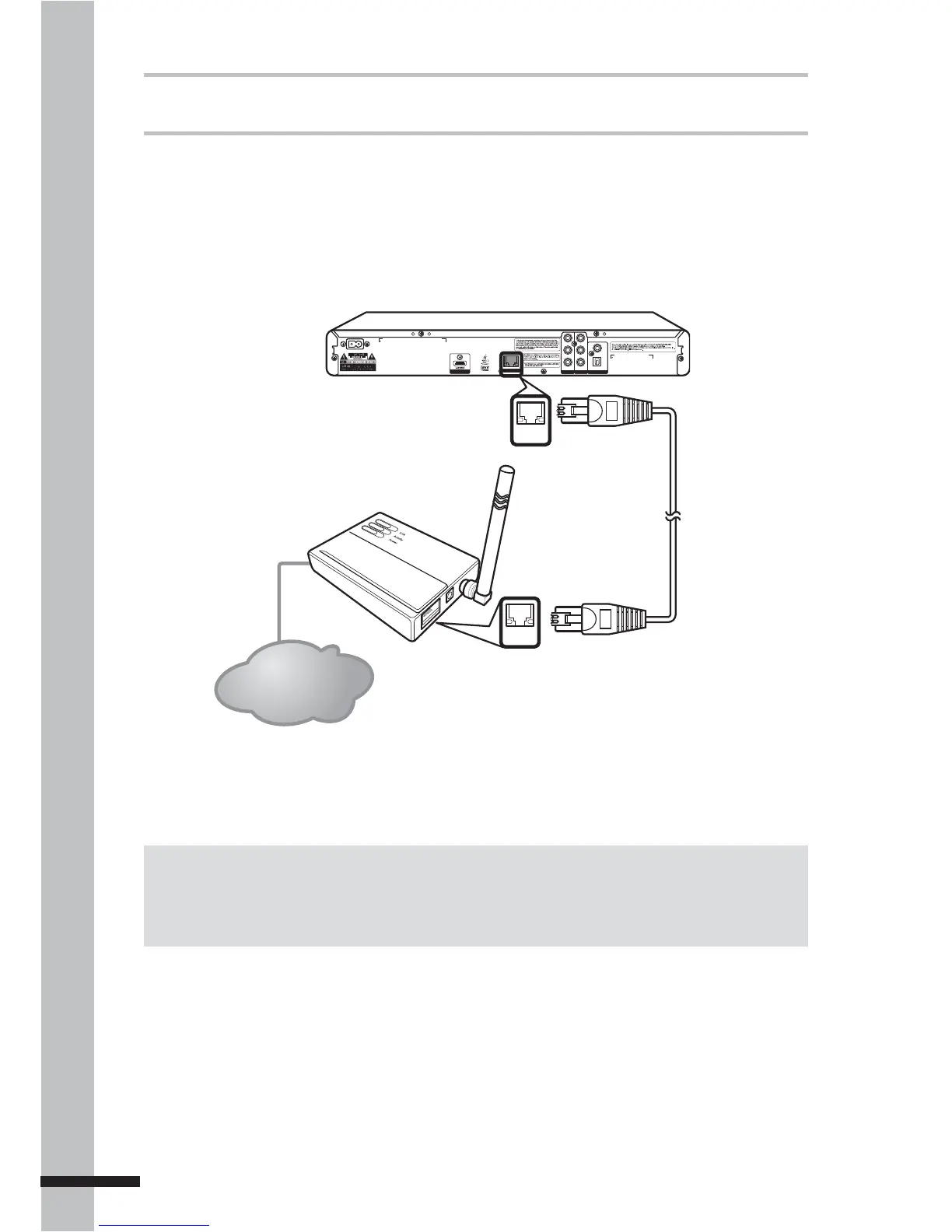
Your BD player can connect to a local area network (LAN) via the LAN port on the rear panel.
By connecting to the Internet, your BD player can use a BD disc that supports BD-Live
function. See ‘Using BD-Live™’ (p. 33).
Use an Ethernet RJ-45 cable to connect the LAN port on the BD player to the LAN port on your
modem or router.
Note:
Depending on the internet service provider (ISP), the number of devices that can receive Internet
connection may be limited. If your ISP limits subscription to one device, your BD player may not be
allowed to connect when a PC is connected. Disconnect the PC fi rst.
VIDEO
COAXIAL
L
R
Y
P
B
P
R
AC IN ~
DIGITAL AUDIO OUT
COMP OUT AV OUTPUT
DIGITAL AV OUTPUT
LAN
OPTICAL
LAN
LAN
Internet Connection
BD Player
Router
After connecting, configure your BD player for network communication in the Network menu.
See ‘Network’ (p. 47) for further details.



 To Next Page