40
Playback
Creating a Playlist
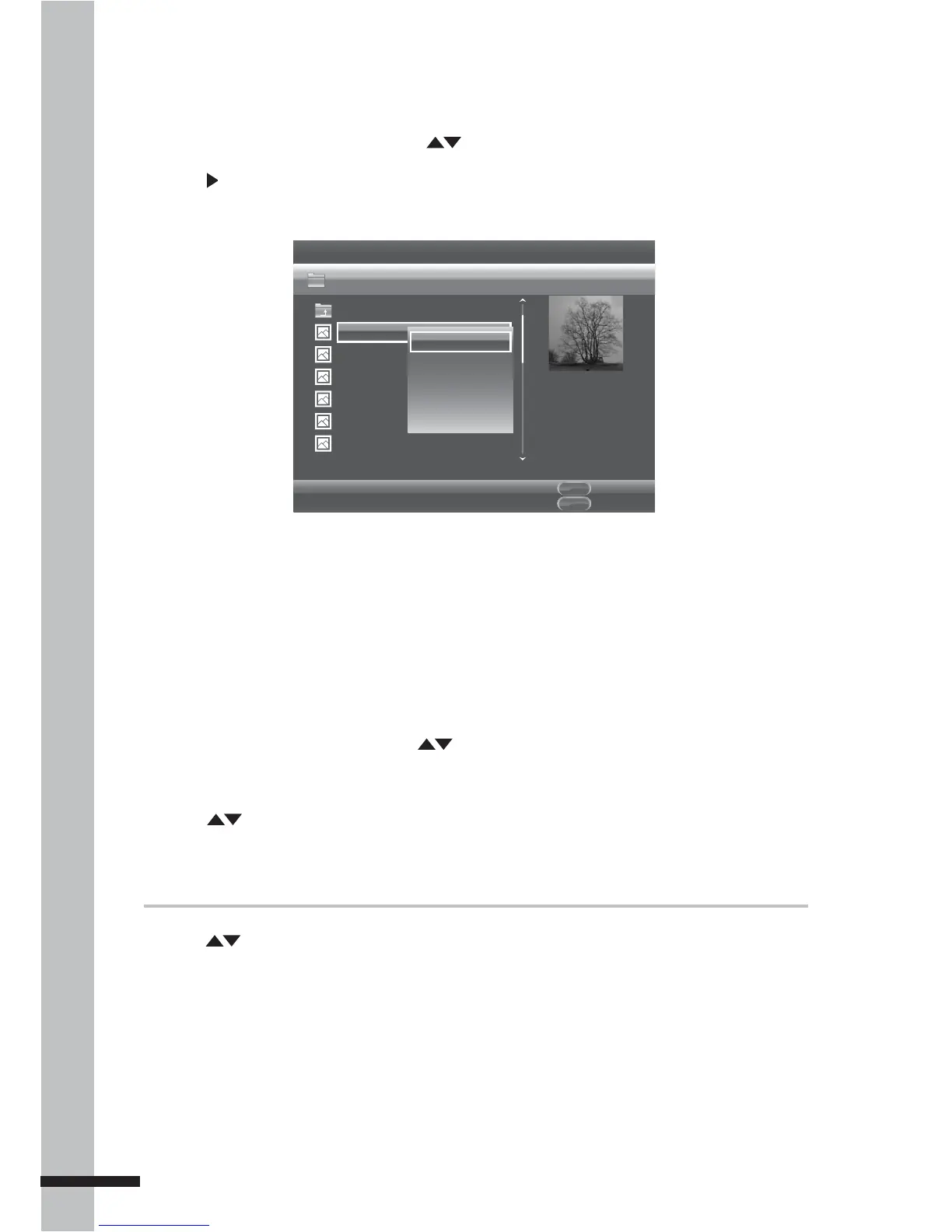
1 From the File Selection screen, press to highlight the file you want.
2 Press to select the file. A check mark before the file name is displayed.
3 Press MENU. A pop-up menu is displayed.
Edit Menu
POPUP
Exit
MDEIA
CENTER
Media Center
Type:JPG
Size:0.2MB
Resolution:725x510
...
P1000001
P1000002
P1000003
P1000004
P1000005
P1000006
USB1/Photo/Folder 1
Item 1 / 14
Add to Playlist
Select all
Clear all
Cancel
4 To select all files, select Select All, then press OK. All files will be checked.
5 To add selected files to playlist, press MENU.
6 Select Add to Playlist, then press OK.
Playing Files from the Playlist
1 From the Media Center menu, press to highlight Playlist.
2 Press OK. The File Selection screen is displayed.
3 Press to select the type of playlist file to browse.
4 Press OK to play playlist.
To remove files from the playlist
»
1 Press to highlight the file to remove.
2 Press MENU to display the pop-up menu.
3 Select Remove from Playlist, then press OK to remove the highlighted file.
4 To select all files, select Select All from the pop-up menu. All files will be checked.
5 To remove selected files from the playlist, press MENU.
6 Select Remove from Playlist, then press OK.



 To Next Page