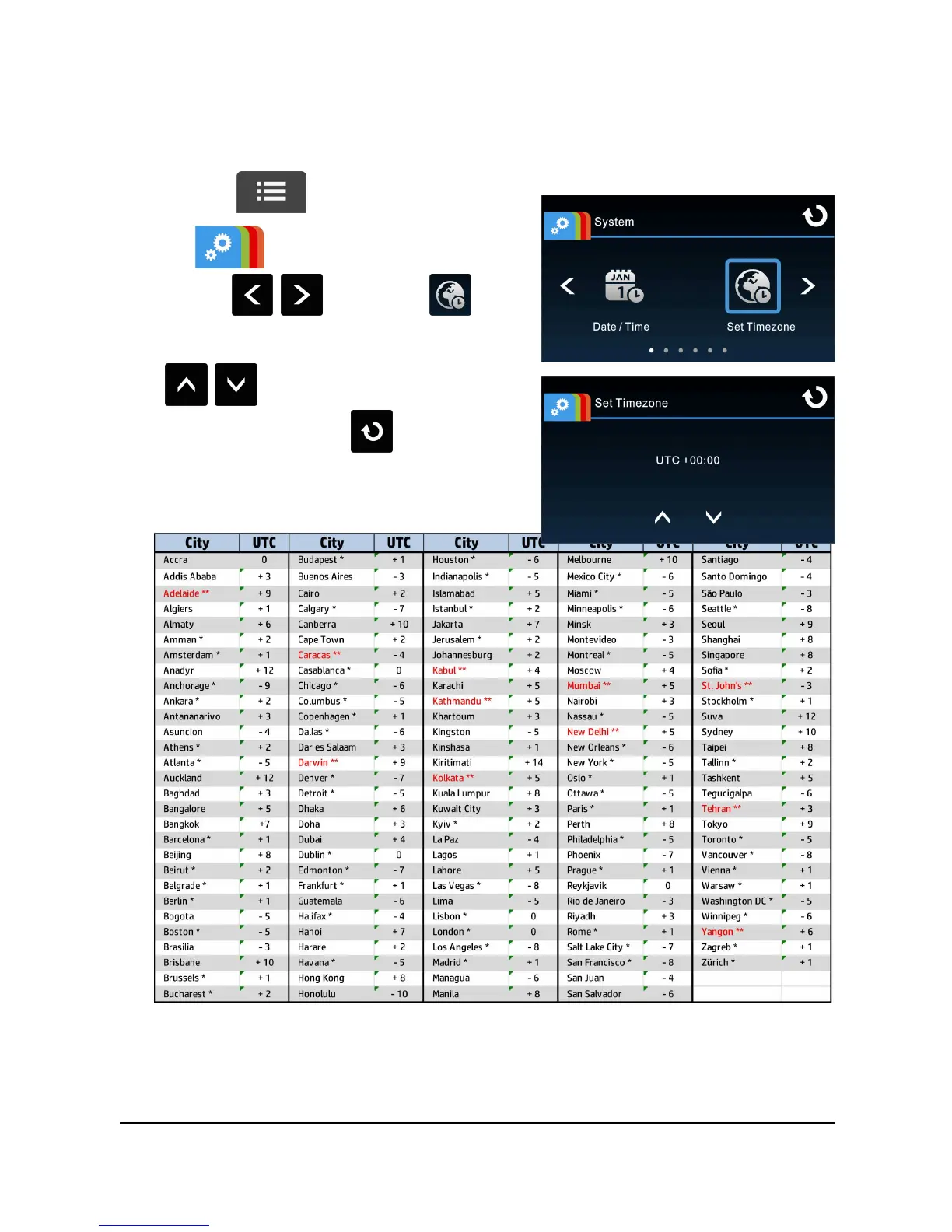
Depending on your location, you may need to change the current UTC
setting of the camcorder so that the correct date and time are updated
when a GPS signal is detected.
1. Touch to enter Main Menu.
2. In System main menu,
touch / to select for
Set Timezone menu, touch
/ to set the current time
zone; then touch again to
complete setting.
* Be sure to adjust for daylight saving time (DST) by adding +1 hour to the UTC offset.
** These areas may observe half hour increments and daylight saving time (DST).



 To Next Page