Note:
The emergency recording file is created as a new file, which will be protected to avoid
being overwritten by normal cycling recording. 8G (or above) memory card can save up
to 10 emergency video files. The alert message of “Emergency files are full” will pop
up on the screen when the emergency recording files are full, and the oldest
emergency file will be automatically deleted when a new emergency recording file is
created.
3.2.10 ACC/DEC Alert
This feature produces voice and screen message alerts if the ACC/DEC
Alert function is enabled and the car accelerates 20 km/h (12.4 mile/h) in
one second when driving at speeds over 80 km/h (50 mile/h) or
decelerates 30 km/h (18.6 mile/h) in one second when driving at speeds
under 50 km/h (31 mile/h) after position is determined by GPS.
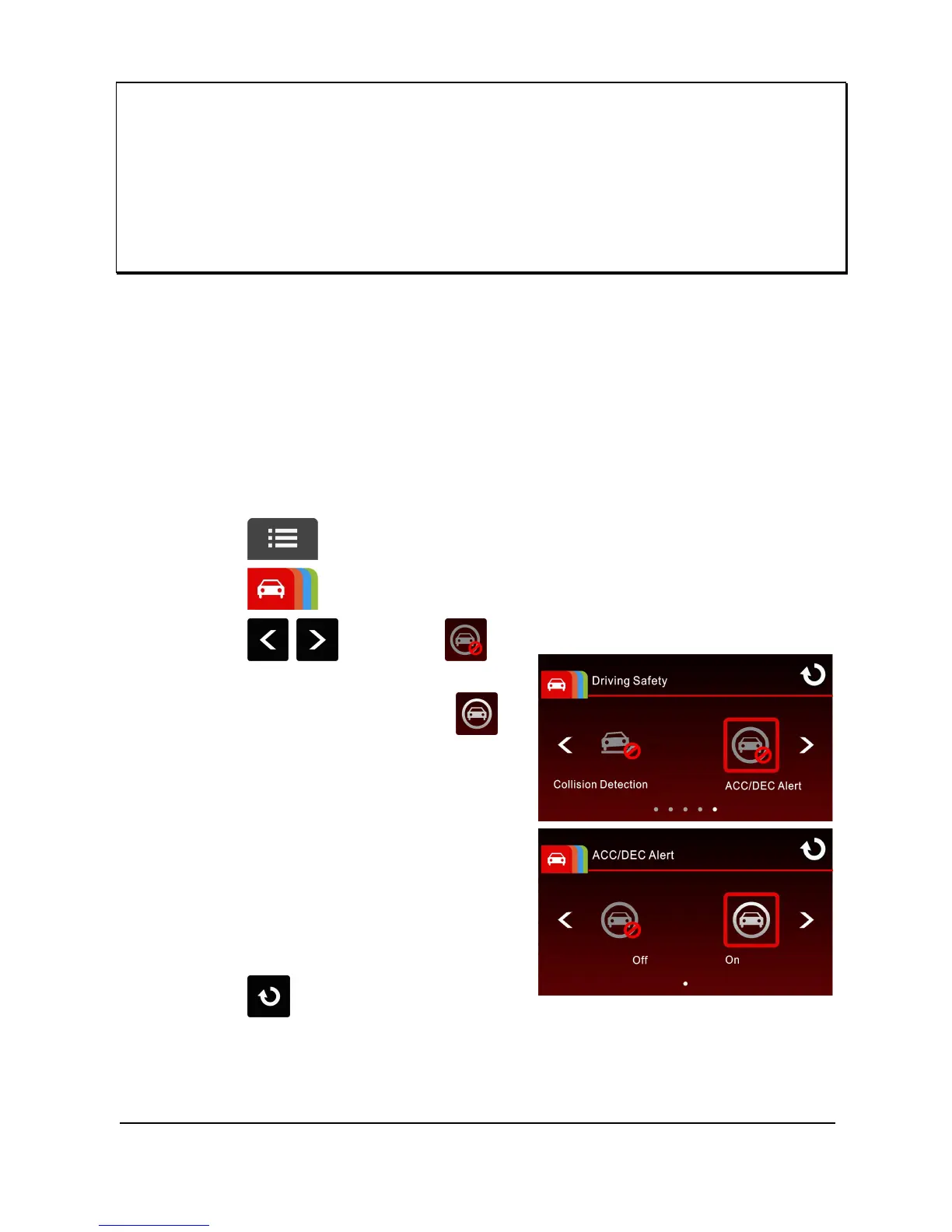
To set the ACC / DEC alert, do the following:
1. Touch to enter Main Menu.
2. Touch to switchover to Driving Safety Main Menu.
3. Touch / to select
for entering ACC/DEC Alert
function menu, then touch
again to enable the function (on).
4. Touch
to return to record
screen.



 To Next Page