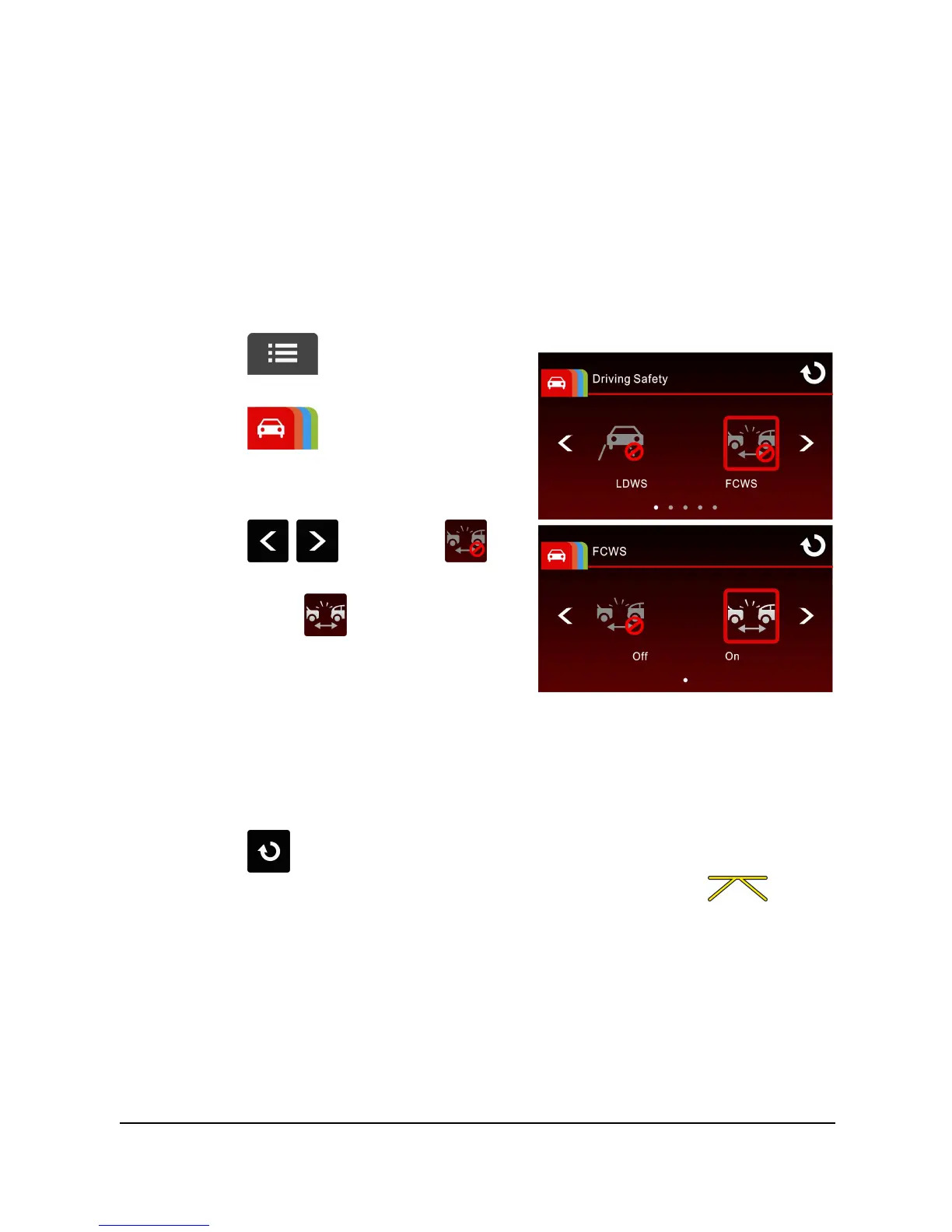
3.2.2 FCWS (Forward Collision Warning System)
Once your vehicle's location is determined by GPS and the FCWS function
is enabled, this feature produces voice and screen message alerts when
you drive at speeds over 60 km/h (37 mile/h) and are less than 20m
away from the car in front of you. Please note that this feature will NOT
apply brakes and many variables can cause this feature to not function
correctly and therefore the driver should be responsible to operate the
vehicle according to the local laws.
To set the FCWS (Forward Collision Warning System), do the following:
1. Touch to enter Main
Menu.
2. Touch to switchover to
Driving Safety Main Menu.
3. Touch / to select
for entering FCWS function menu,
then touch again to enable
the function (on).
4. Touch to return to record screen.
5. After enabling FCWS, the screen will display align icon ,
please adjust the camcorder so that the horizontal line and the eye
level are overlapped and the slash lines are centered in the driving
lane. Make sure that align icon will not be obscured (e.g. hood)
during installation, it may cause misjudgment if the endpoint is
obscured.



 To Next Page