Using Your hp iPAQ h2200 Series
Reference Guide 1–5
DRAFT - Revised 10/16/02
hp CONFIDENTIAL 12/3/02
File: ch1-UsingtheH2200.fm PN: 293146-001
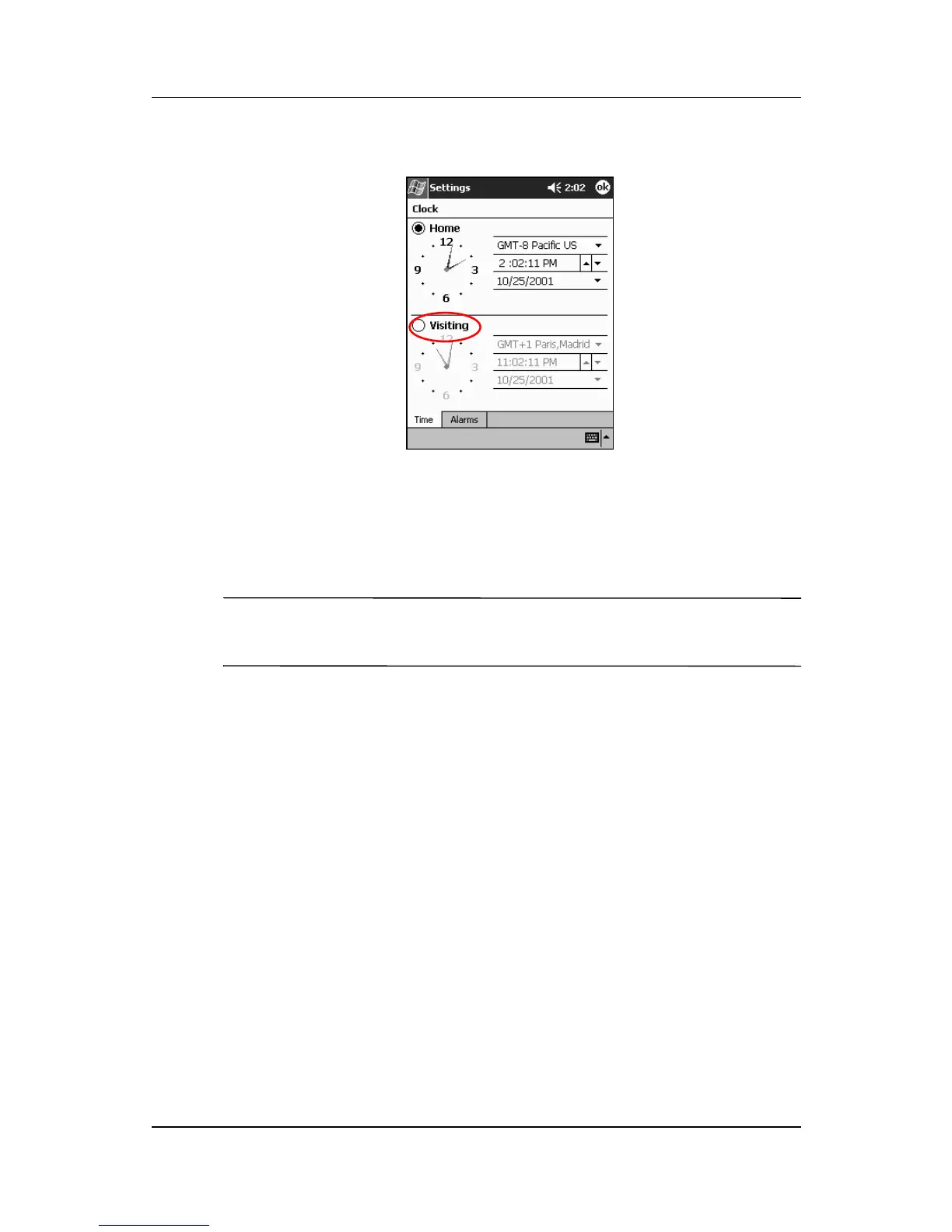
2. Tap Visiting.
3. Tap the time-zone down arrow, then select the time zone you
are visiting.
4. Tap the hour, minutes, or seconds, then use the up and down
arrows to adjust the time.
✎
You can also adjust the time by moving the hands of the clock
with the stylus.
5. Tap AM or PM.
6. Tap OK.
7. Tap Ye s to save the time.
Setting the Date
When you turn on your iPAQ h2200 Series for the first time, you
must set the date. You must reset the date again if:
■ The battery discharges completely
■ The location date (Home or Visiting) needs to be changed
■ You perform a full reset of your h2200 Series



 To Next Page
 Loading...








