Using Your hp iPAQ h2200 Series
Reference Guide 1–39
DRAFT - Revised 10/16/02
hp CONFIDENTIAL 12/3/02
File: ch1-UsingtheH2200.fm PN: 293146-001
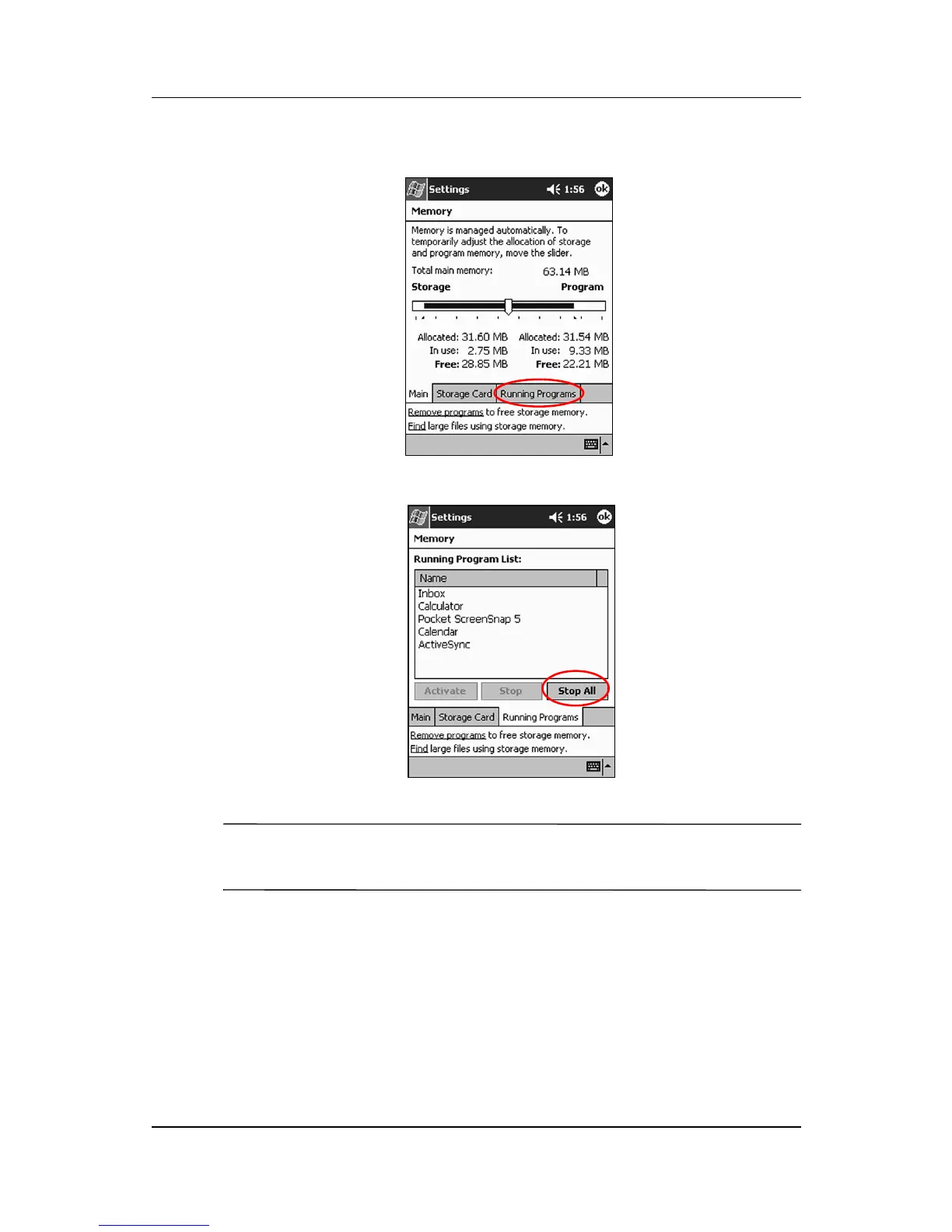
2. Tap Running Programs.
3. Tap Stop All or select a particular application, then tap Stop.
✎
To reactivate the programs, repeat the procedure and tap Activate
instead of Stop or Stop All.
Installing Applications
Install applications on your iPAQ h2200 Series from your:
■ Computer by using Microsoft ActiveSync
■ iPAQ h2200 Series if the application file has a .cab extension



 To Next Page
 Loading...








