1–40 Reference Guide
Using Your hp iPAQ h2200 Series
DRAFT - Revised 10/16/02
hp CONFIDENTIAL 12/3/02
File: ch1-UsingtheH2200.fm PN: 293146-001
■ iPAQ h2200 Series or your computer by copying an
application file that has an .exe or .cef extension
When installing applications, look for the correct version for the
iPAQ h2200 Series.
■ Follow the instructions provided with the application and by
the installation Wizard to install applications from your
computer.
■ Tap the application file in File Explorer on your h2200 Series
and follow the instructions by the installation Wizard to
install applications from your h2200 Series.
Recording Your Voice
Record your voice or any other sound as a note within the
Calendar, Contacts, Notes, and Tasks applications. In the Notes
application, you can create stand-alone recordings, which are
stored as separate .wav files in File Explorer.
Making a Recording
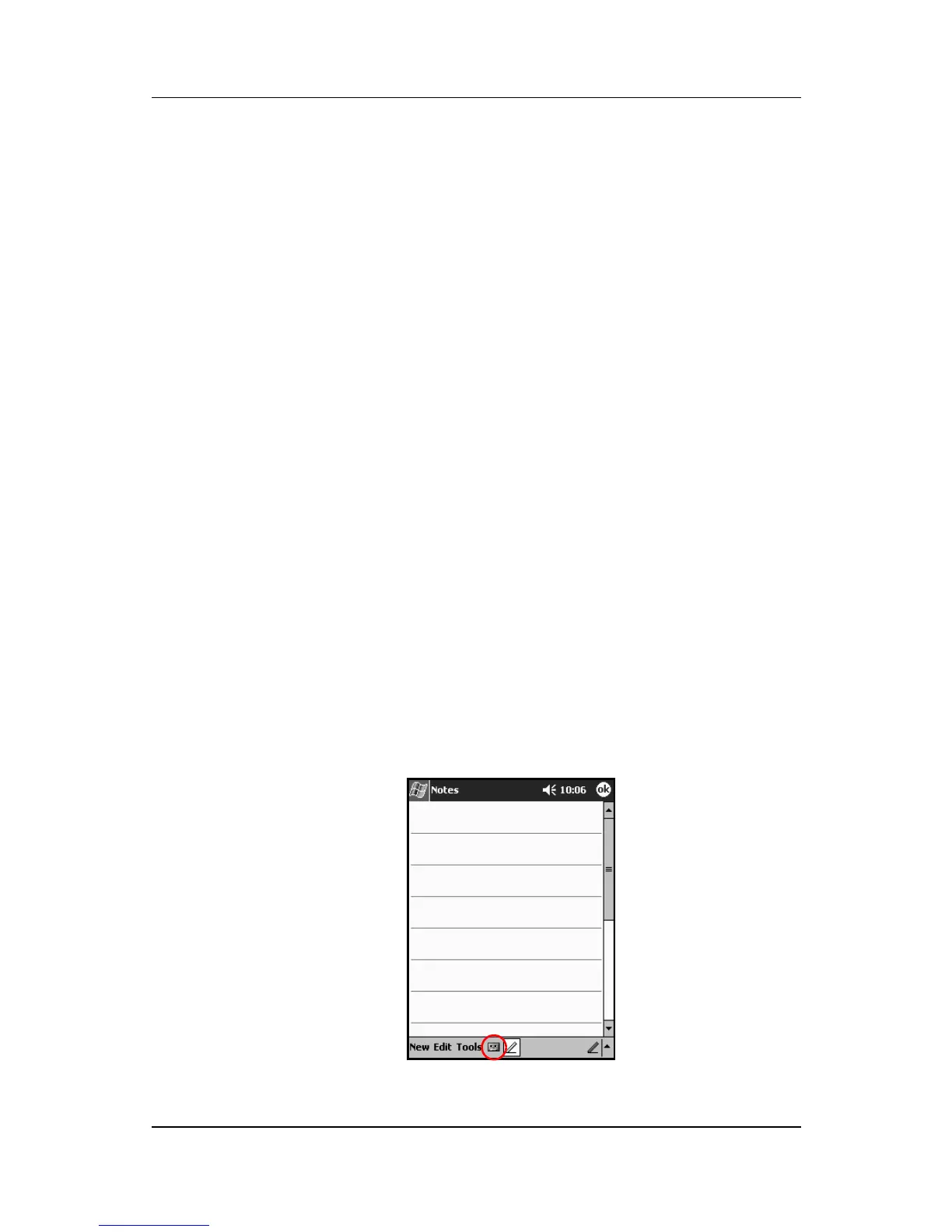
1. From the Start menu, tap Notes.
2. Tap the cassette tape icon to see the recording controls.



 To Next Page
 Loading...








