Using Your hp iPAQ h2200 Series
Reference Guide 1–45
DRAFT - Revised 10/16/02
hp CONFIDENTIAL 12/3/02
File: ch1-UsingtheH2200.fm PN: 293146-001
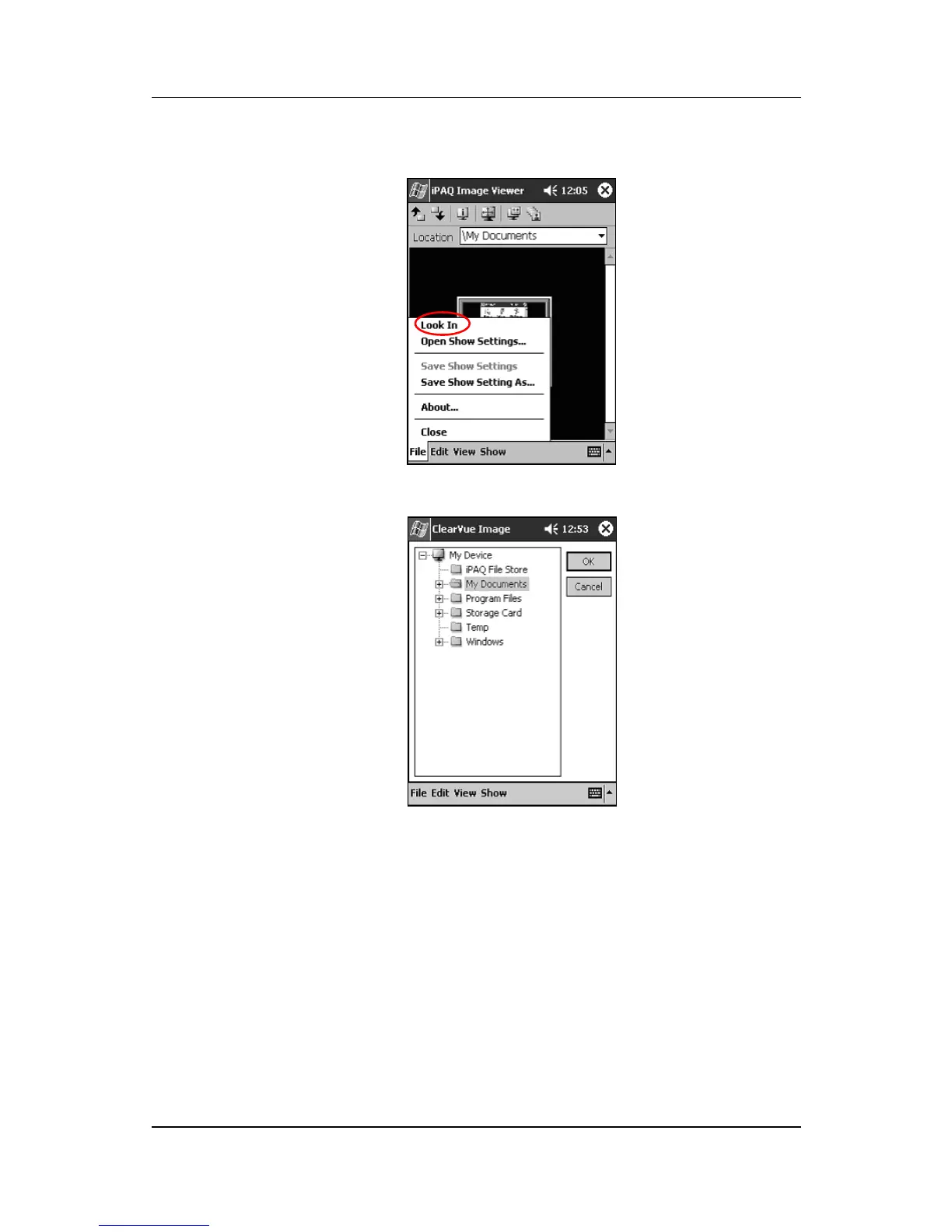
2. Tap File, then Look In.
3. Select a file from the tree structure, then tap OK.
Viewing image information
To view the image size and type, date taken and modified, color,
and file size of an image:
1. Locate an image (see the section “Locating an image”).



 To Next Page
 Loading...








