EasyManua.ls Logo

HP MSA 2050 - User Manual

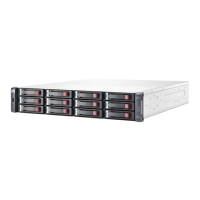
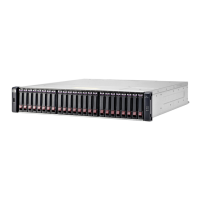
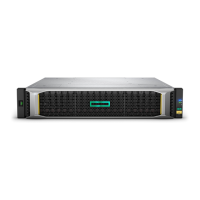
HP MSA 2050
81 pages
Print Icon
To Next Page IconTo Next Page
Loading...
MSA 2050 User Guide
Firmware Version: VL100
Part Number: 723983-005
Published: June 2017
Edition: 1
Abstract
This document describes initial hardware setup for HPE MSA 2050 controller enclosures, and is intended for use by
storage system administrators familiar with servers and computer networks, network administration, storage system
installation and configuration, storage area network management, and relevant protocols.

Table of Contents

Questions and Answers

  • A
    Alexander GuzmanSep 9, 2025
    What does Cache Status LED on/blinking mean if HP MSA 2050 controller failed?
    • R
      Renee GarnerSep 9, 2025
      If the HP Storage controller has failed or doesn't start and the Cache Status LED is on or blinking, it could mean the controller module isn't powered on. If you believe there's valid data in Flash, see Transporting cache; otherwise, replace the controller module. Alternatively, the system may have flushed data to disks. If the problem persists, replace the controller module.
  • J
    Jennifer HarrisonSep 12, 2025
    How to correct enclosure IDs on HP MSA 2050?
    • A
      Adrian MitchellSep 12, 2025
      To correct enclosure IDs on your HP Storage, ensure that both controllers are up and then perform a rescan using the SMU or the CLI.
  • M
    Madeline BrightSep 13, 2025
    What to do if Network Port Link Status LED is off on HP Storage?
    • A
      Alyssa StoneSep 13, 2025
      If the Network Port Link Status LED is off on a connected port of your HP Storage, the link is down. Use standard networking troubleshooting procedures to isolate faults on the network.
  • R
    Regina ClarkSep 14, 2025
    How to license Remote Snap on HP MSA 2050?
    • A
      Antonio BarnesSep 15, 2025
      To resolve the issue where Remote Snap is not licensed on each controller enclosure used for replication on your HP Storage, verify the licensing of the optional feature per system. In the Home topic in the SMU, select Action > Install License. The License Settings panel will open, displaying information about each licensed feature. If the Replication feature isn't enabled, obtain and install a valid license for Remote Snap.
  • D
    Deanna HansonSep 16, 2025
    How to update firmware for Remote Snap on HP MSA 2050?
    • N
      Nicole LucasSep 17, 2025
      To ensure a compatible firmware revision supporting Remote Snap is running on each system used for replication on your HP Storage, in the System topic, select Action > Update Firmware. The Update Firmware panel will open. If necessary, update the controller module firmware to ensure compatibility with other systems.

Summary

Overview of HPE MSA 2050 Storage System

HPE MSA 2050 Components

Installing HPE MSA 2050 Enclosures

Installation Checklist

Outlines sequential steps for installing enclosures and initial system configuration.

Connecting Controller and Drive Enclosures

Explains SAS cabling options, including straight-through and fault-tolerant configurations.

Powering On and Off Enclosures

Details the correct sequence for powering enclosures on and off, including AC/DC differences.

Connecting Hosts to HPE MSA 2050

Host System Requirements

Lists requirements for data hosts, including operating systems and multi-pathing support.

Connecting Enclosures to Data Hosts

Describes how to connect servers to storage ports using various cabling configurations.

Remote Snap Replication Setup

Details setting up Remote Snap replication between two storage systems.

Connecting to the Controller CLI Port

IP Address Configuration

Covers methods for obtaining and setting IP addresses via DHCP or CLI.

Basic Operation of HPE MSA 2050

Accessing the SMU

Instructions on accessing the web-based Storage Management Utility (SMU).

Configuring and Provisioning the Storage System

Guides on using the SMU to configure and provision the storage system and set up replication.

Troubleshooting HPE MSA 2050

Fault Isolation Methodology

Presents the basic methodology for locating faults and identifying Field Replaceable Units (FRUs).

Controller Failure Scenarios

Discusses cache behavior and data protection during controller failure events.

Isolating Host-Side Connection Faults

Provides procedures for troubleshooting connection faults between hosts and controller ports.

Isolating Controller Module Expansion Port Faults

Details troubleshooting steps for faults in controller module expansion port connections.

Isolating Remote Snap Replication Faults

Covers troubleshooting common issues encountered with Remote Snap replication setup.

Resolving Voltage and Temperature Warnings

Guides on addressing voltage and temperature warnings by checking fans and sensors.

Enclosure Front Panel LED Diagnostics

Details how to interpret front panel LED statuses to diagnose faults.

Disk Drive Module LED Diagnostics

Details how to interpret disk drive LED statuses to diagnose faults.

Host Port LED Diagnostics

Details how to interpret host port LED statuses to diagnose faults.

Power Supply LED Diagnostics

Details how to interpret power supply LED statuses to diagnose faults.

HPE MSA 2050 LED Descriptions

MSA 2050 SAN Controller Module Rear Panel LEDs

Explains the LEDs on the rear panel of SAN controller modules for FC and iSCSI ports.

Specifications and Requirements

Safety Requirements

Emphasizes adherence to local safety codes and equipment markings for installation.

Electrostatic Discharge (ESD) Prevention

HP MSA 2050 Specifications

General IconGeneral
ModelHP MSA 2050
CategoryStorage
Controller TypeDual Controller
Form Factor2U
Maximum Drives Supported192
Cache Memory8 GB per controller
Number of Controllers2
ProtocolsFibre Channel, iSCSI, SAS
Drive Support2.5-inch SFF and 3.5-inch LFF drives
Host Interfaces16 Gb Fibre Channel, 10GbE iSCSI, 12 Gb SAS
RAID Levels SupportedRAID 0, 1, 5, 6, 10
Expansion OptionsSupports expansion with MSA 2050 LFF and SFF Disk Enclosures
Power SuppliesDual, redundant power supplies
Operating Temperature10°C to 35°C (50°F to 95°F)
Warranty3 years
Maximum Raw Capacity192 TB

Related product manuals