l On the LCD screen, choose Apps > Preferences > Call Settings > DND.
l One the web page, choose Call Settings > DND.
Setting DND
In the EC6.X or UC2.X network environment, you can set the DND function on your phone
LCD screen or web page. For detailed operations, see Table 6-9.
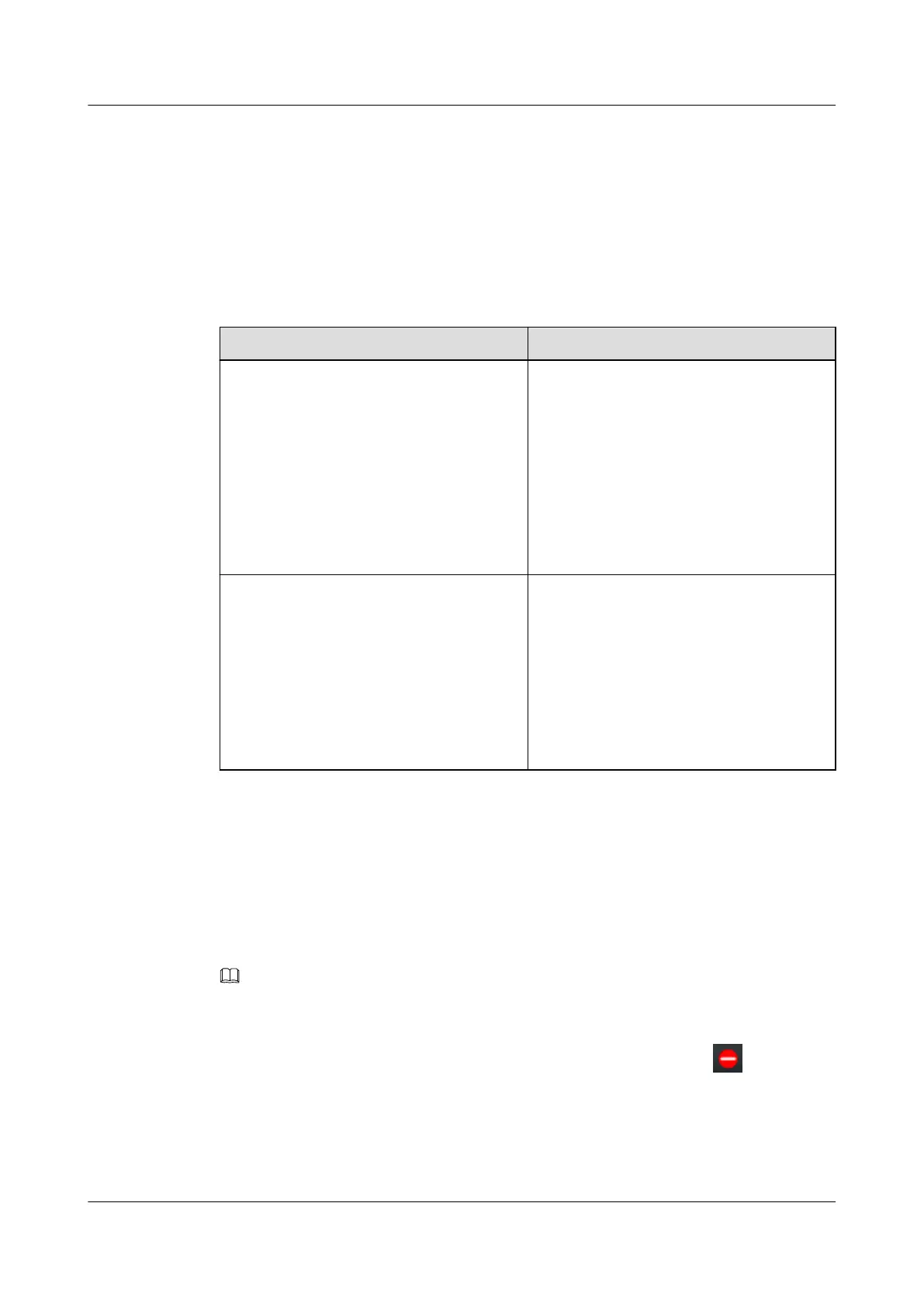
Table 6-9 Setting DND
Where to Set
How to Set
Call Settings on the phone LCD screen 1. Choose Apps > Preferences > Call
Settings > DND.
2. Select a DND mode.
l Server DND: The phone does not
receive any calls.
l Local DND: Two options: Incoming
call rejected and Incoming call
muted, are available.
3. Press Select.
Call Settings on the phone web page 1. Choose Call Settings > DND.
2. Select a DND mode.
l Server DND: The phone does not
receive any calls.
l Local DND: Two options: Incoming
call rejected and Incoming call
muted, are available.
3. Click Save.
Enabling or Disabling DND
In the IMS+UC network environment, press Status on the home screen, and select DND to
enable DND, or select Idle or Busy to disable DND.
In the EC6.X or UC2.X network environment, you can press DND on the home screen to
enable or disable (if already enabled) DND.
NOTE
If you have assigned the DND function to a line button or programmable button, you can also press the
line button or programmable button to enable or disable DND.
When DND is enabled, DND enabled is displayed on the home screen and is displayed
in the status bar.
eSpace 7910&7950 IP Phone
User Guide
6 Phone Usage
Issue 03 (2017-06-30) Huawei Proprietary and Confidential
Copyright © Huawei Technologies Co., Ltd.
97



 To Next Page