You can view the status of your contacts in your contact list, call history, redial list, and
conference participant list.
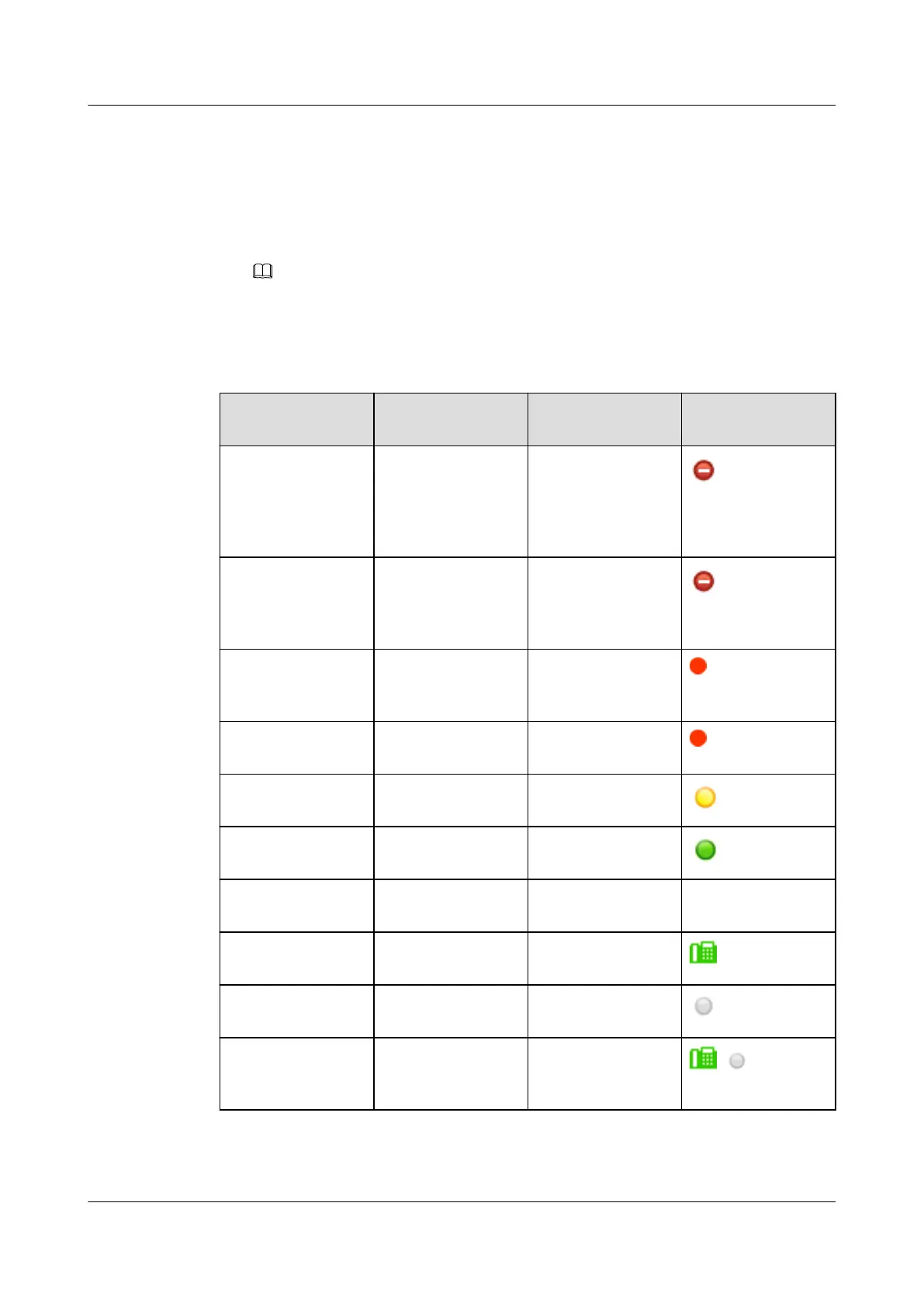
In the IMS+UC network environment, your phone displays the converged status of your
contacts. If a contact has an IP phone number and a soft terminal number, your phone
displays only one status icon for this contact, which is the converged status of this
contact. Table 7-9 describes the status convergence rules.
NOTE
When a contact from the directory saved on the IP phone has multiple hard terminal numbers and
the contact's IP phone is set to DND, only the status of the first number in the contact details is
displayed as DND.
Table 7-9 Status convergence
Status of the IP
Phone Number
Status of the Soft
Terminal Number
Converged Status Icon
DND Idle, busy, DND,
offline, away,
unknown, or NA
(NA: no soft
terminal number)
DND
Idle, busy, DND,
offline, unknown, or
NA (NA: no IP
phone number)
DND DND
Busy Idle, busy, offline,
away, unknown, or
NA
Busy
Idle, busy, offline,
unknown, or NA
Busy Busy
Idle, offline,
unknown, or NA
Away Away
Idle, offline,
unknown, or NA
Idle Idle (soft terminal's
idle icon)
Idle, offline,
unknown, or NA
Unknown Unknown No icon
Idle Offline Idle (IP phone's idle
icon)
Idle, offline,
unknown, or NA
Offline Offline
Idle, offline, or
unknown
NA Idle (IP phone's idle
icon), offline, or
unknown
, , or no icon
eSpace 7910&7950 IP Phone
User Guide
7 eSpace UC-Related Functions
Issue 03 (2017-06-30) Huawei Proprietary and Confidential
Copyright © Huawei Technologies Co., Ltd.
135



 To Previous Page