Port Type
Quantity
Note
Description
USB 3.0 1
NOTICE
Before connecting an external
USB device, check that the USB
device functions properly. The
server may operate abnormally if
an abnormal USB device is
connected.
Note: The number of ports varies depending on server conguration. This table
lists the maximum number of ports in dierent congurations.
5.2 Rear Panel
5.2.1 Appearance
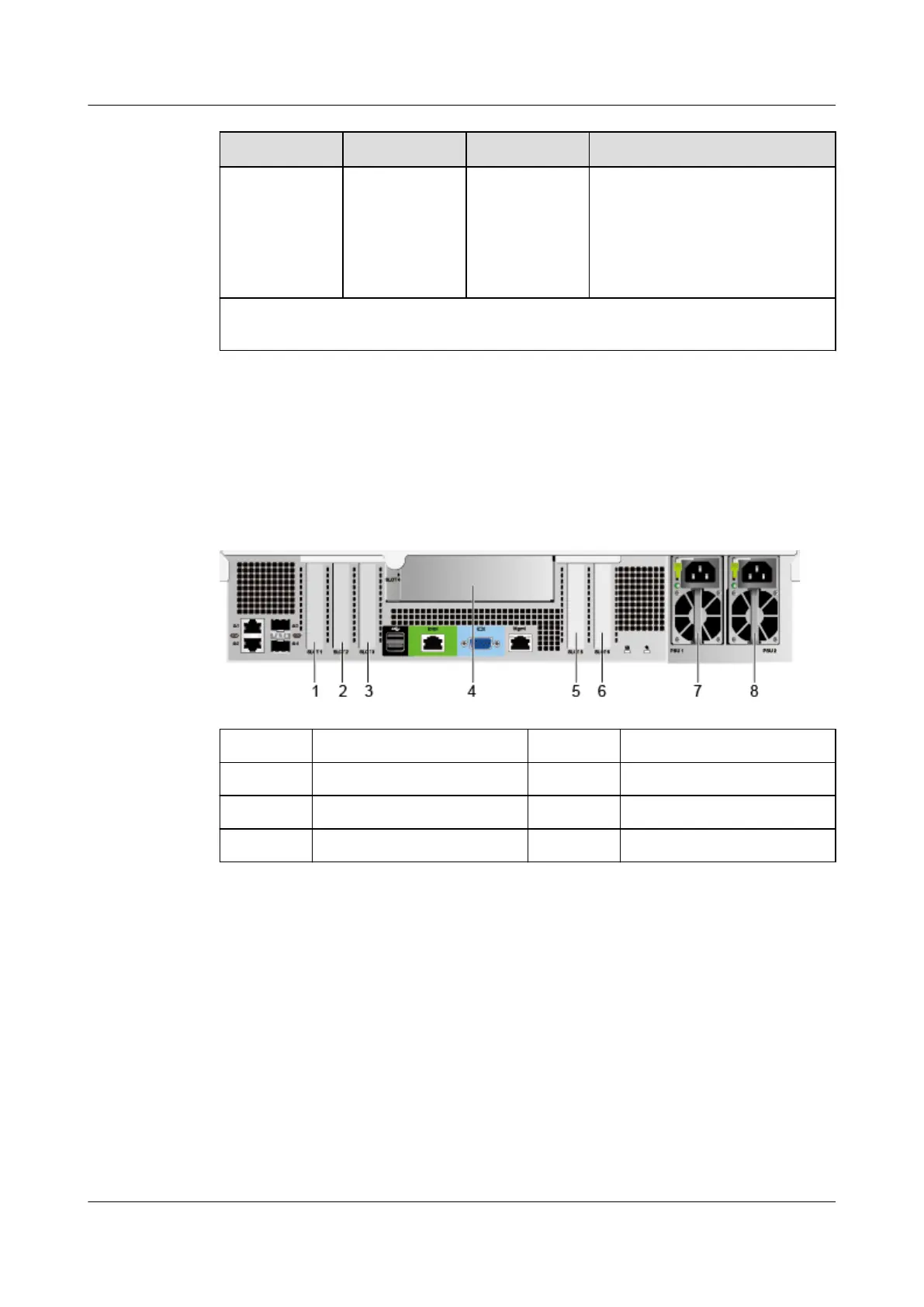
Figure 5-10 Rear view
1 PCIe slot 1 2 PCIe slot 2
3 PCIe slot 3 4 PCIe slot 4
5 PCIe slot 5 6 PCIe slot 6
7 PSU 1 8 PSU 2
Huawei FusionServer Pro 2488 V5 Server
Technical White Paper 5 Hardware Description
Issue 11 (2020-09-03) Copyright © Huawei Technologies Co., Ltd. 16







 To Next Page