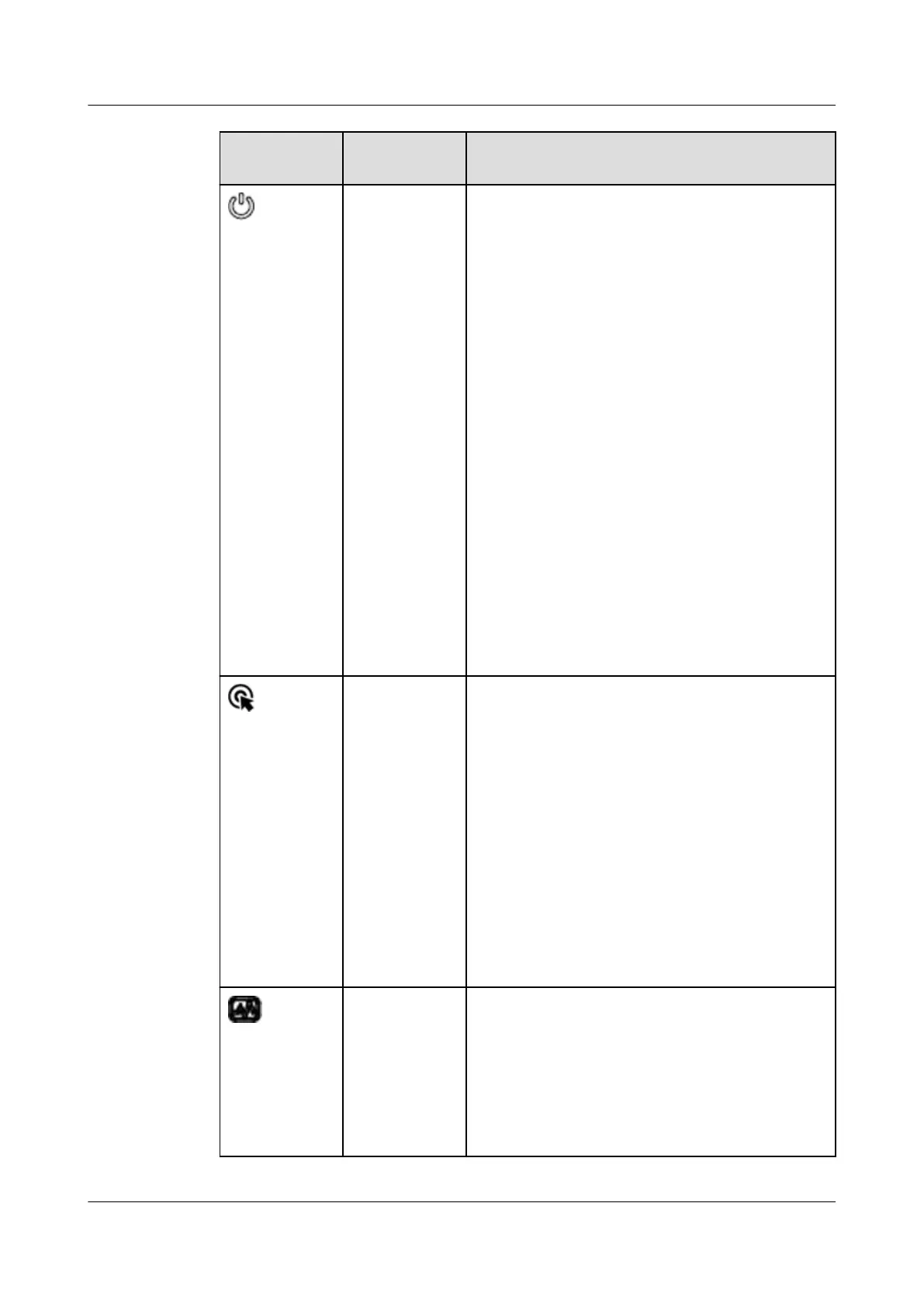
Silkscreen Indicator/
Button
Description
Power
button/
indicator
Power indicator:
● O: The device is not powered on.
● Steady green: The device is powered on.
● Blinking yellow: The iBMC is starting. The
power button is locked and cannot be
pressed. The iBMC is started in about 1
minute, and then the power indicator is
steady yellow.
● Steady yellow: The device is standby.
Power button:
● When the device is powered on, you can
press this button to gracefully shut down
the OS.
NOTE
For
dierent OSs, you may need to shut down
the OS as prompted.
● When the device is powered on, holding
down this button for 6 seconds will forcibly
power
o the device.
● When the power indicator is steady yellow,
you can press this button to power on the
device.
UID button/
indicator
The UID button/indicator helps identify and
locate a device.
UID indicator:
● O: The device is not being located.
● Blinking or steady blue: The device is being
located.
UID button:
● You can control the UID indicator status by
pressing the UID button or using the iBMC.
● You can press this button to turn on or
o
the UID indicator.
● You can press and hold down this button for
4 to 6 seconds to reset the iBMC.
Health status
indicator
● O: The device is powered o or is faulty.
● Blinking red at 1 Hz: A major alarm has
been generated on the system.
● Blinking red at 5 Hz: A critical alarm has
been generated on the system.
● Steady green: The device is operating
properly.
Huawei FusionServer Pro 5288 V5 Server
Technical White Paper 5 Hardware Description
Issue 10 (2020-12-15) Copyright © Huawei Technologies Co., Ltd. 12













 To Next Page