Indicator Description
Connection status
indicator for the
management network
port
● O: The network port is not connected.
● Steady green: The network port is properly
connected.
Connection status
indicator/Data
transmission status
indicator for a 10GE
electrical port
● O: The network port is not connected.
● Blinking green: Data is being transmitted.
● Steady green: The network port is properly
connected.
Data transmission rate
indicator for a 10GE
electrical port
● O: The network port is not connected.
● Steady green: The data transmission rate is 10
Gbit/s.
● Steady yellow: The data transmission rate is 1
Gbit/s.
Connection status
indicator/Data
transmission status
indicator for a 10GE
optical port
● O: The network port is not connected.
● Blinking green: Data is being transmitted.
● Steady green: The network port is properly
connected.
Data transmission rate
indicator for a 10GE
optical port
● O: The network port is not connected.
● Steady green: The data transmission rate is 10
Gbit/s.
● Steady yellow: The data transmission rate is lower
than 10 Gbit/s.
5.2.3 Ports
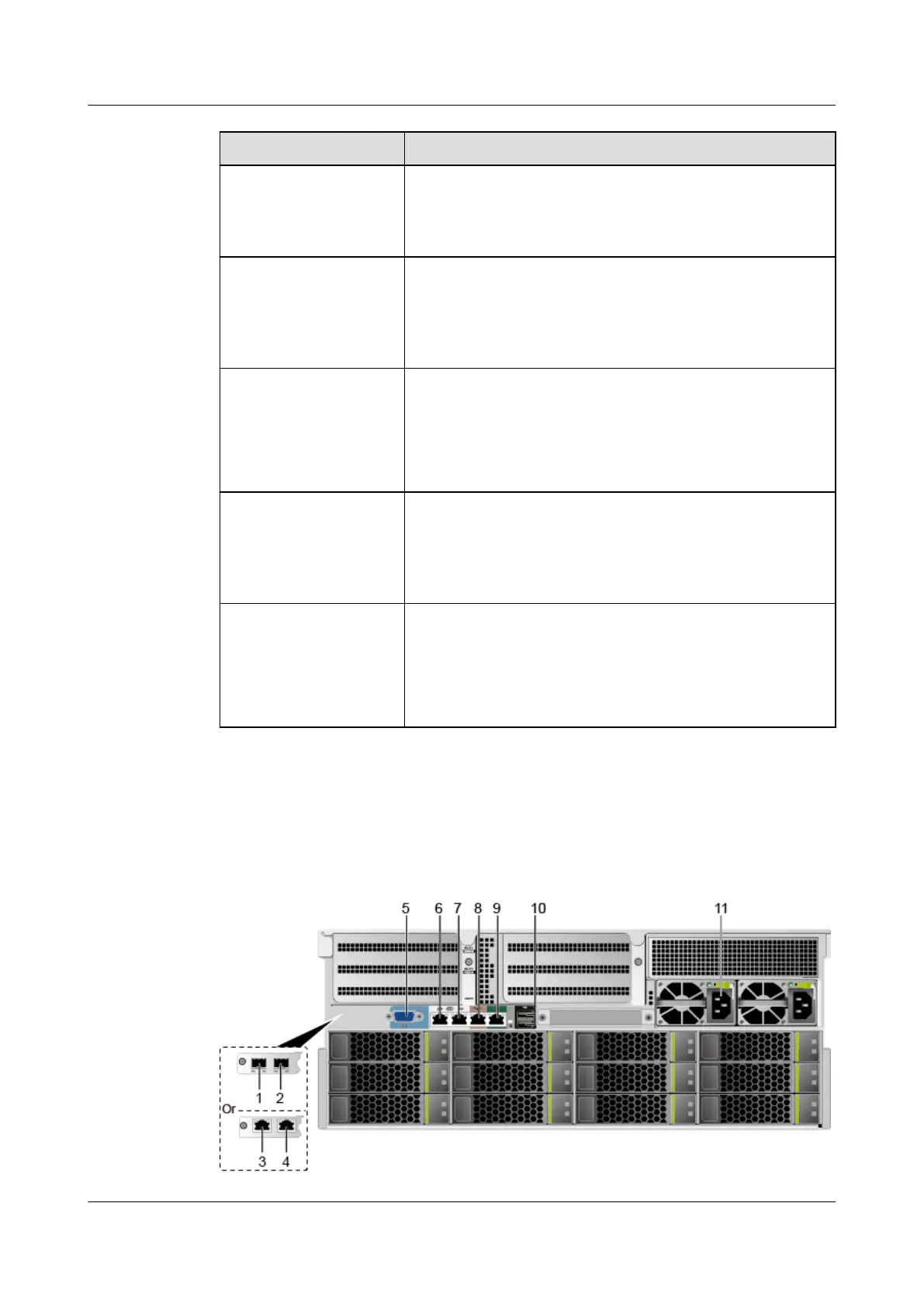
Port Positions
Figure 5-6 Ports on the rear panel
Huawei FusionServer Pro 5288 V5 Server
Technical White Paper 5 Hardware Description
Issue 10 (2020-12-15) Copyright © Huawei Technologies Co., Ltd. 17







 To Next Page