Huawei Mate7 Smartphone
FAQs 2 Screen and display
Issue 01 (2014-09-04) Huawei
Proprietary and Confidential
Copyright © Huawei Technologies Co., Ltd.
6
The figures are for your reference only. The actual screens may vary.
2.6 How do I change the system font style and size?
Download a third-party application to change the system font.
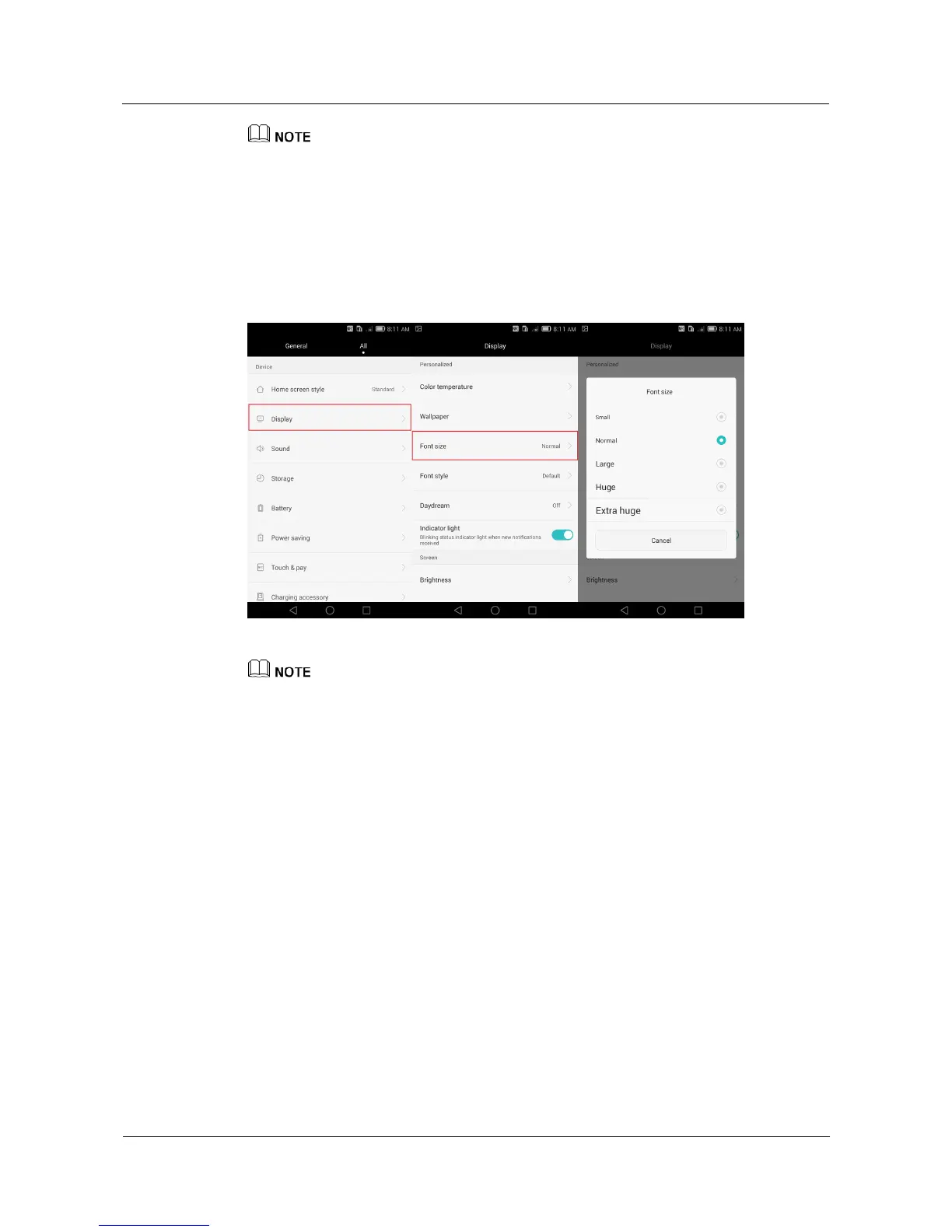
To change the system font size, go to the Settings screen and touch Display > Font size.
Choose a font size from the displayed option menu.
The figures are for your reference only. The actual screens may vary.
2.7 What can I do if my phone's tilt sensor fails to work
properly?
If this happens when you are using a third-party application, check whether the
application is tilt sensor-based.
Your phone's tilt sensor may fail to work if certain system files are deleted.
Back up important data and restore your phone to its factory settings or update your
phone.



 To Next Page