Huawei Mate7 Smartphone
FAQs 4 Network and data transmission
Issue 01 (2014-09-04) Huawei
Proprietary and Confidential
Copyright © Huawei Technologies Co., Ltd.
16
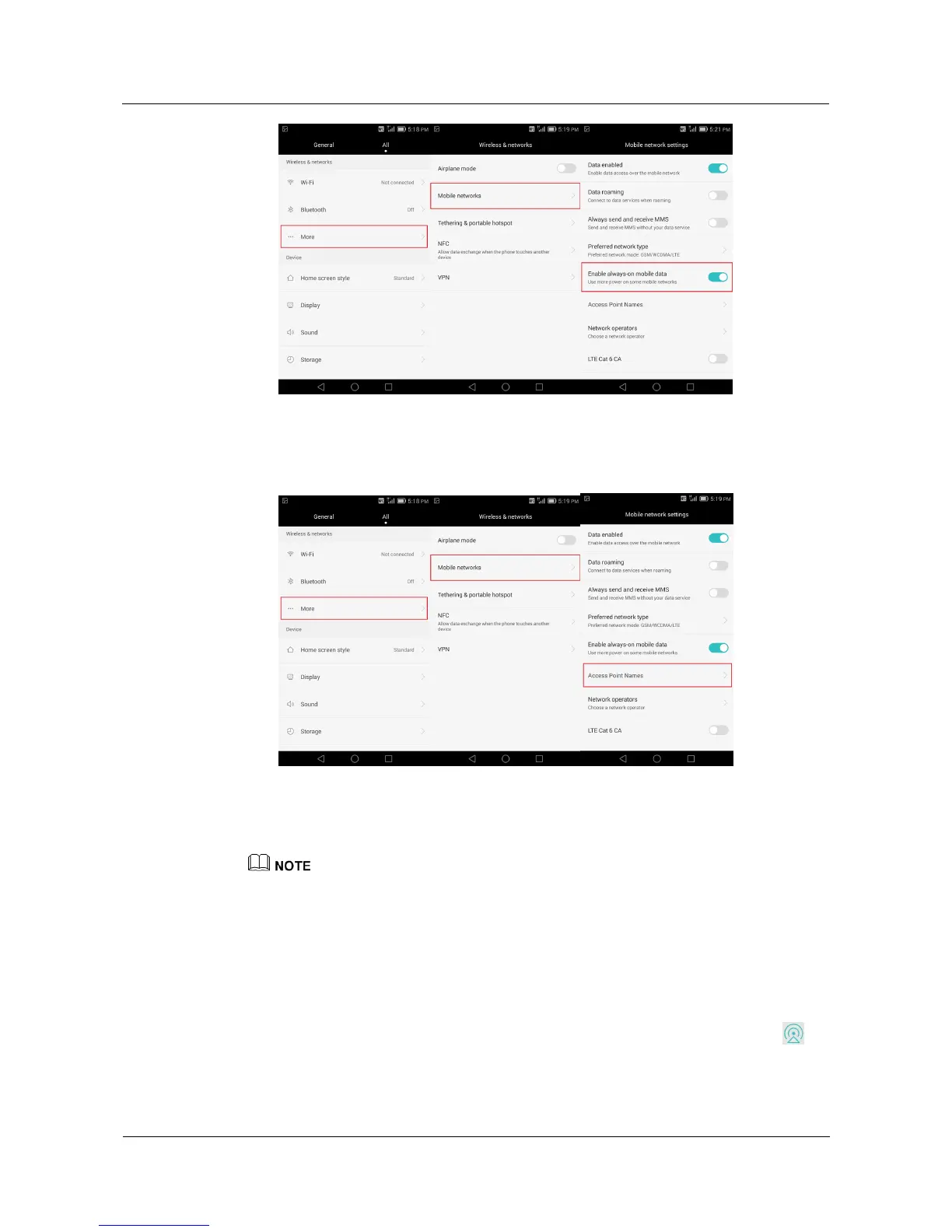
Contact your service provider to make sure your APN parameters are properly
configured. Go to the Settings screen, touch More > Mobile networks, and touch
Access Point Names to view your APN information.
If the problem persists, back up important data, restore your phone to its factory settings, and
try again.
The figures are for your reference only. The actual screens may vary.
4.6 How do I save my data traffic?
Try to use Wi-Fi networks more often.
Turn off your data service when you don't need to go on the Internet.
To quickly turn on or off your data service, open the notification panel and touch .
When you surf the Internet, set your phone to block images on web pages.



 To Next Page