Huawei Mate7 Smartphone
FAQs 3 System settings and update
Issue 01 (2014-09-04) Huawei
Proprietary and Confidential
Copyright © Huawei Technologies Co., Ltd.
10
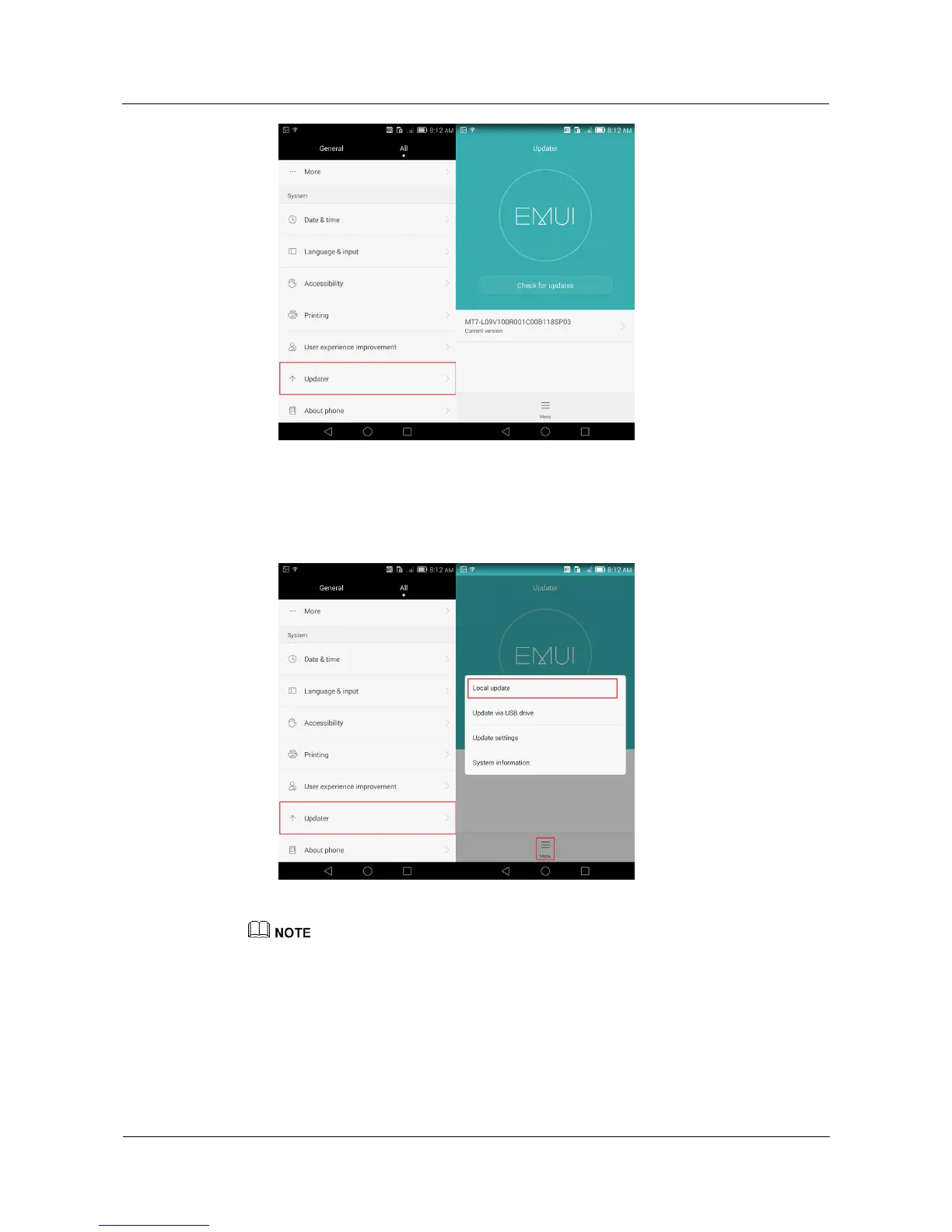
Local update: Download the update package from http://consumer.huawei.com and save
the dload folder in the update package to the phone storage's root directory.
Go to the Settings screen, touch Updater > Local update, and follow the onscreen
instructions. For details, see the update guide for the update package.
The figures are for your reference only. The actual screens may vary.
3.7 What can I do if my phone update fails?
Download the update package for your phone model from http://consumer.huawei.com
and reperform the update. For details, see the update guide for the update package.



 To Next Page