Huawei Mate7 Smartphone
FAQs 6 Calls and contacts
Issue 01 (2014-09-04) Huawei
Proprietary and Confidential
Copyright © Huawei Technologies Co., Ltd.
31
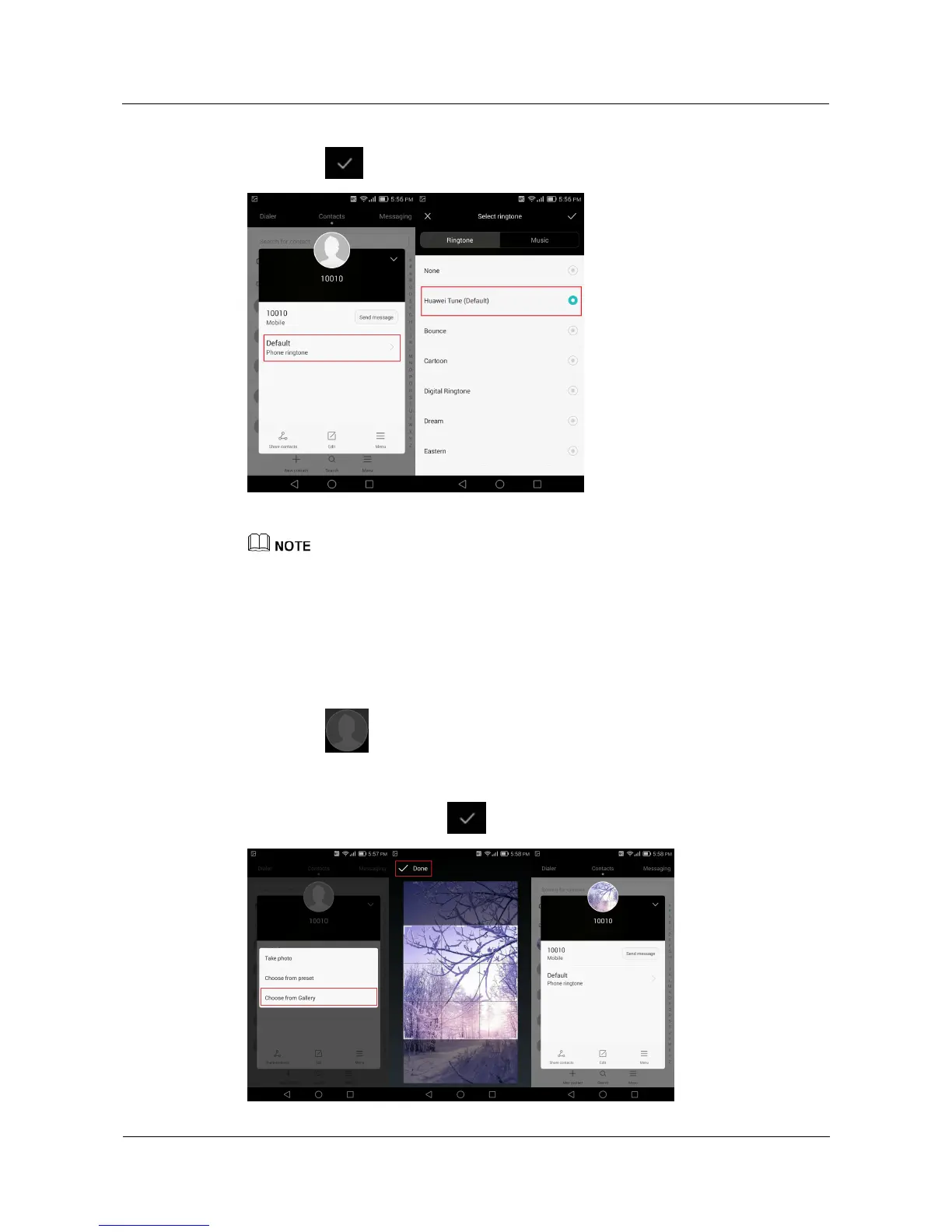
1. On the Select ringtone screen, select a ringtone.
2. Touch .
The figures are for your reference only. The actual screens may vary.
6.8 How do I assign a photo to a contact?
You can only assign photos to contacts saved in your phone memory.
From the Edit contact screen:
1. Touch above the contact name.
2. From the displayed option menu, choose a photo source, and follow the onscreen
instructions to select a photo.
3. When you are done, touch .



 To Next Page